Email and Digital Marketing
How can we help you?
Search our help articles, video tutorials, and quickstart guides

You've got this. You've got us. Search our Knowledge Base to quickly find answers to your questions.

Using social media with Constant Contact

Article: 000011476
Updated: January 27, 2026

Promote your organization and grow your list through social media channels, like Facebook, Instagram, LinkedIn, and TikTok, all from within your Constant Contact account


When you connect with your followers on social media, you get to remind them of what you have to offer, who you are as a brand, and how you're keeping relevant; it's all the same things you do in traditional marketing! We have several ways you can use social media from within Constant Contact:


Blue Ribbon IconBe a better marketer: We can help you use social media marketing to grow your business!


Connect with friends and followers

Social media marketing stands apart from traditional marketing because you get to stay involved in the conversation as it happens in real-time. By creating posts and responding to comments, you control the narrative and show your supporters that you find their feedback as valuable as their praise. Our social tools help you:
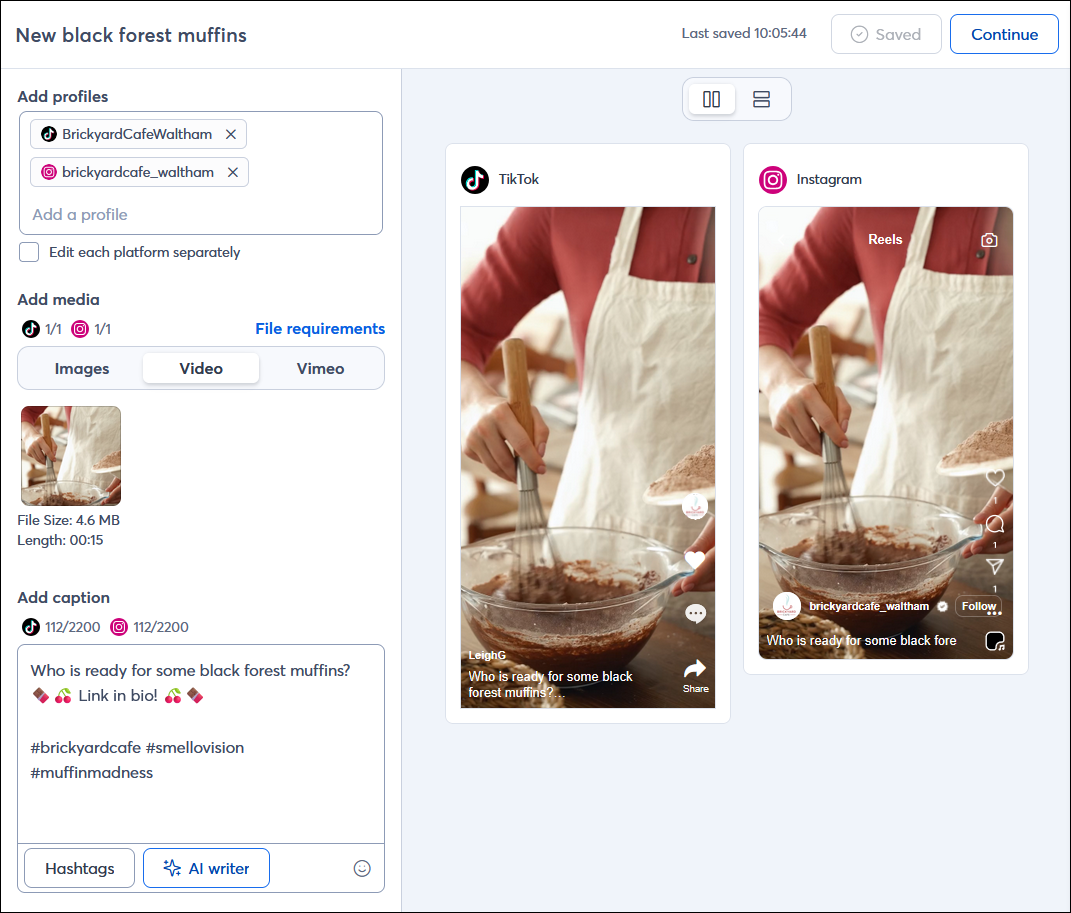
  • Create and schedule social posts and social posts with short-form videos on Facebook, Instagram, LinkedIn, and TikTok.
  • Create individual posts for each platform or one post to share across multiple platforms.
  • Schedule a series of posts in advance.
  • View engagement activity for your posts.
  • View and respond to comments on Facebook and Instagram posts through your Constant Contact account.

    Social Post editor with profiles selected, video-content, and caption with emojis and hashtags

Here's everything you need to get started by syncing your social media accounts to Constant Contact.


Grow your contact list

Growing your contact list is important, but don't measure your success by the number of contacts on your list! If you can fill your list with people who really want and value your content, your emails are going to perform better. We have tools to help capture Facebook and Instagram users who visit your page, and the ones who haven't found you yet:
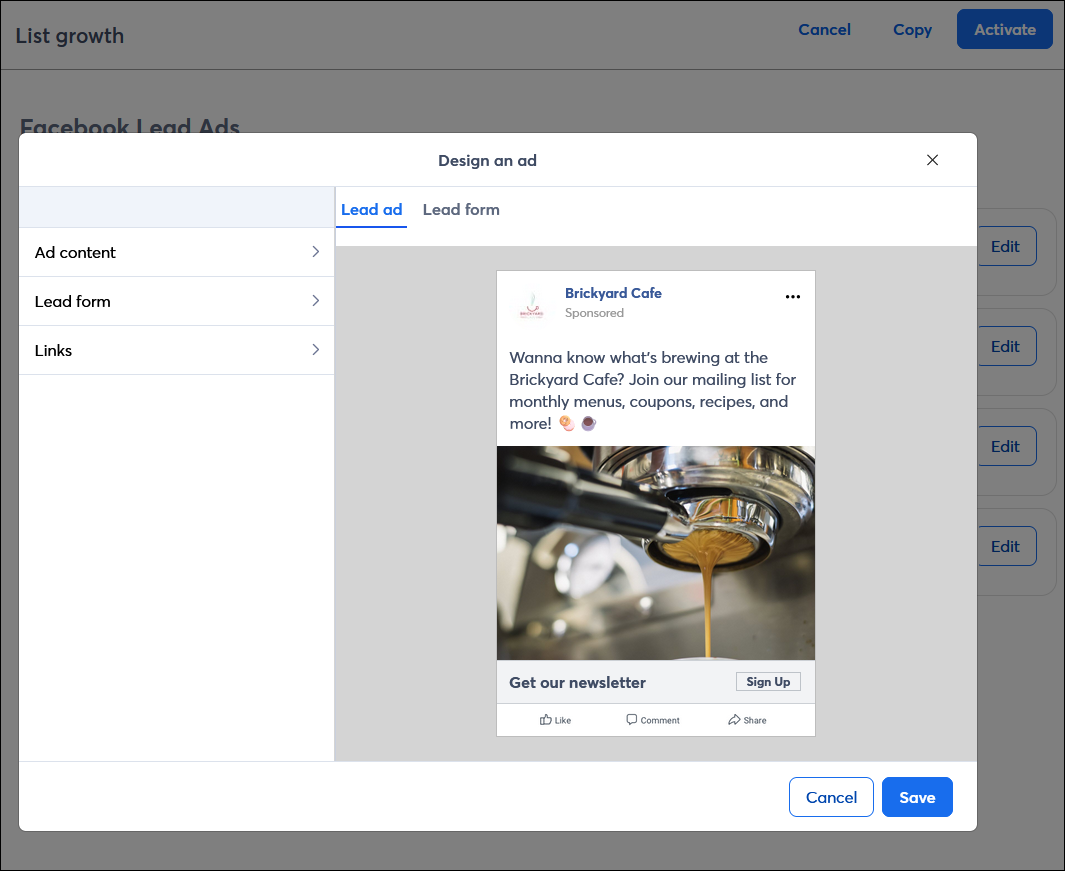
  • Create lead ads on Facebook and Instagram to collect new subscribers.
  • Customize the target audience for your ad based on the demographics that are most important for your organization.
  • Target your ad to Facebook and Instagram users who "look" like your current contact list.
  • Follow up with your new leads by sending them targeted email content.

    Facebook Lead Ad editor with Sign Up button

Here's everything you need to get started with Facebook and Instagram Lead Ads.


Light Bulb IconDesign tip: Our Sign-up Landing Pages can also help capture new subscribers on social media! Just copy the URL and share it in the bio of your social media profiles. If space is at a premium, add it to a "link in bio" landing page and add its link to your social profiles instead.


Advertise your organization

You don't have to rely on your friends and followers to spread the word about your organization on social media! Advertising on social media helps you get your content in front of just the right audience, so you have a better chance of finding new customers and supporters from the vast sea of social media users:
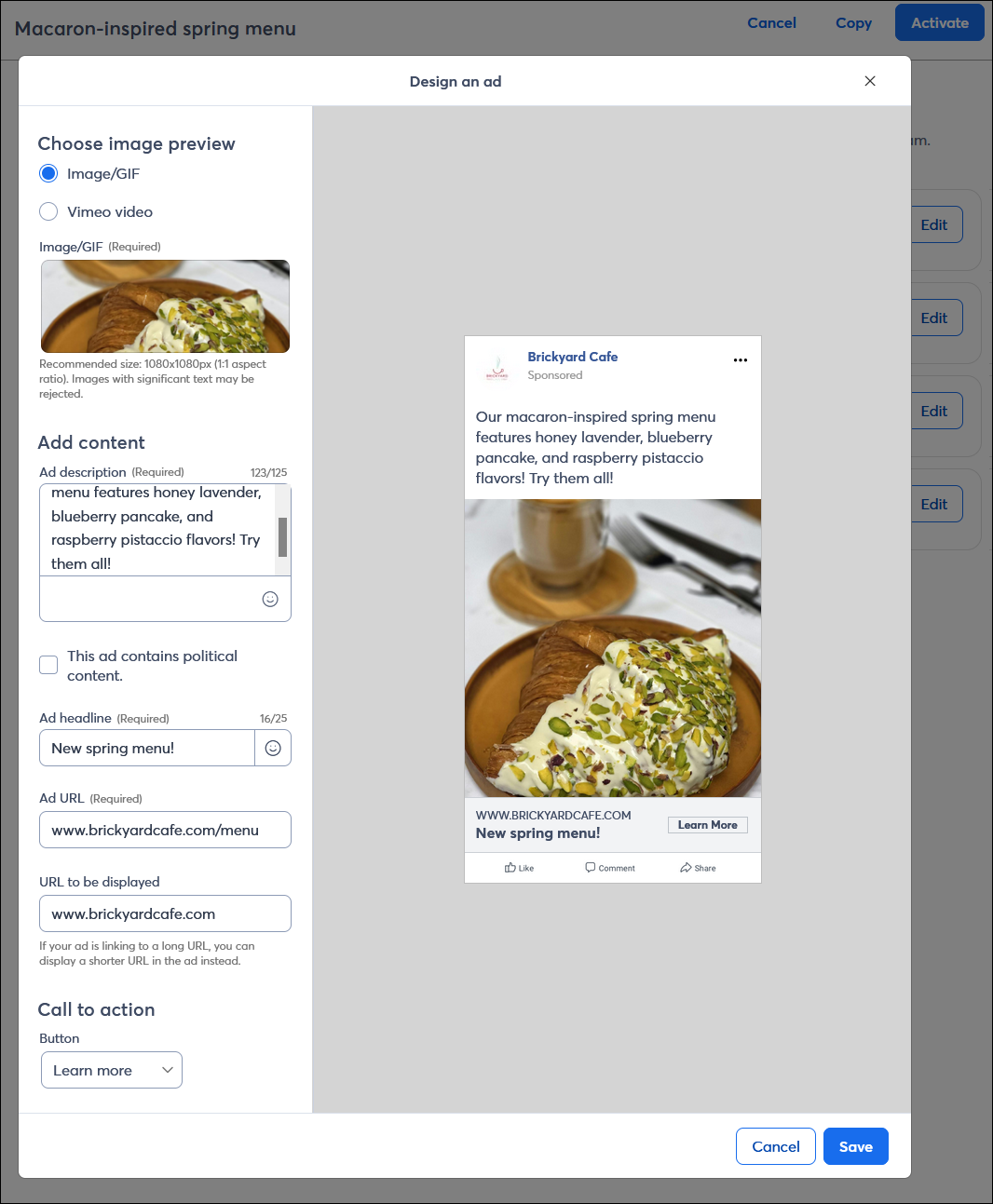
  • Create ads on Facebook and Instagram to drive traffic to a webpage of your choosing.
  • Customize the target audience for your ad based on the demographics that are most important for your organization.
  • Target your ad to Facebook and Instagram users who "look" like your current contact list.

    Facebook and Instagram Ad editor with image, content, headline, and call-to-action button

Here's everything you need to get started with Facebook and Instagram Ads.


Share your emails and events

Getting more people to read your email can help you build your list and spread the word about the services or products you offer, and being able to share event invitations and registration information helps to generate interest beyond your email contacts:
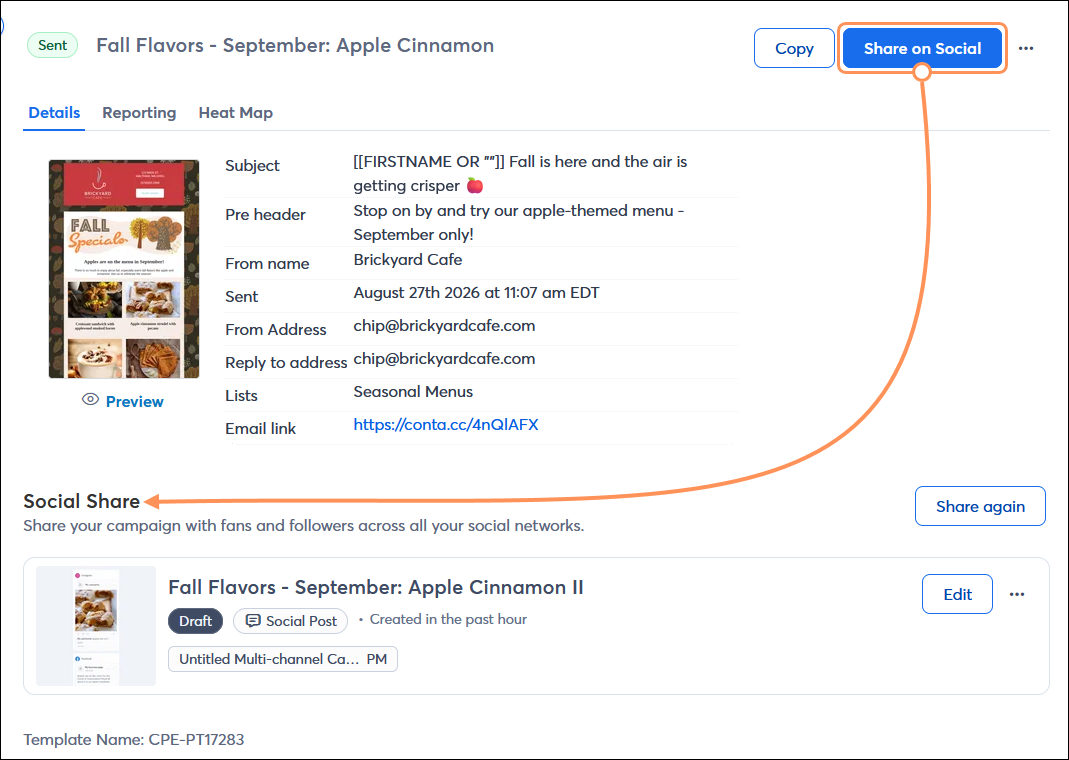
  • Share an email or share the Landing Page URL for an event on Facebook and LinkedIn. (Instagram and TikTok don't support clickable links in their post content, but you can create custom posts with images or videos and point to a link in your bio.)
  • Schedule a series of posts in advance.
  • View engagement activity with your posts.
  • View and respond to comments on Facebook and Instagram through your Constant Contact account.

    Email Details page with Details tab selected and Social Share section, and Share on Social button


Promote your social media pages through your emails

If you're trying to drive some traffic to your social media pages to engage with your customers and supporters, start by promoting your social page in your email. The most basic way is to insert branded social icons, and there are two ways to use them:
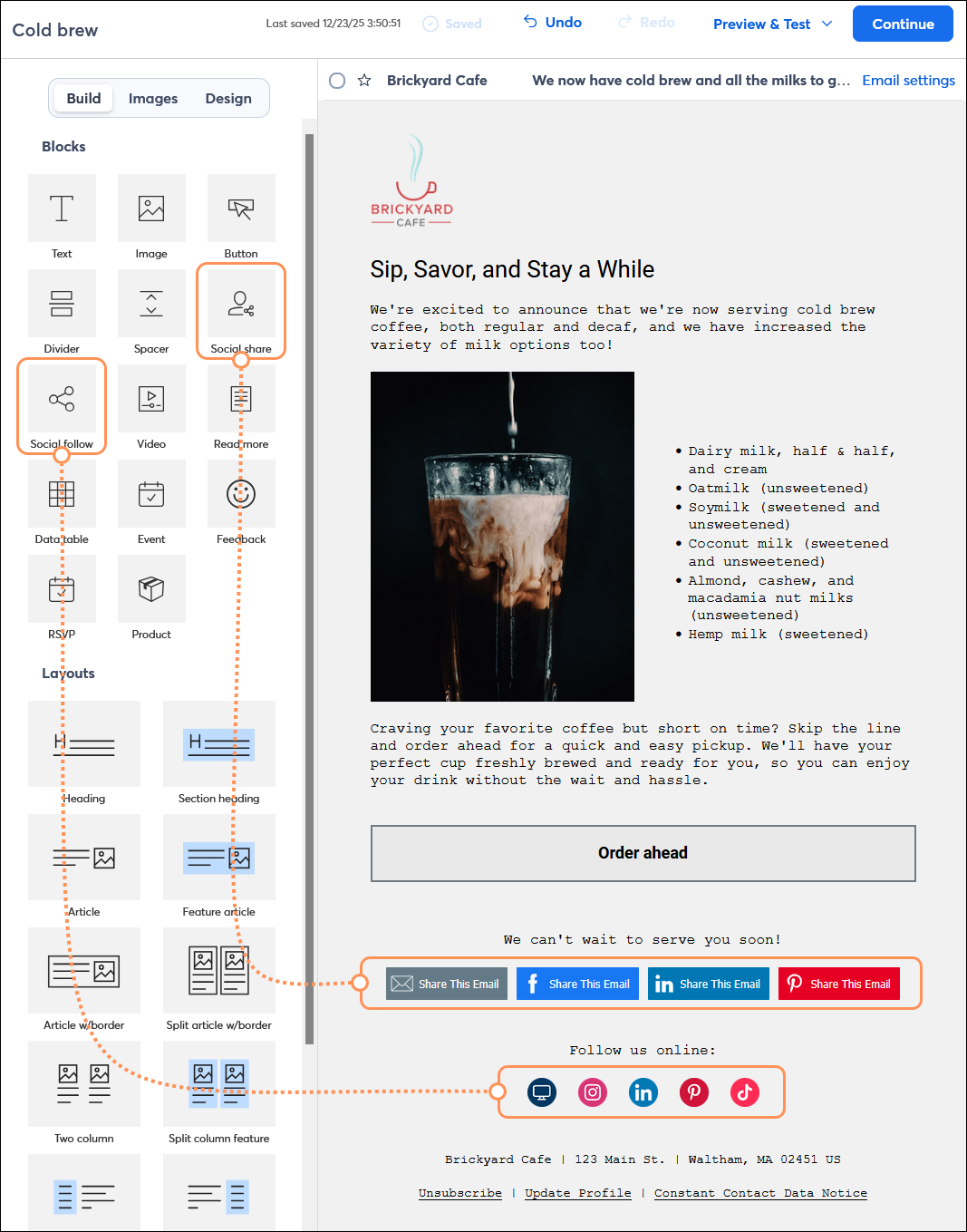
  • Social follow icons - These are clickable icons that direct your contacts to your social media profiles, including: Facebook, Google My Buisness (GMB), Instagram, LinkedIn, Pinterest, Snapchat, TikTok, YouTube, and X (formerly Twitter).
  • Social share icons - These are interactive icons that let your contacts share your email on their social media profiles, including: Facebook, LinkedIn, Pinterest, and X.

    Email editor with Build tab selected, and Social share block and Social follow block added to content


Questions?

Ask the Community

Did this article answer your question?


Constant Contact Logo

Copyright © 2026 · All Rights Reserved · Constant Contact · Privacy Center