 | Review your plan: This legacy feature is not available in all Constant Contact plans. Upgrading to a Lite, Standard, or Premium plan gives you access to our most current email and SMS automation tools. |
 | Note: This article is for our legacy automated email series feature. If you're in our Lite, Standard, or Premium plan using our Automation Path Builder, please refer to our article on how to edit an automation path instead. |
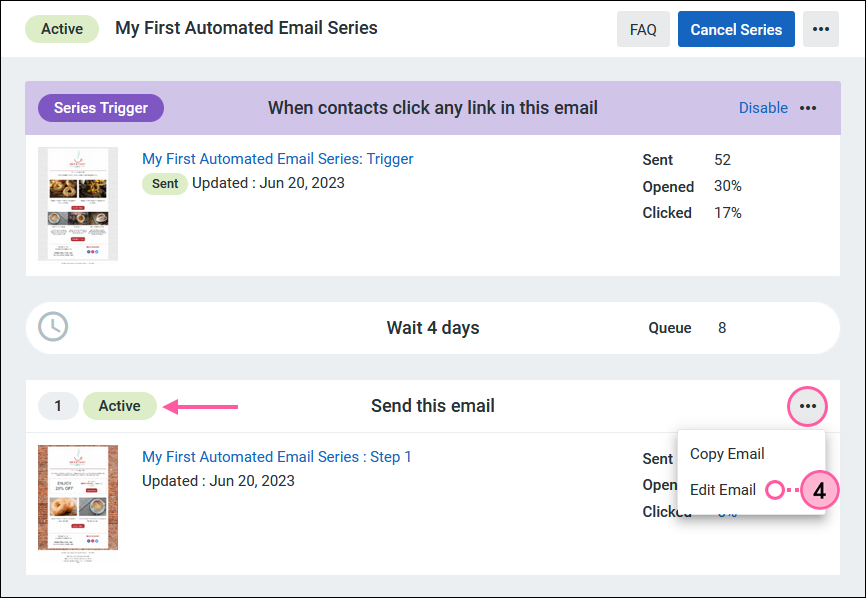
Already activated your automated email series, but need to make edits to the content of an email? Instead of canceling your series and starting over, you can edit a step email while your series continues to send to queued contacts. Once you save your changes, the updated email overwrites the previous version within the series. You can't add, remove, or re-order the emails within an active series.
To edit an email step:

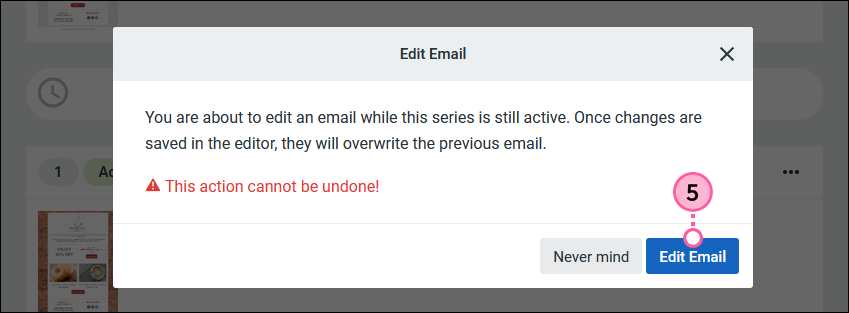
| Important: Once you click Confirm, any changes made become permanent, and you can't revert to the previous email version. |
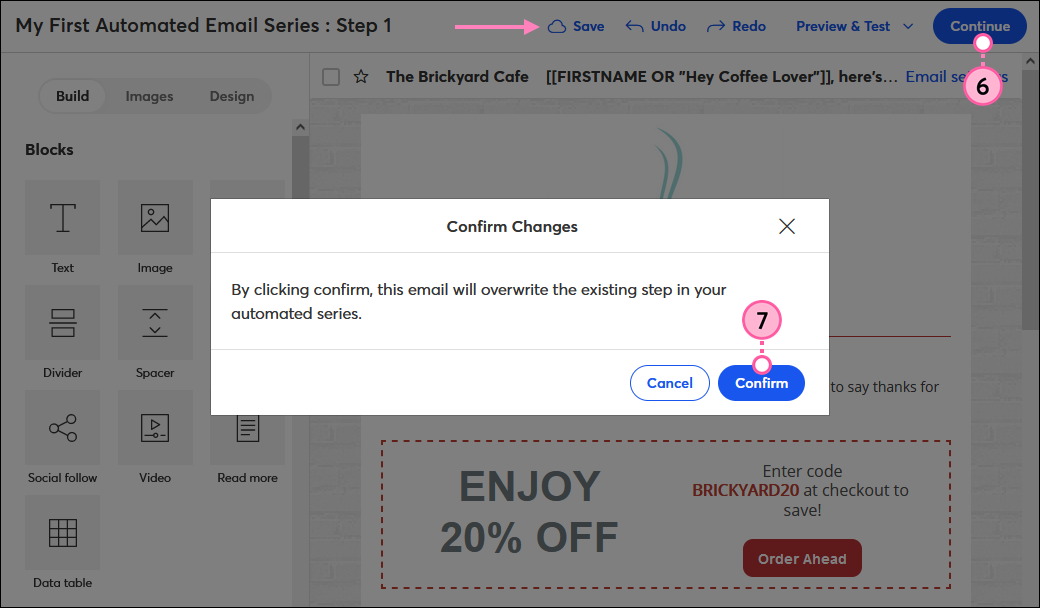
Your changes have been saved, and any contacts in the queue will receive the updated version of the email going forward. If you share the permanent URL for the email, it shows the original version of the email before the changes were made.
Copyright © 2026 · All Rights Reserved · Constant Contact · Privacy Center