Text to Join is a quick and easy way to grow your contact list and let your new contacts opt in to SMS marketing or to both email and SMS marketing. Since you can now collect SMS opt-ins, you must register your account for SMS marketing before you're able to use Text to Join. Here's everything you need to get started:
 | Get permission: Using our sign-up tools ensures you receive and document express consent from your contacts, which satisfies Constant Contact's SMS and email permission policies, as well as GDPR and CASL regulations. Express permission means you didn't just obtain contact details; you asked your contacts for permission, and they actively granted it. SMS contacts who join your list through one of our sign-up tools receive a confirmation text and must respond "Yes" to provide express permission. Learn more about our SMS marketing guidelines. |
For US Customers:
 | Important: Our SMS marketing tools are only available to US customers (excluding Puerto Rico and the US Virgin Islands) with a valid 9-digit Tax ID Number (TIN) or an Employer ID Number (EIN) issued by the IRS. Sole proprietors who are the only employee do not need to enter an EIN. Contacts with phone numbers from Puerto Rico can join your list and receive text messages. Learn more about EINs for SMS marketing. |
For Australian Customers:
| Important: Our SMS marketing tools are only available to Australian customers with a valid 11-digit Tax ID Number (ABN). Learn more about ABNs for SMS marketing. |
Before you can enable Text to Join, you must register for SMS marketing. A privacy policy and terms and conditions document are required when you register. If you already have your own documents, you can import them during registration. If you don't already have them, you can create them when you register. We also automatically generate a Sign-up Landing Page for you so you can start collecting SMS contacts online in addition to using Text to Join.
When you register for SMS marketing, you're provided with a unique sending phone number. Your SMS messages are never sent using your personal phone number.
 | Did you know? For US-based customers: An EIN (Employer Identification Number) isn't required to register for SMS marketing if you don't have one. However, if you register without an EIN, you're limited to 500 SMS messages per month. Learn more about EINs for SMS marketing. |
 | Save time: When setting up Text to Join, you can only choose an existing list. If you want to use a new list, be sure to create it before following the steps below. |
Getting started with Text to Join is easy! All you have to do is select the list you want to add your new contacts to, then activate it. We've taken care of the welcome message and the automated responses for "Yes" and "No" replies. These messages aren't editable, but you can see a preview of how they look.
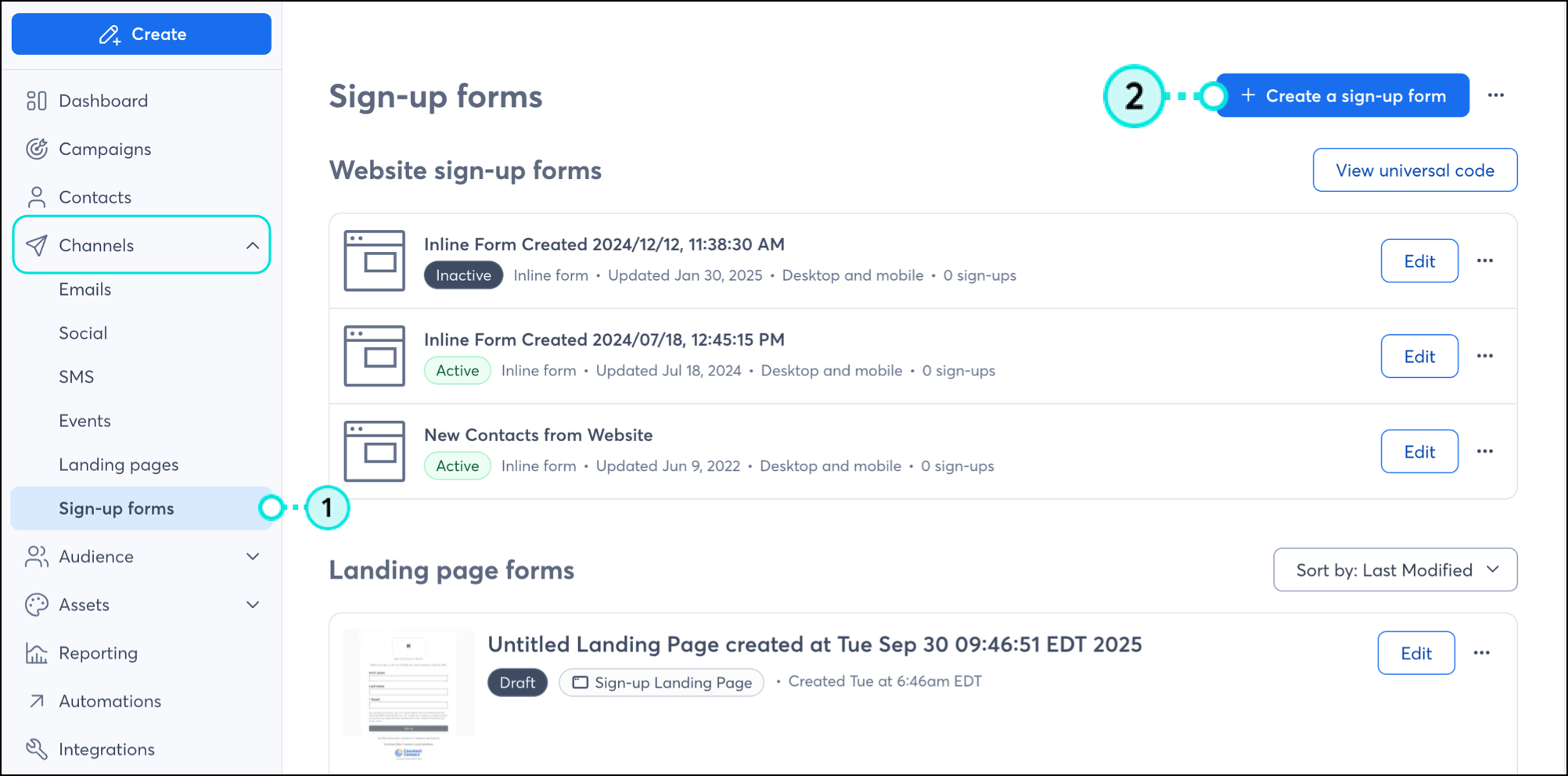
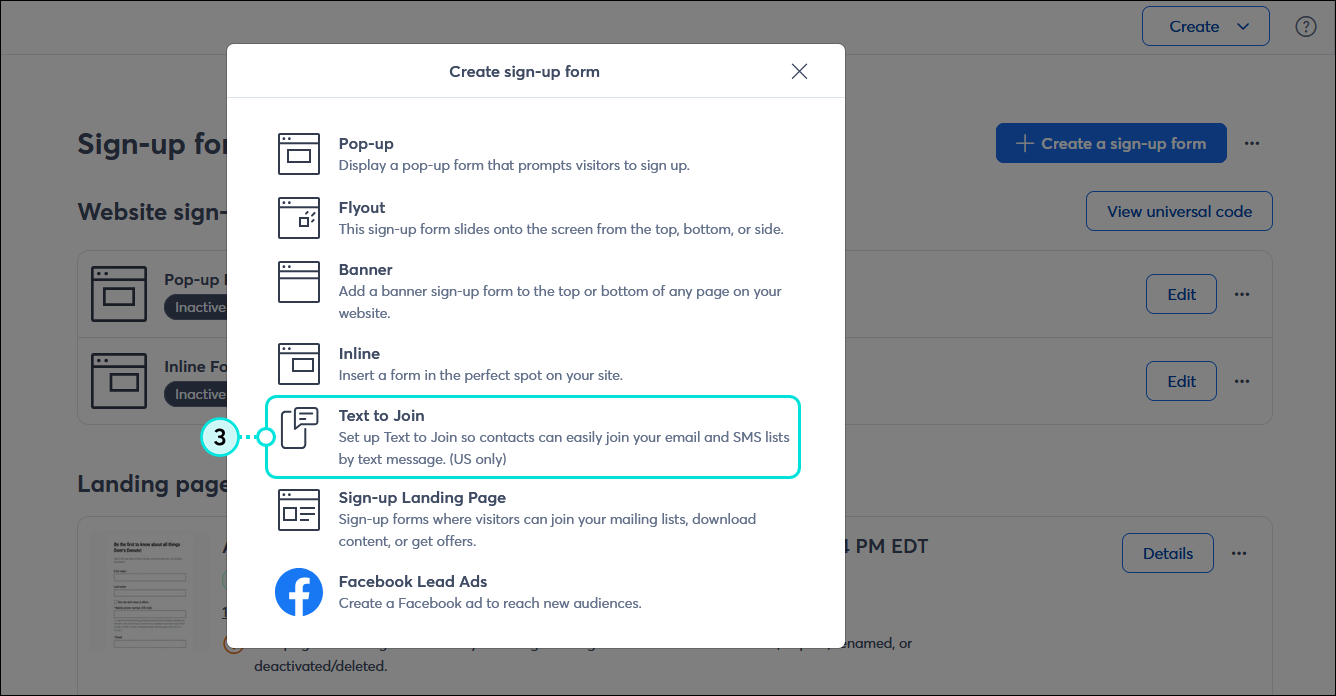
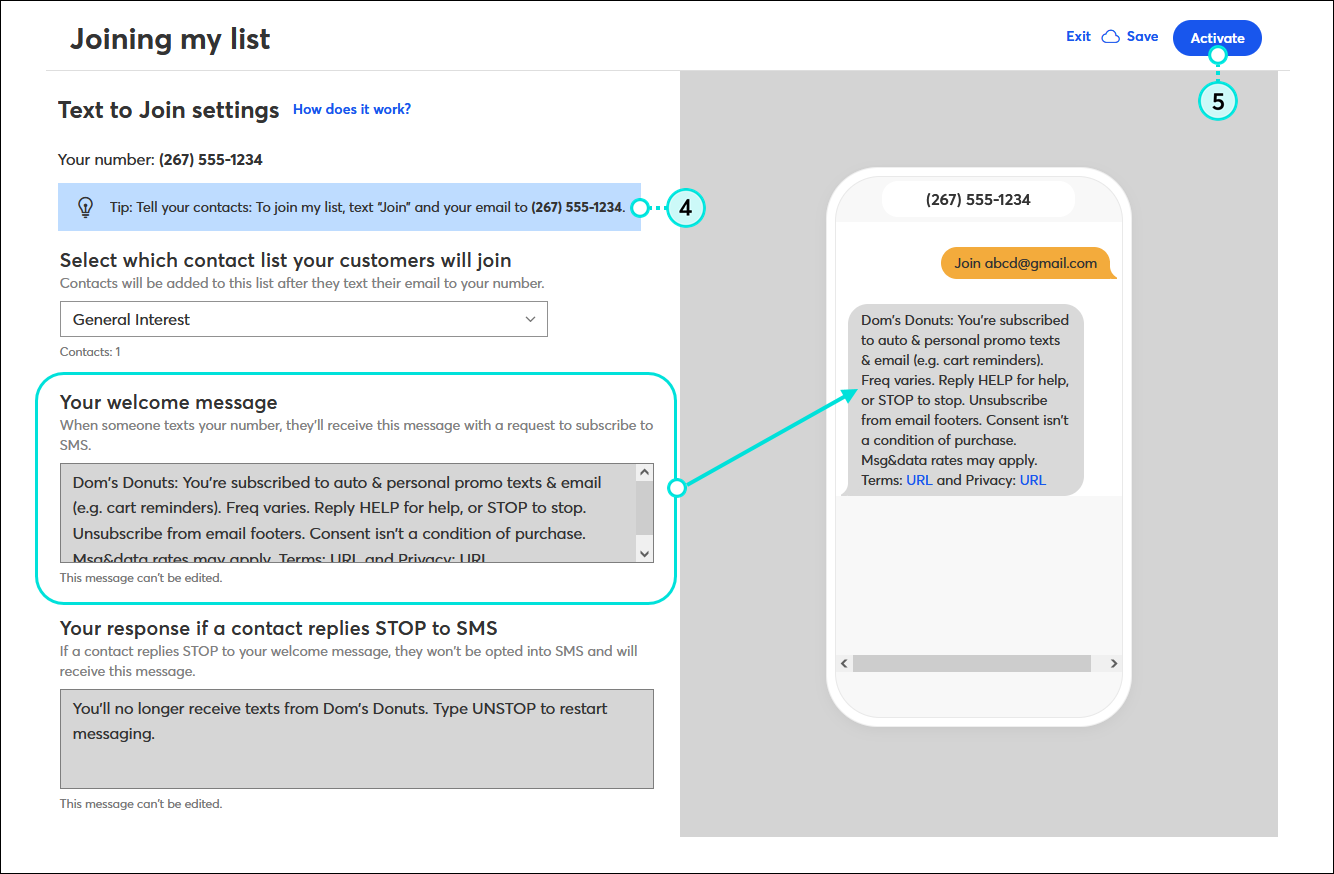
 | Be a better marketer: Check out our Customer Spotlight to learn about a real Constant Contact customer who uses Text To Join to grow their list! |
When you enable Text to Join, you're provided with a unique phone number that your new subscribers can use to opt into your email and SMS marketing communications. The phone number and instructions are at the top of the Text to Join settings page, so you can easily find them when you need to share them. Your contacts never interact with your personal phone number.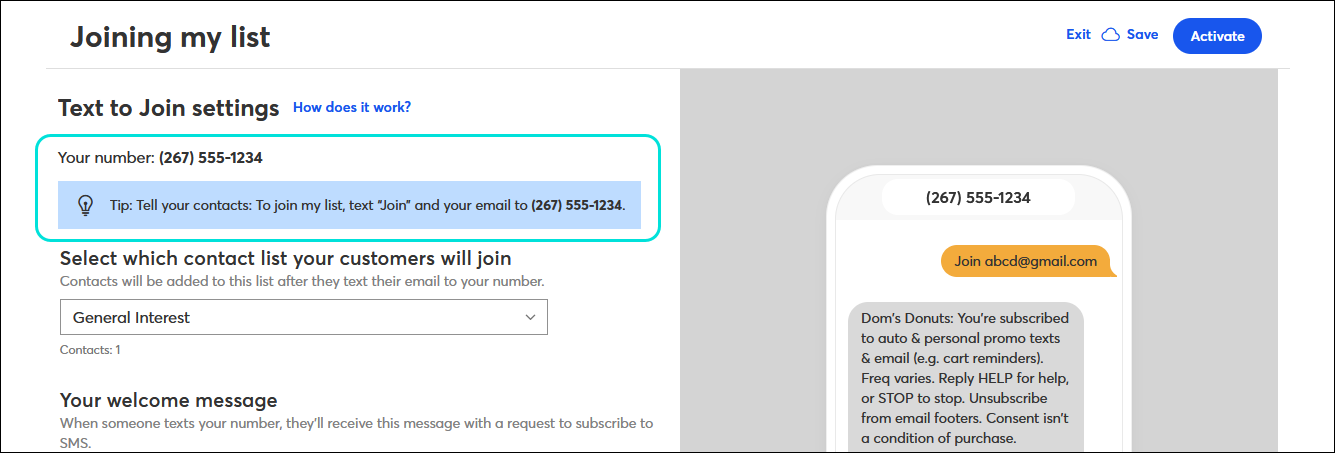
You can share your instructions anywhere, on a sign next to your register, in an email, in a social media post, on your website, wherever! When you share the instructions, make sure to include the type of content and the messaging frequency your contacts can expect when opting into SMS marketing.
| Design tip: You can really get creative with signage, and if you use Canva, we have an integration that lets you create images for your emails and social posts! |
When you start getting sign-ups, there are a few email and SMS statuses they can fall into based on the response to your welcome message:
If you send to a list containing contacts with the "No permission set" or "Awaiting confirmation" status, it won't prevent you from sending. Your message will be sent, but won't be delivered to those contacts.
Once you start collecting new subscribers through Text to Join, you can treat them just like all your other contacts. If your contacts respond "Yes" to the SMS opt-in text, you can send them SMS messages, and if they respond "Yes + email address" to the opt-in text, you can send them emails, SMS messages, or a combination of both:
 | Did you know? Our Automation Path Builder lets you build paths that send automated emails or SMS messages based on your contacts' opt-in status. |
Hit a snag? Check out these tips to make sure your Text to Join setup goes as smoothly as possible:
Copyright © 2026 · All Rights Reserved · Constant Contact · Privacy Center