Email and Digital Marketing
How can we help you?
Search our help articles, video tutorials, and quickstart guides

You've got this. You've got us. Search our Knowledge Base to quickly find answers to your questions.

Use an email to grow your contact list

Article: 000005728
Updated: January 2, 2026

Use our list growth and social media tools in your emails to help new contacts subscribe to your list

When you send an email to your contacts, you never know who they'll share it with. Ensuring your email is shareable beyond your contact list increases the likelihood of acquiring new subscribers. Here are a few ideas you can incorporate into the body of your email:
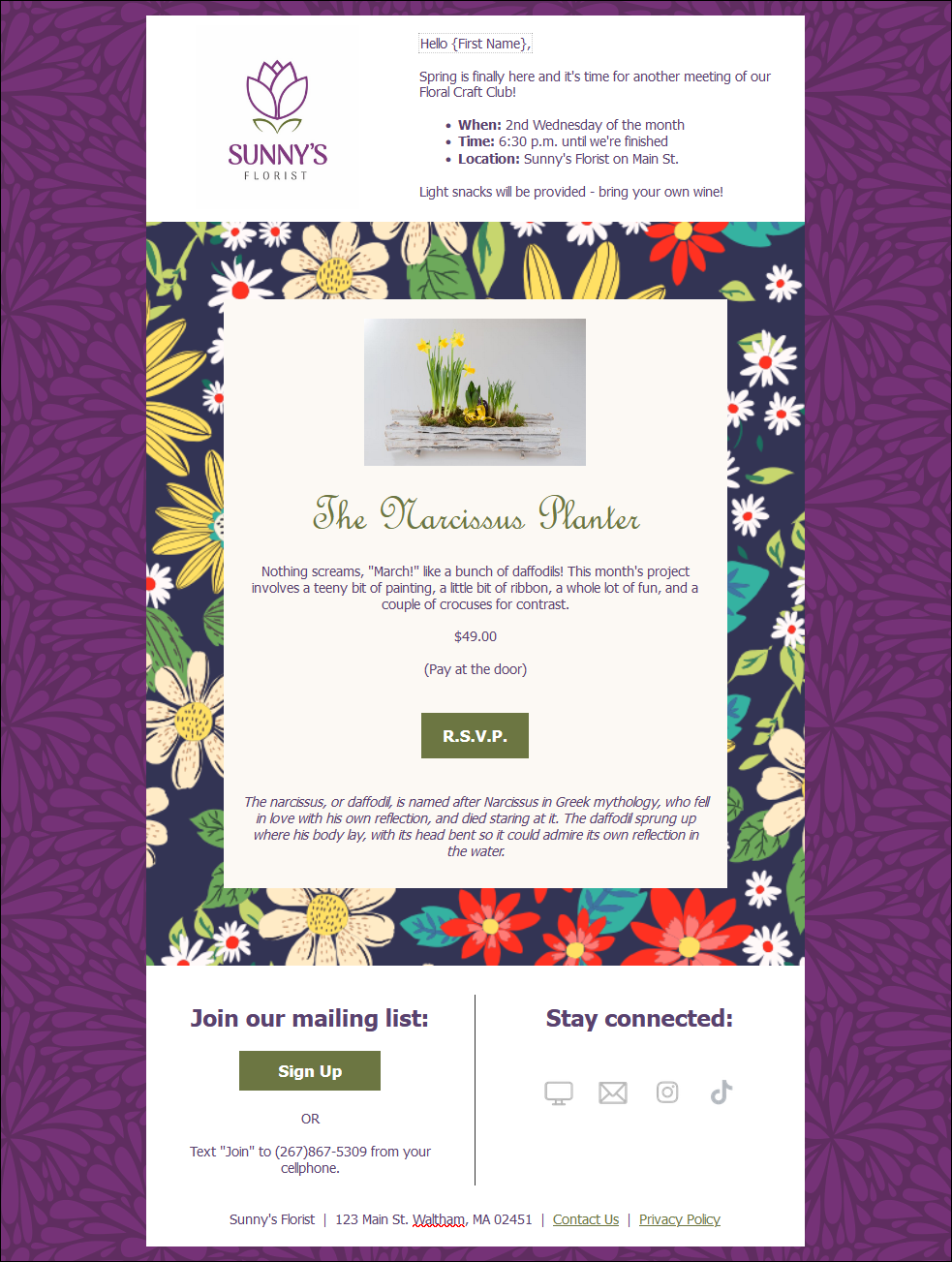
  • Sign-up button - Insert the link for your Sign-up Landing Page and create a Join My List button in your email.
  • Text-to-Join - Include instructions in your email to join your list via text message.
  • Social media icons - Add social media icons to drive your contacts to your social media pages, or social sharing buttons so your contacts can share your email on their social media profiles. Your reach increases every time a contact likes your page or shares your posts.
  • Website link - Add an embeddable sign-up form to your website and then insert a link to your website in your email.

    Email example with Join My List button, Text-to-join instructions, and social media icons

After you send your email, you can also share it on Facebook, Instagram, or LinkedIn from the Email Details page. Anyone who sees your post and clicks to read your email can use the same options to join your list!


Download iconLearn more: Check out our guide for promoting your business with Email and Social Media!


Want to learn more about growing a permission-based list? Watch our webinar:

Learn more about marketing and Constant Contact through our free, live webinars.


Questions?

Ask the Community

Did this article answer your question?


Constant Contact Logo

Copyright © 2026 · All Rights Reserved · Constant Contact · Privacy Center