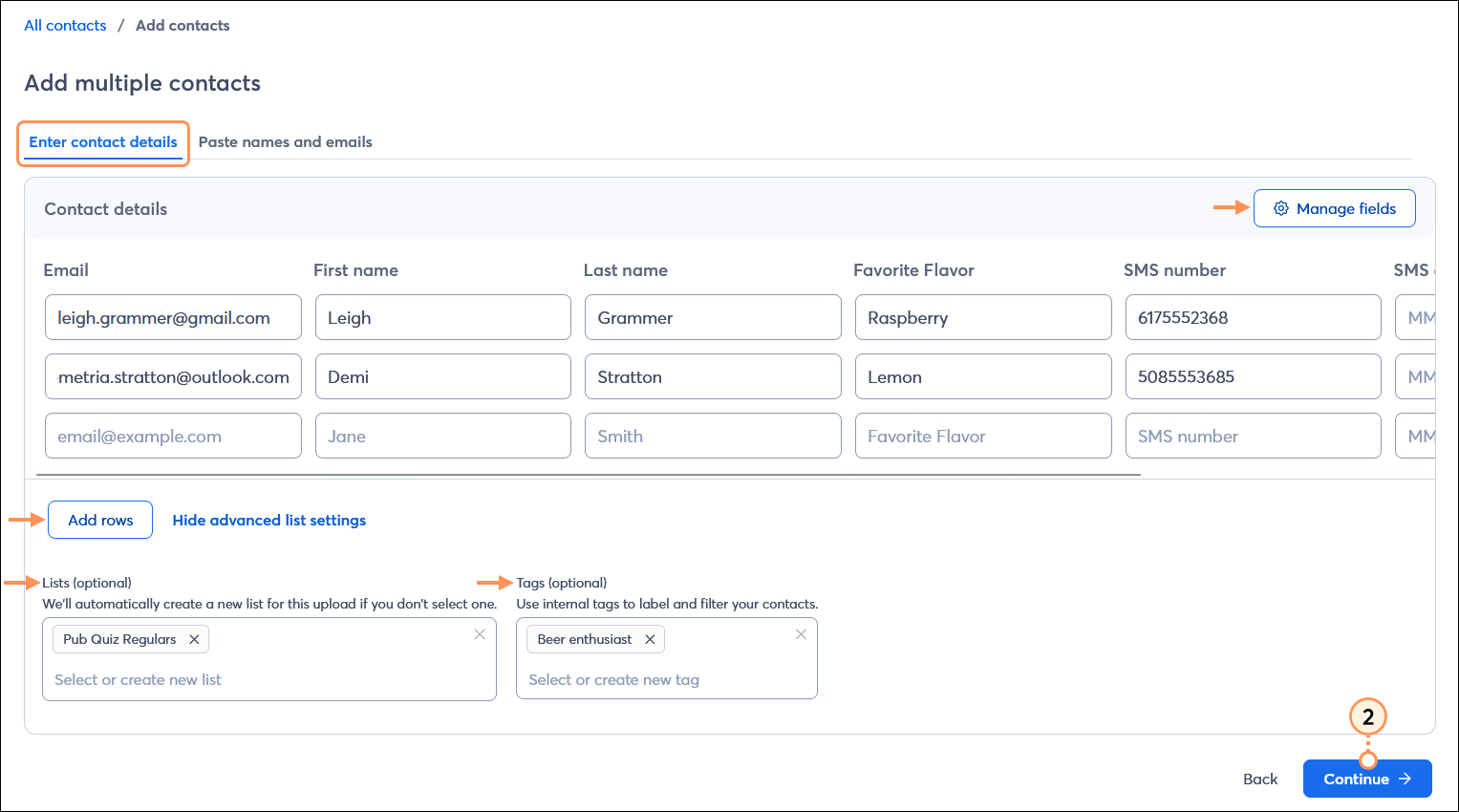
 | Save time: You can add up to 50 contacts by typing or pasting. If you have more than 50 contacts or want to import contacts with tags, we recommend adding their information to a formatted spreadsheet to upload instead. |
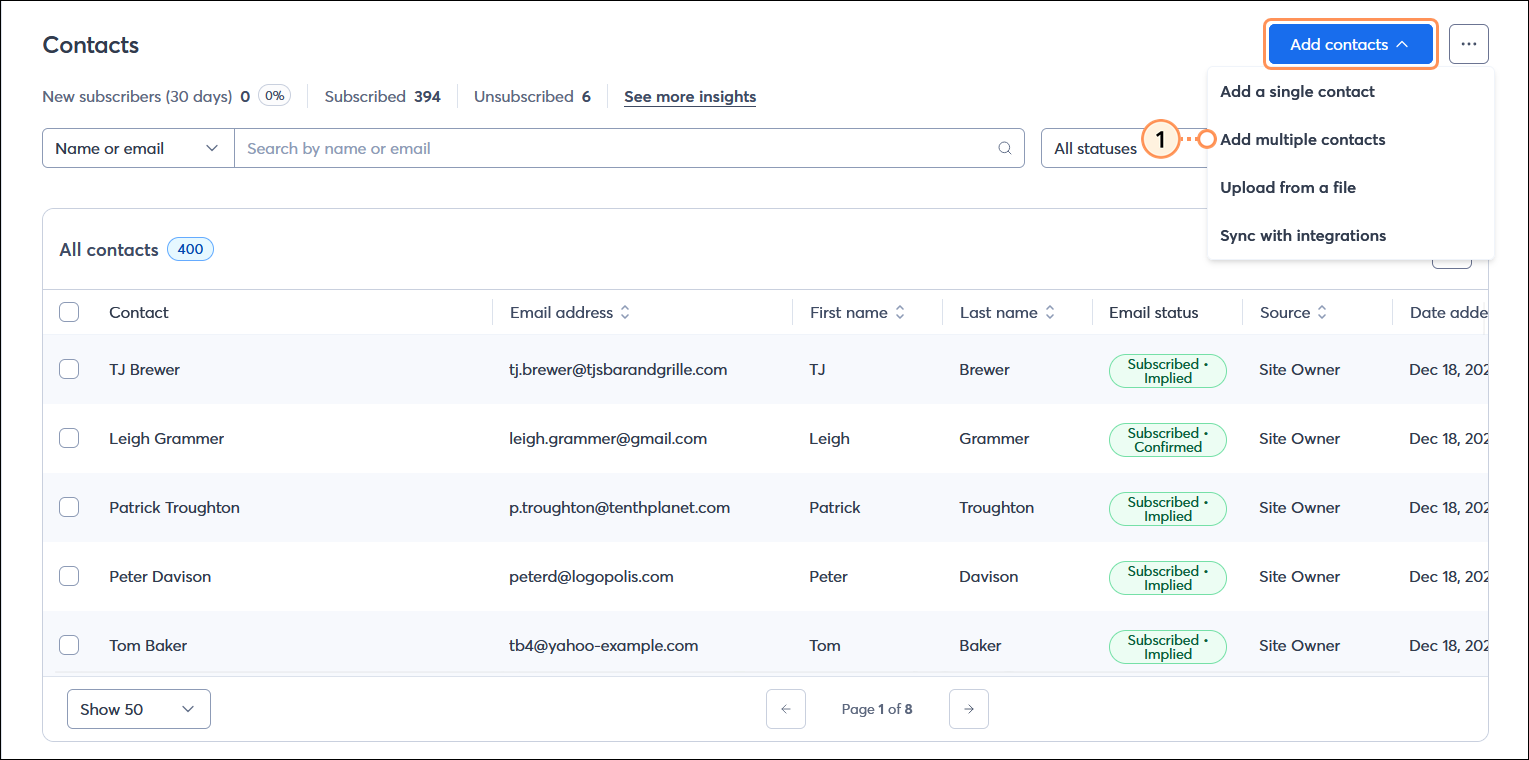
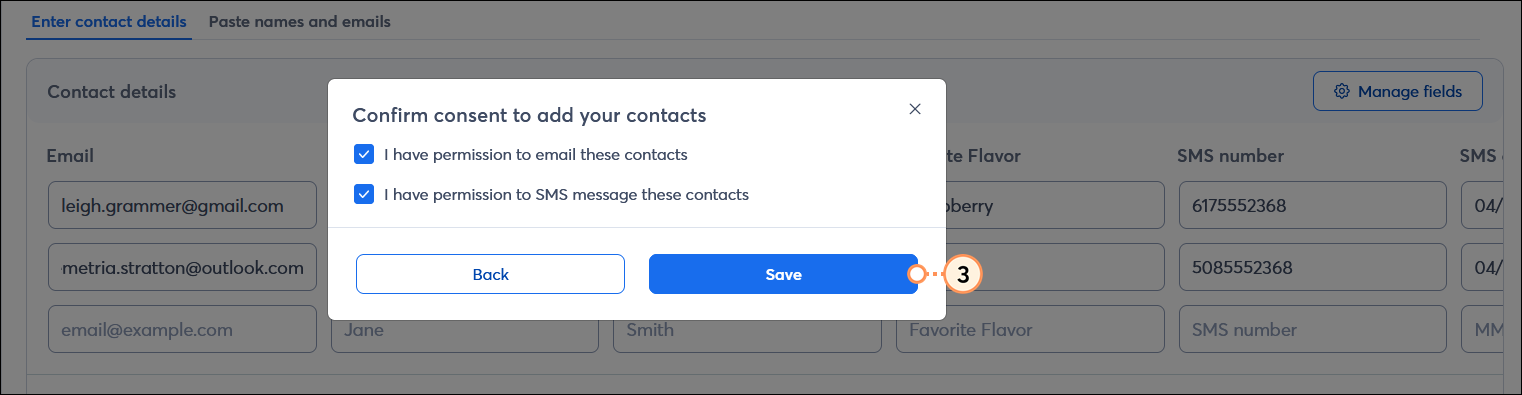
If you collect only a few pieces of contact information or want to add only a handful of contacts at a time, copying and pasting them is a quick and easy way to add them to your account.
Desktop instructions
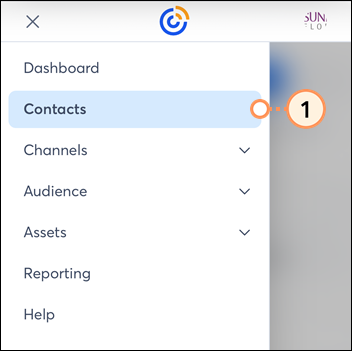
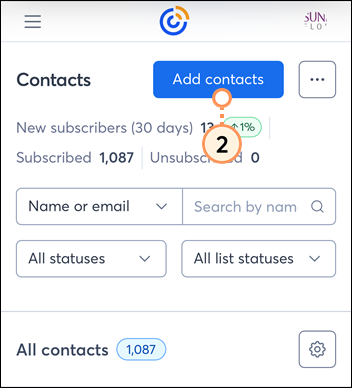
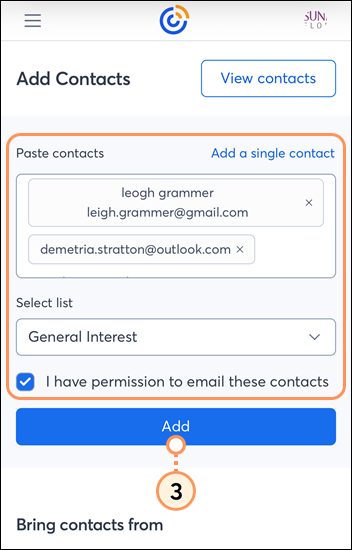
Mobile web instructions
 | Did you know? If you have an Android or iOS tablet, try our ListBuilder app - it lets you collect subscribers at your register, trade show, farmer's market booth, or craft fair table, even if you're offline! When you have service again, it automatically imports them to your chosen contact list. |
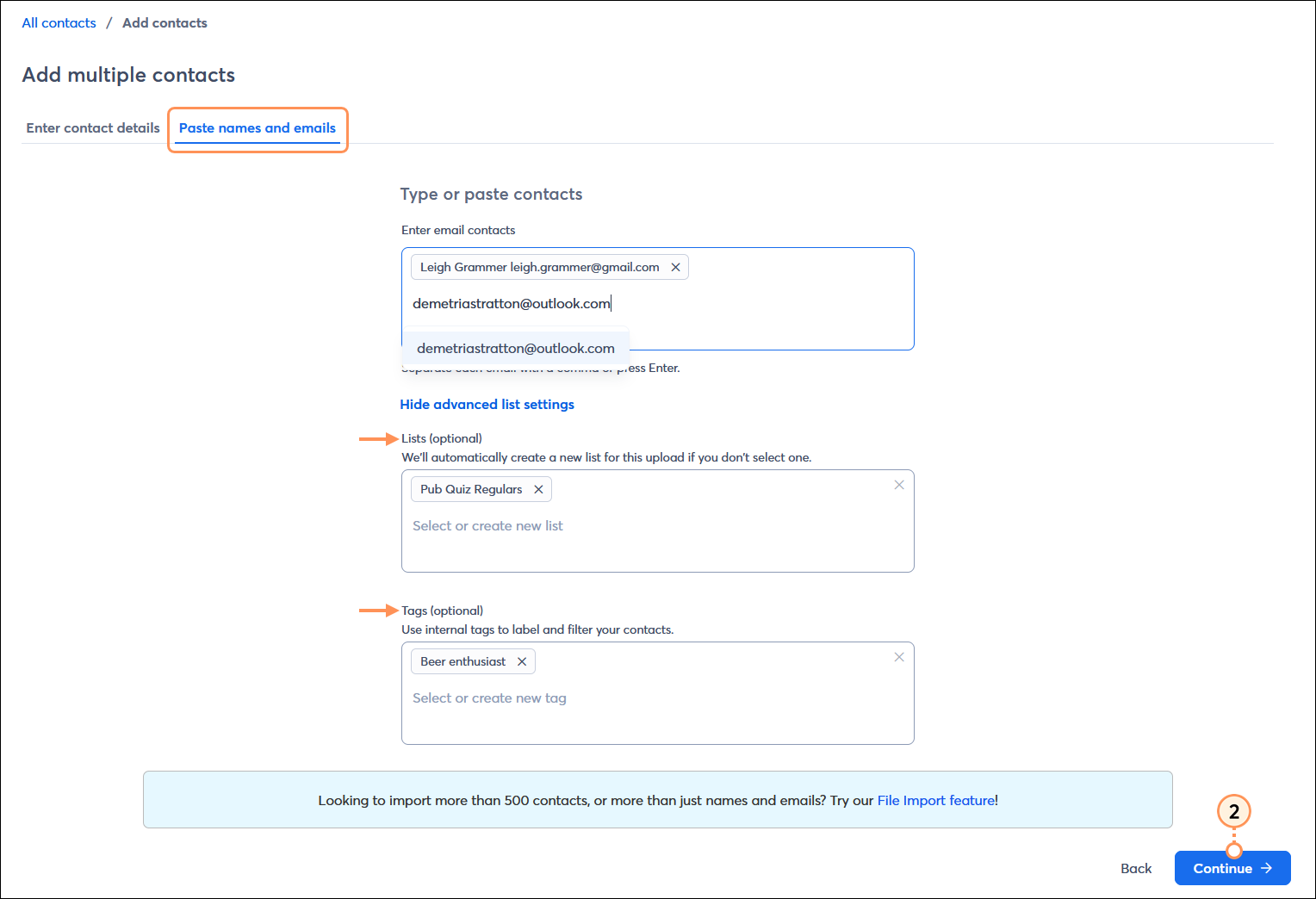
When using the mobile web view of Constant Contact, you can only enter names and email addresses for your contacts. Additional contact details and SMS information can be added by viewing your account on a desktop or laptop computer.
Copyright © 2026 · All Rights Reserved · Constant Contact · Privacy Center