Email and Digital Marketing
How can we help you?
Search our help articles, video tutorials, and quickstart guides

You've got this. You've got us. Search our Knowledge Base to quickly find answers to your questions.

Uninstall the Constant Contact Mobile App

Article: 000005927
Updated: June 14, 2026

You can uninstall the Constant Contact app from your Android or iOS device

Uninstall the Constant Contact mobile app from an:


Android Device

To uninstall the Constant Contact application from your smartphone or tablet:
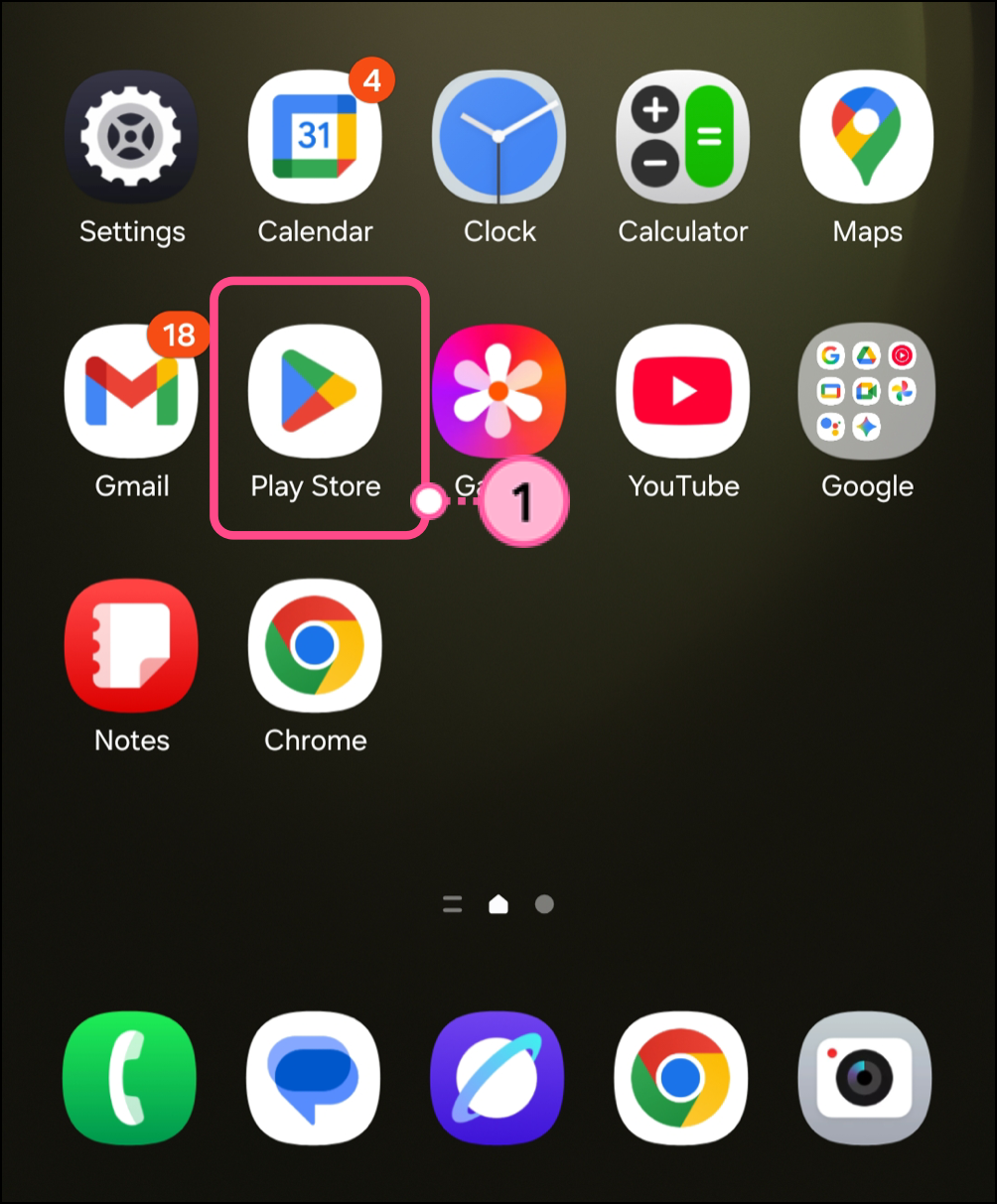
  1. Tap on the Play Store

    Android home screen Play Store application icon 

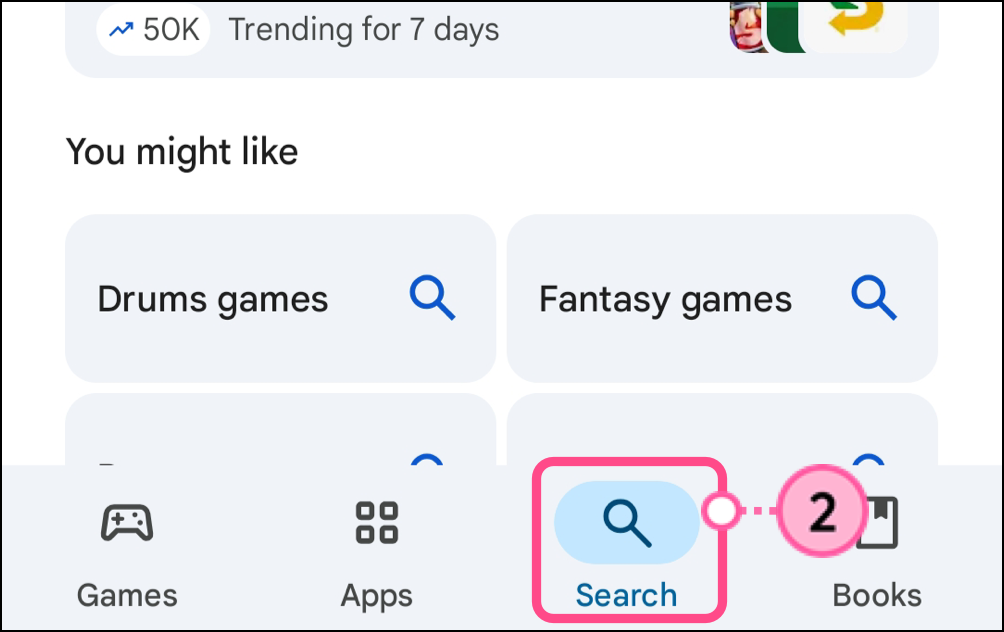
  2. Tap the Search tab.

    Magnifying glass Search icon in the navigation bar 

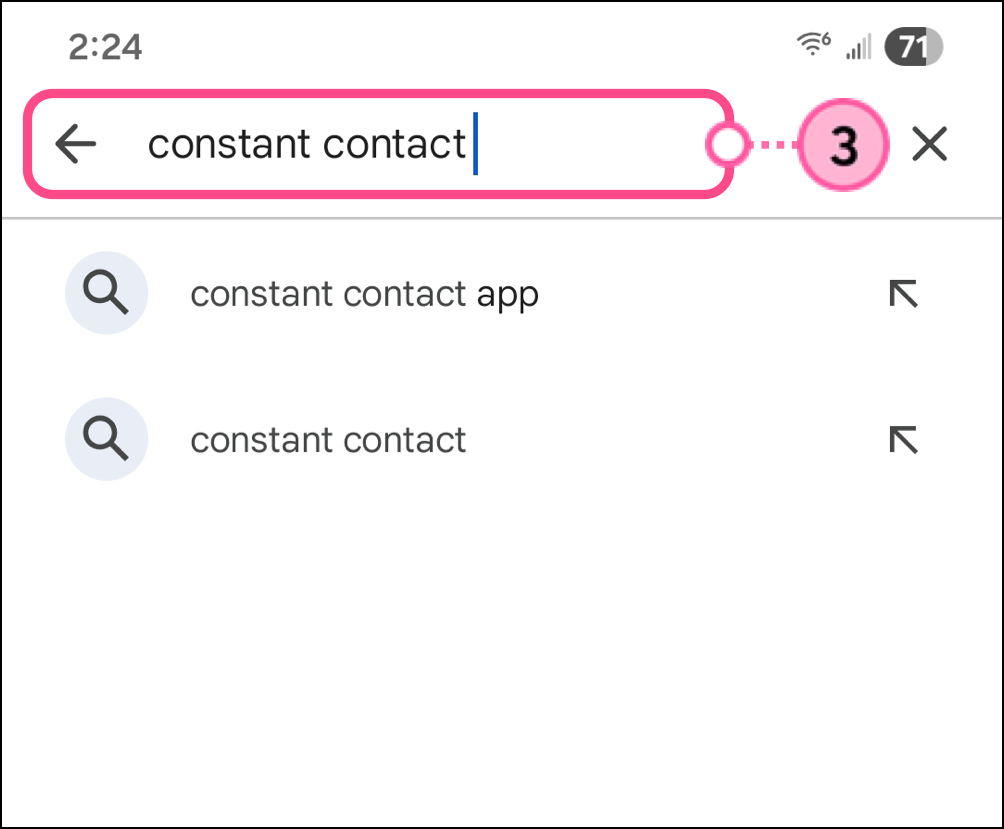
  3.  Search for Constant Contact.

    Constant Contact in the search bar 

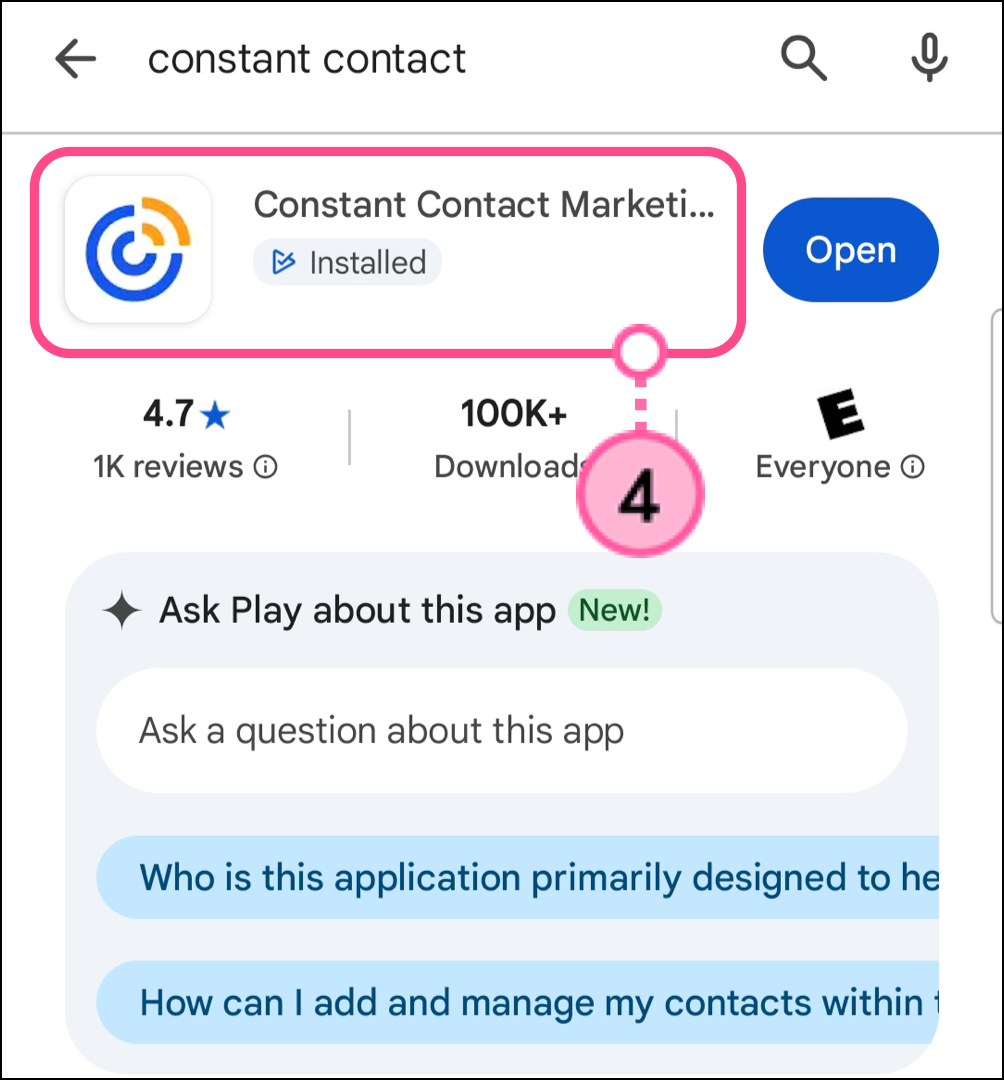
  4. Tap on the Constant Contact app.

    Constant Contact application search result 

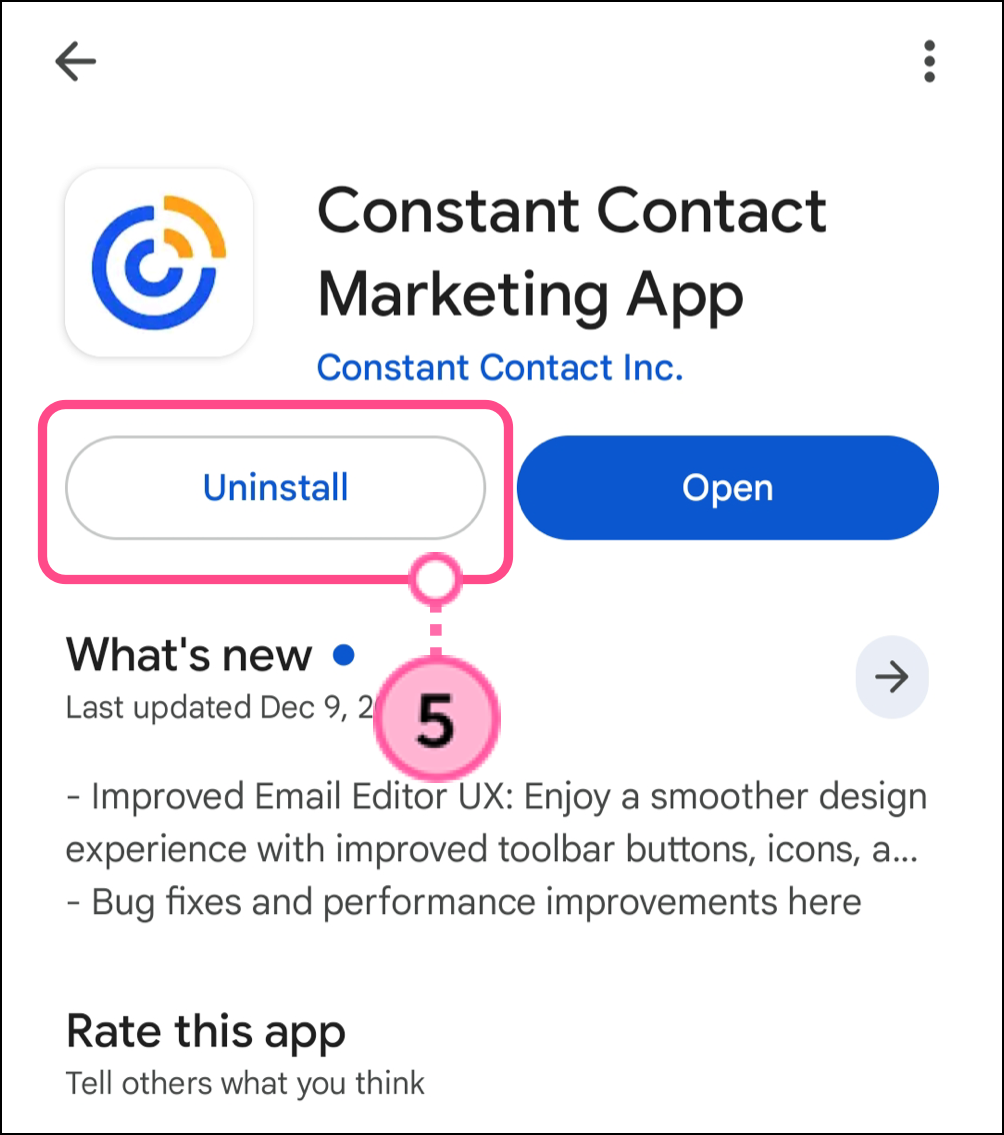
  5. Tap Uninstall.

    Uninstall button 

Alternatively, you can press and hold down the app icon and drag it to either Trash or More Options at the top of your home screen, where it can be deleted.


iOS Device

To uninstall the Constant Contact app from your iPhone,iPod Touch, or iPad:
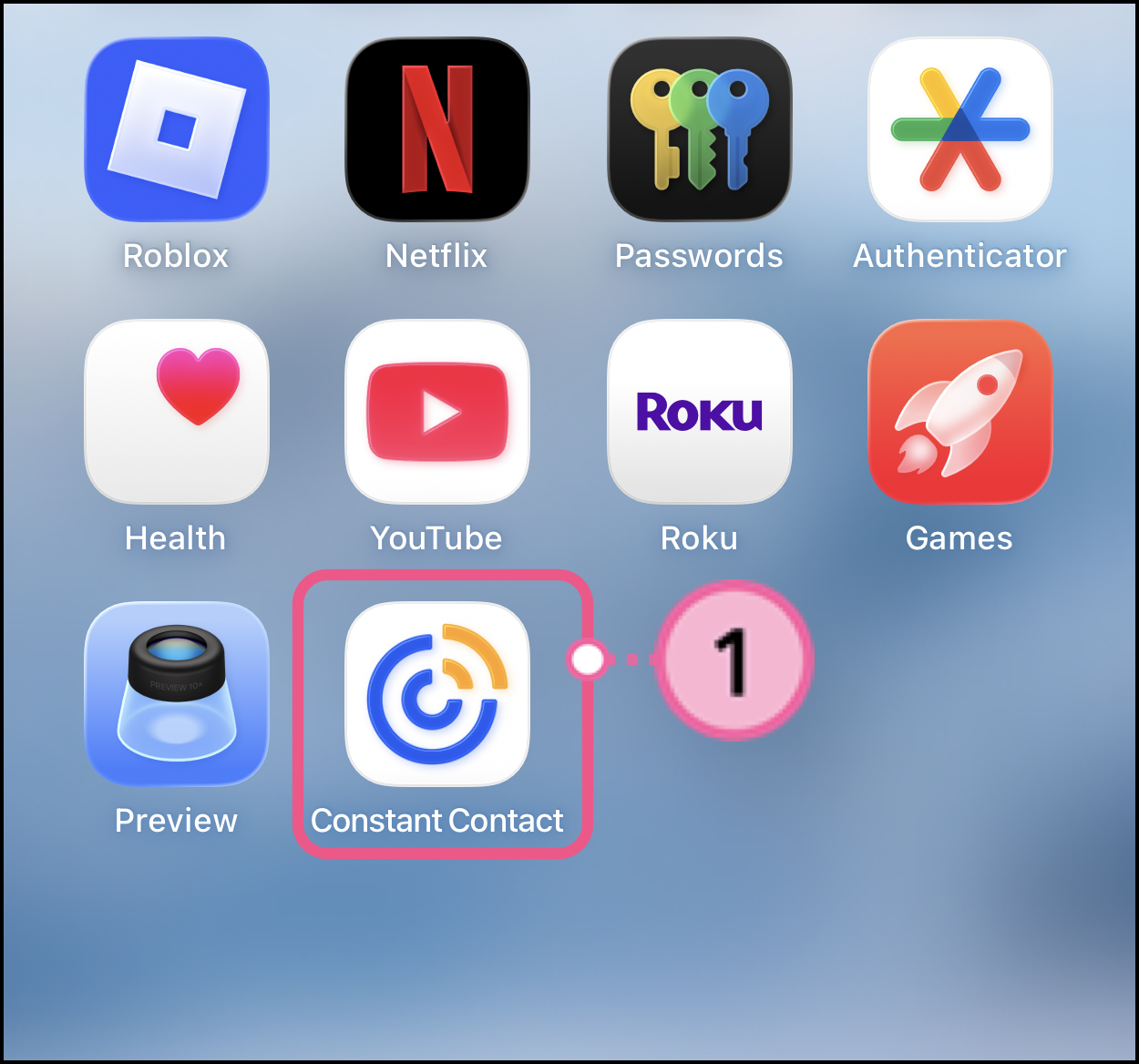
  1. Tap and hold on the Constant Contact app icon.

    iOS home screen Constant Contact application icon  

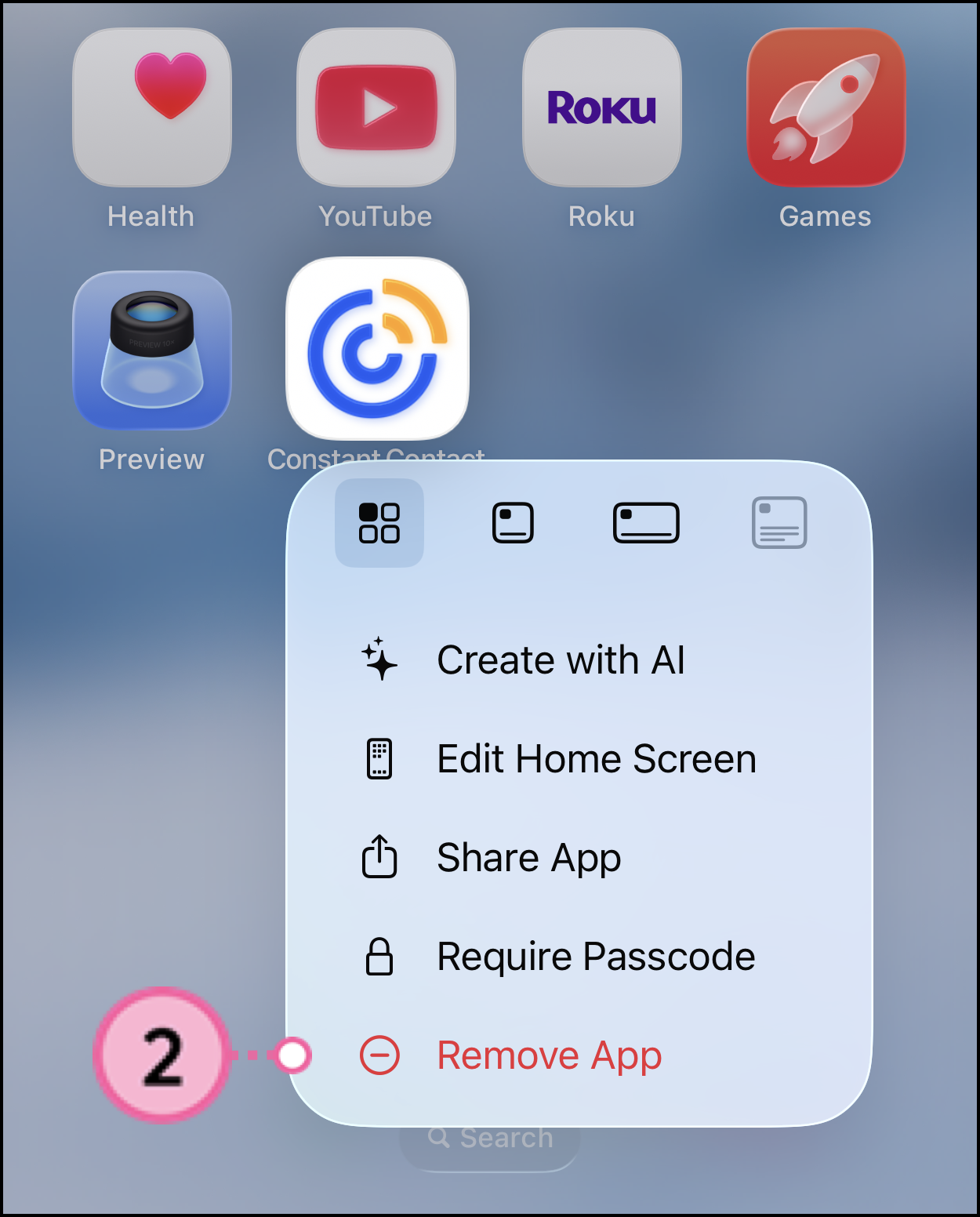
  2. Tap Remove App

    Expanded long-press Constant Contact app icon menu with Remove App option 

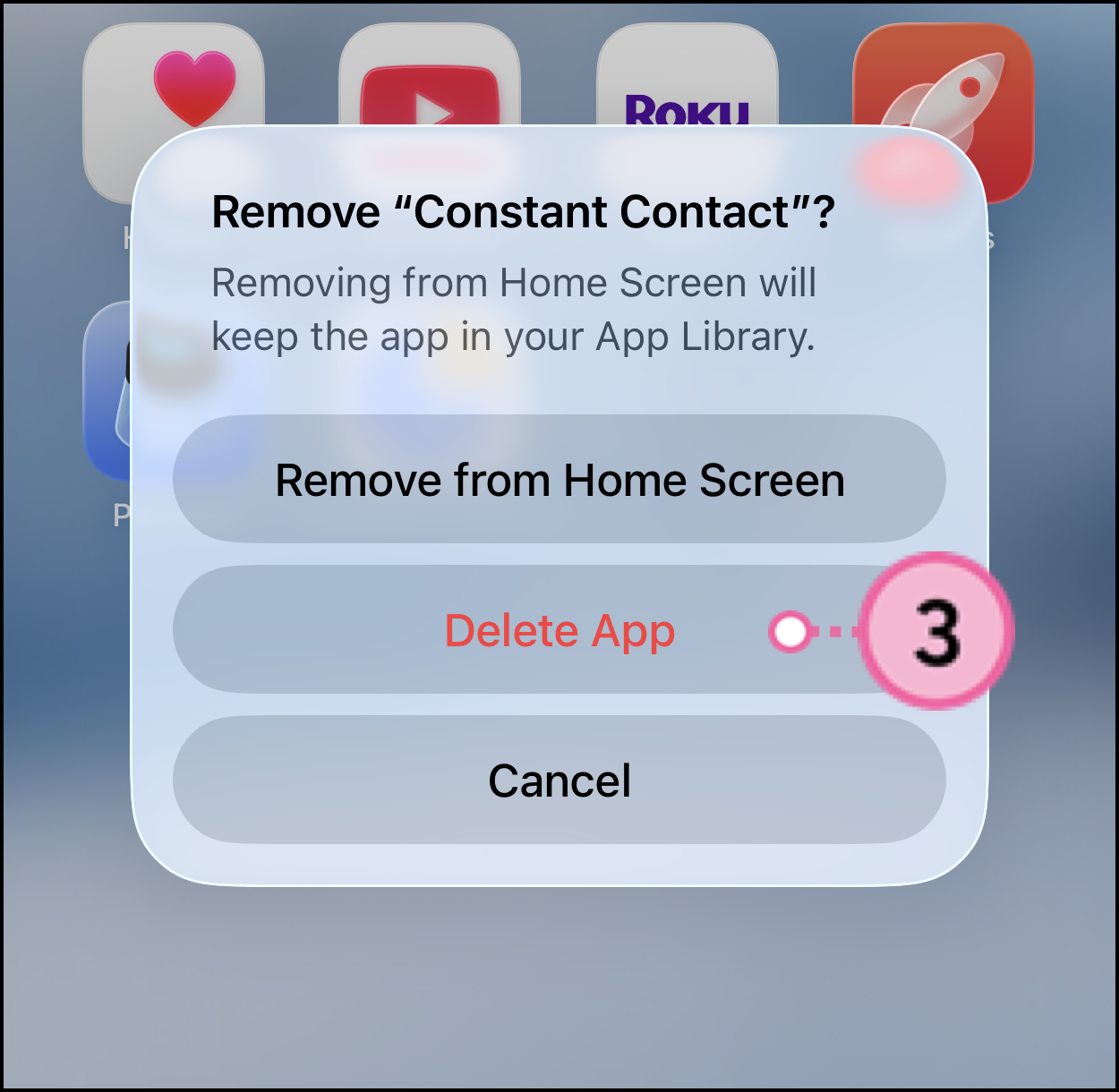
  3. Tap Delete App

    Delete app confirmation popup 


Questions?

Ask the Community

Did this article answer your question?


Constant Contact Logo

Copyright © 2026 · All Rights Reserved · Constant Contact · Privacy Center