Email and Digital Marketing
How can we help you?
Search our help articles, video tutorials, and quickstart guides

You've got this. You've got us. Search our Knowledge Base to quickly find answers to your questions.

Using the AI Assistant in the mobile application

Article: 000055313
Updated: September 29, 2026

Use the AI Assistant in the Constant Contact mobile app to leverage GPT-driven insights and data specific to you to launch personalized marketing strategies and receive tailored marketing guidance

Our AI Assistant is available in the mobile application and is designed to help you with various tasks within your Constant Contact account, including setting up your brand, managing your contacts, and creating campaigns. It also leverages GPT-driven insights and user-specific data to provide personalized marketing strategies and tailored guidance, helping you succeed!

Note: The AI Assistant is currently only available in the iOS version of the mobile application. The Constant Contact (CTCT) mobile application requires iOS 18 or higher.


What can the AI Assistant in the mobile application do?

In the What do you want to do today? field, use natural language to ask for help with your marketing goals.
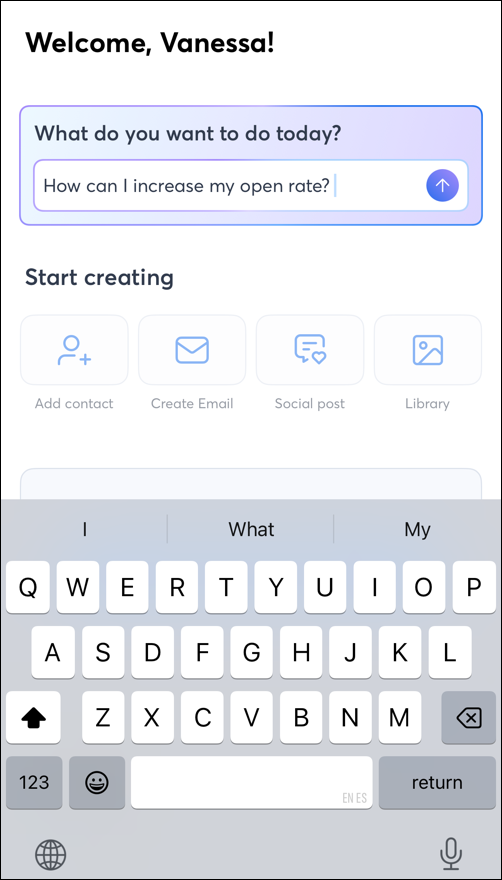
 

Homepage of the Constant Contact mobile app with the AI Assistant field at the top of the page


Ask the AI Assistant to complete a task, such as: 

  • “Help me draft a welcome email”
  • “Help me to create an engaging social post”
  • “Please create a header image for my campaign”

Or, ask for general marketing advice, such as: 

  • “Where should I begin?”
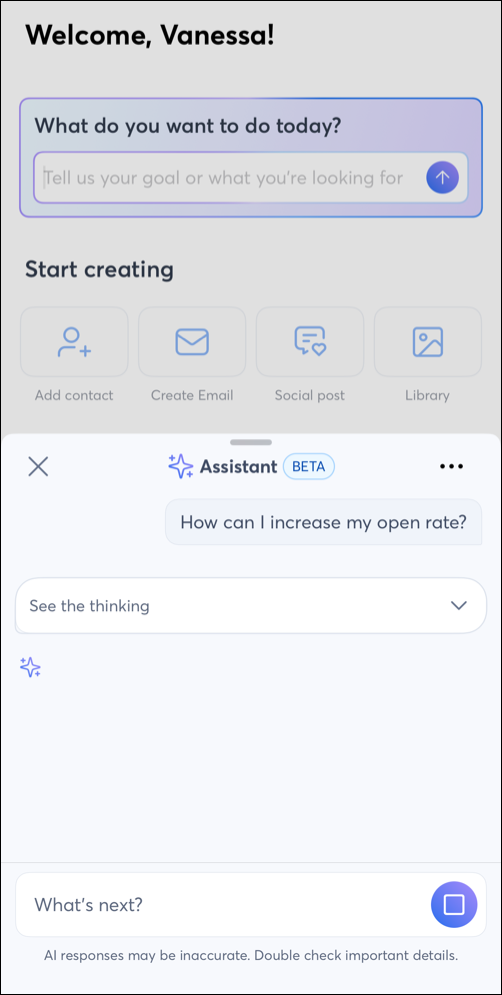
  • “How can I increase my open rate?”
  • “Should I focus on social media or email?”

Note: If you're not sure where to start, you can even ask the AI assistant, "What can you help me with?" 

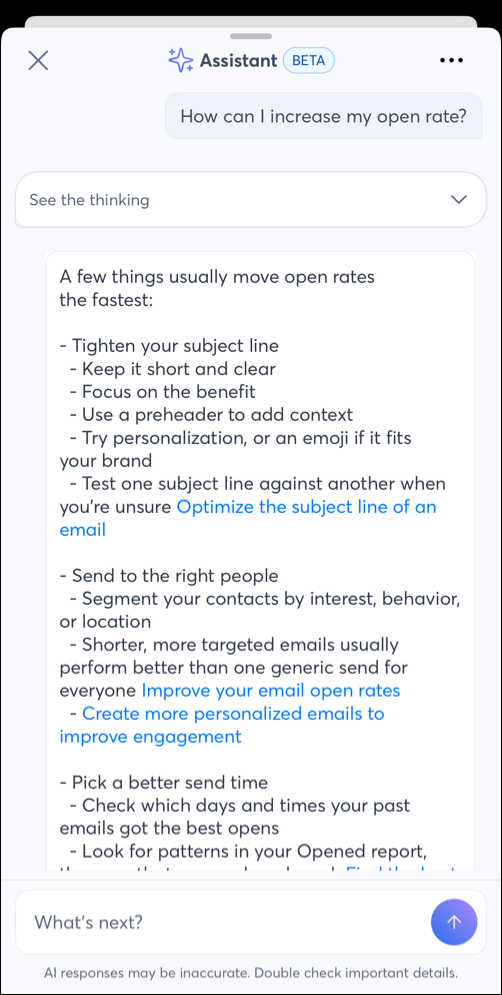
Swipe up to see the full reply. 


AI Assistant pop-up with open rate question typed inAI Assistant pop-up window with advice on increasing open rates

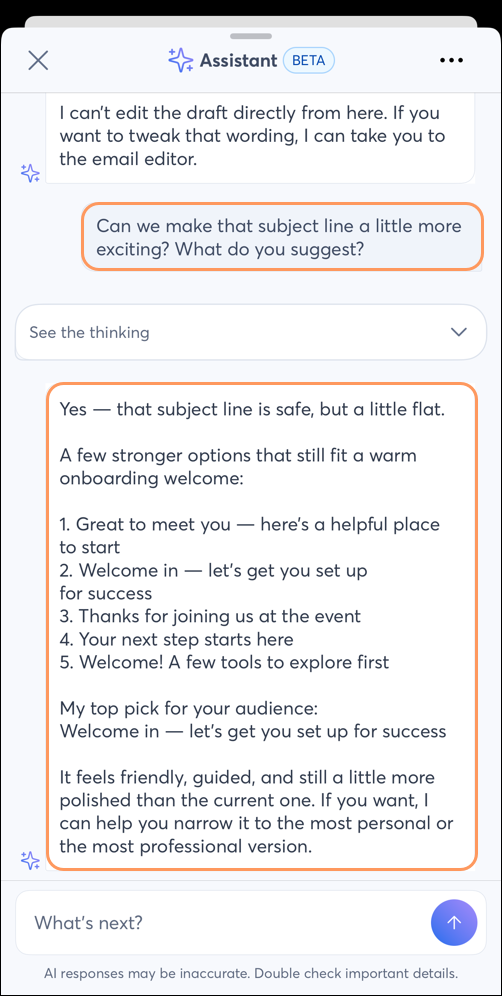
The AI Assistant can make changes, share additional information, or provide advice when you reply with follow-up questions, such as: 
  • “Change the sender email for this campaign to…”
  • “Make that subject line more exciting”
  • "Add more of our brand colors to that image

    AI Assistant pop-up with subject line suggestions


Keep in mind that you will be asked whether you are ready to proceed before campaigns are sent or changes are made.


Personalization in the AI Assistant

 You can also ask questions specific to your account, such as: 
  • “Which of my emails need a better subject line?”
  • “How often should I message my ‘2027 Holiday Sale’ list?”
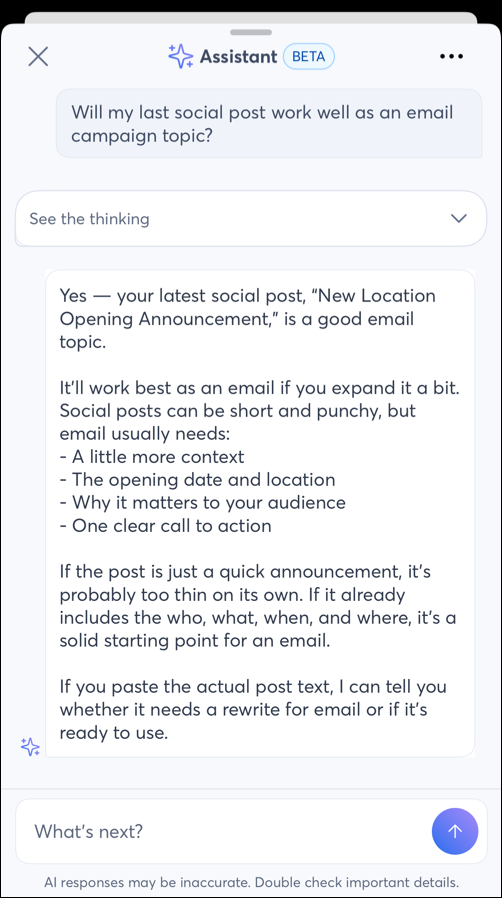
  • "Will my last social post work as an email as well?"


    AI Assistant pop-up with advise on the last social post and it's validity as an email campaign 

When necessary, the AI assistant will direct you to the appropriate section of your account to proceed. For example, reporting metrics cannot be seen directly in the AI Assistant chat. However, the AI assistant can guide you through the mobile app navigation to locate the report you need. 


Questions?

Ask the Community

Did this article answer your question?


Constant Contact Logo

Copyright © 2026 · All Rights Reserved · Constant Contact · Privacy Center