Email and Digital Marketing
How can we help you?
Search our help articles, video tutorials, and quickstart guides

You've got this. You've got us. Search our Knowledge Base to quickly find answers to your questions.

Connect your TikTok account to create social posts through Constant Contact

Article: 000054074
Updated: October 23, 2026

Sync a TikTok personal or business account to your Constant Contact account so you can start creating social posts and then review your engagement

Exclamation Point IconImportant: Your TikTok settings for comments, duets, and stitches follow your TikTok account preferences. You can enable/disable your settings for an individual post when you schedule it. To make changes to your preferences for all posts, update your settings in TikTok.


By connecting your TikTok account to your Constant Contact account, you can create posts and share short-form videos or images set to music, and view your public-facing posts and reporting statistics. Connect a single TikTok account or multiple accounts; all you need is the login credentials for each account you want to connect.
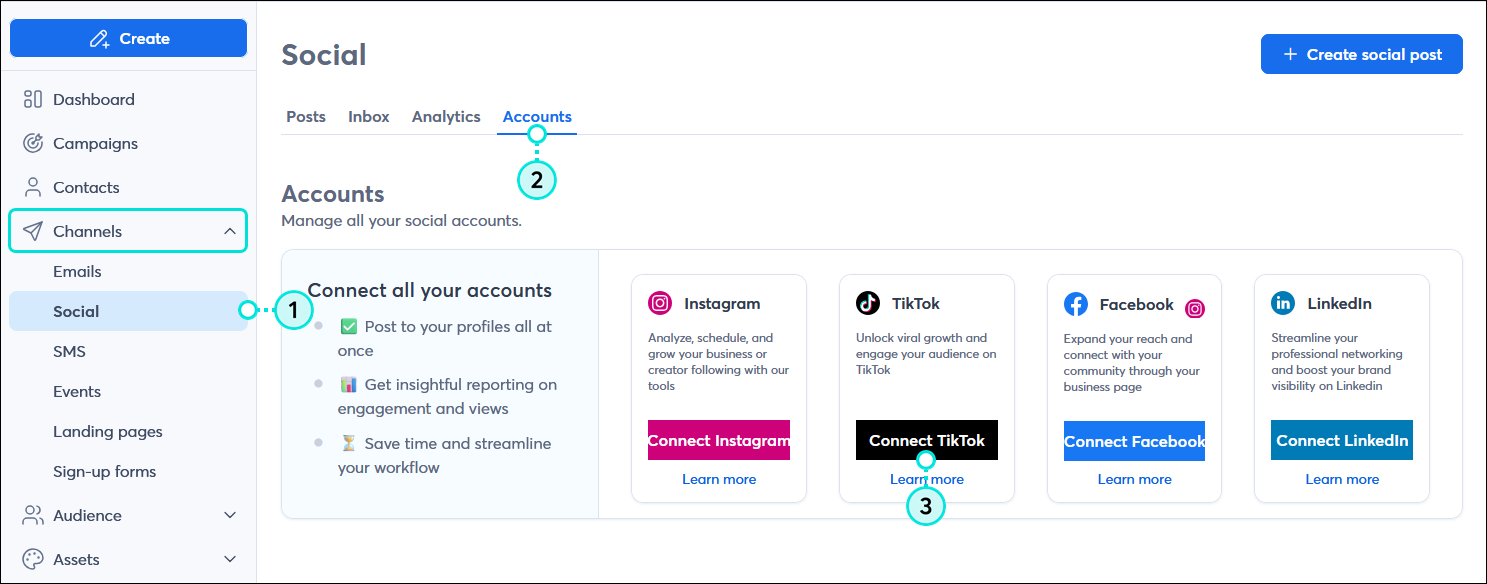
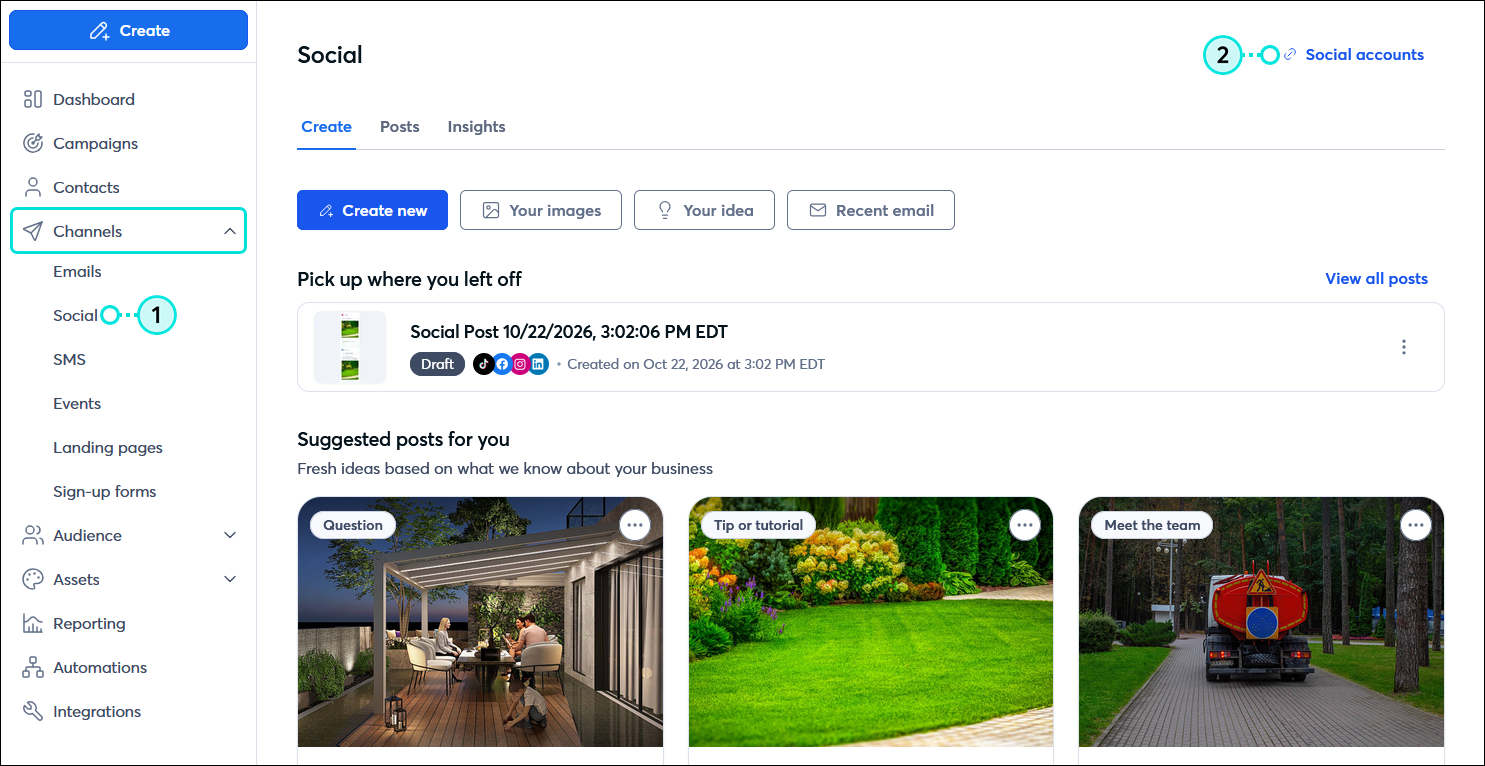
  1. In the menu on the left-hand side, click Channels > Social.
  2. Depending on your account:
  • Click the Accounts tab and then in the TikTok tile, click the Connect TikTok button.

    Channels menu expanded with Social option selected, Social dashboard with Accounts tab selected, and Accounts options with TikTok tile and Connect TikTok button

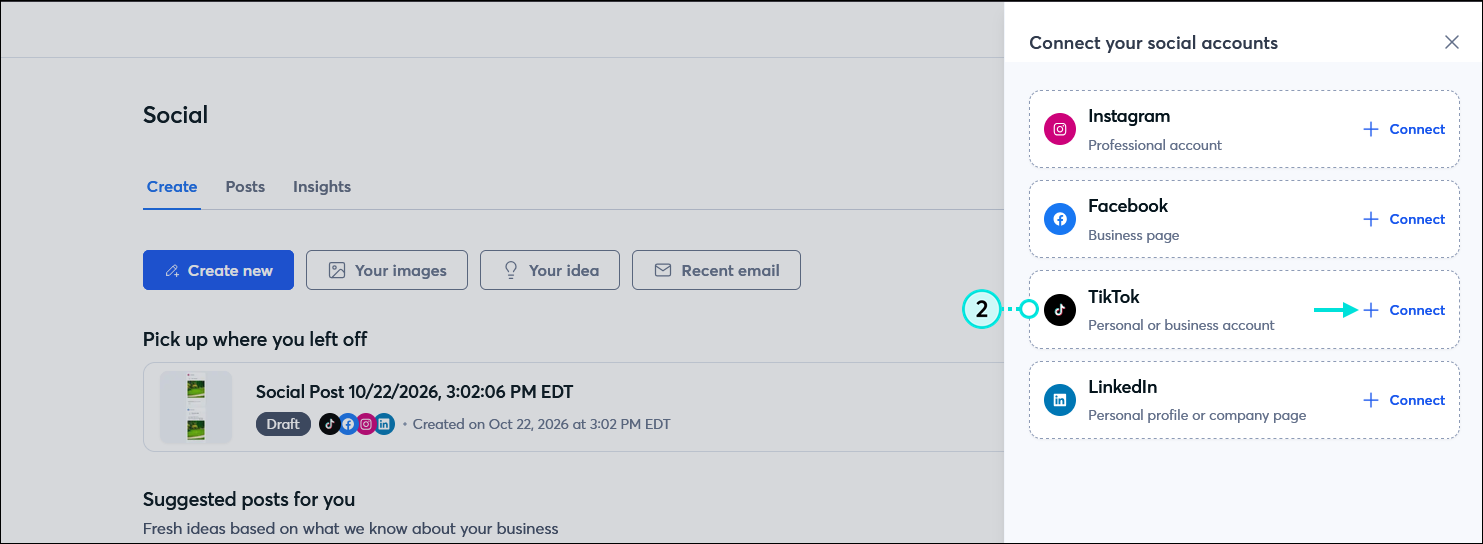
  • Click the "Social accounts" link in the upper right-hand corner of the page. In the Connect your social accounts panel, click the "+ Connect" link next to the TikTok option.

    Channels menu expanded with Social poption selected, Social page with Social accounts link

    Social page with Connect your social accounts panel expanded, TikTok option with + Connect link

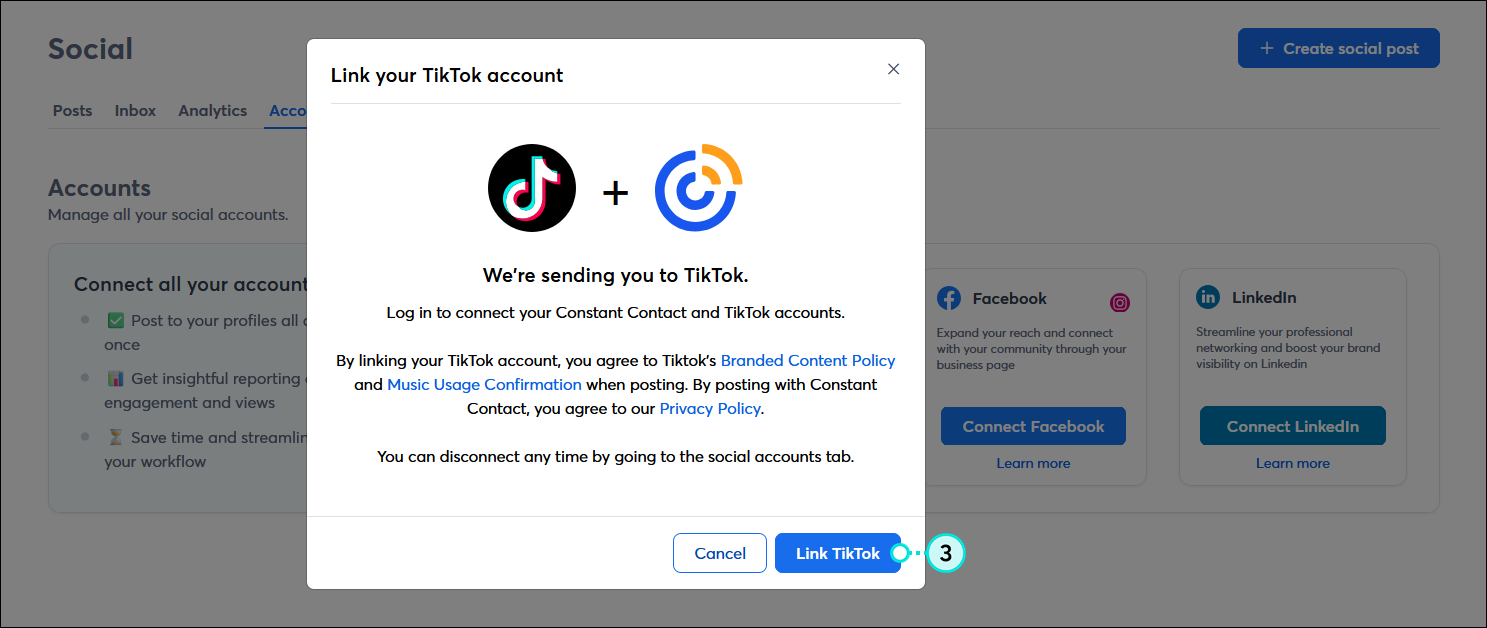
  1. Review the terms and conditions and click the Link TikTok button.

    Link your TikTok account overlay with terms and conditions, and Link TikTok button

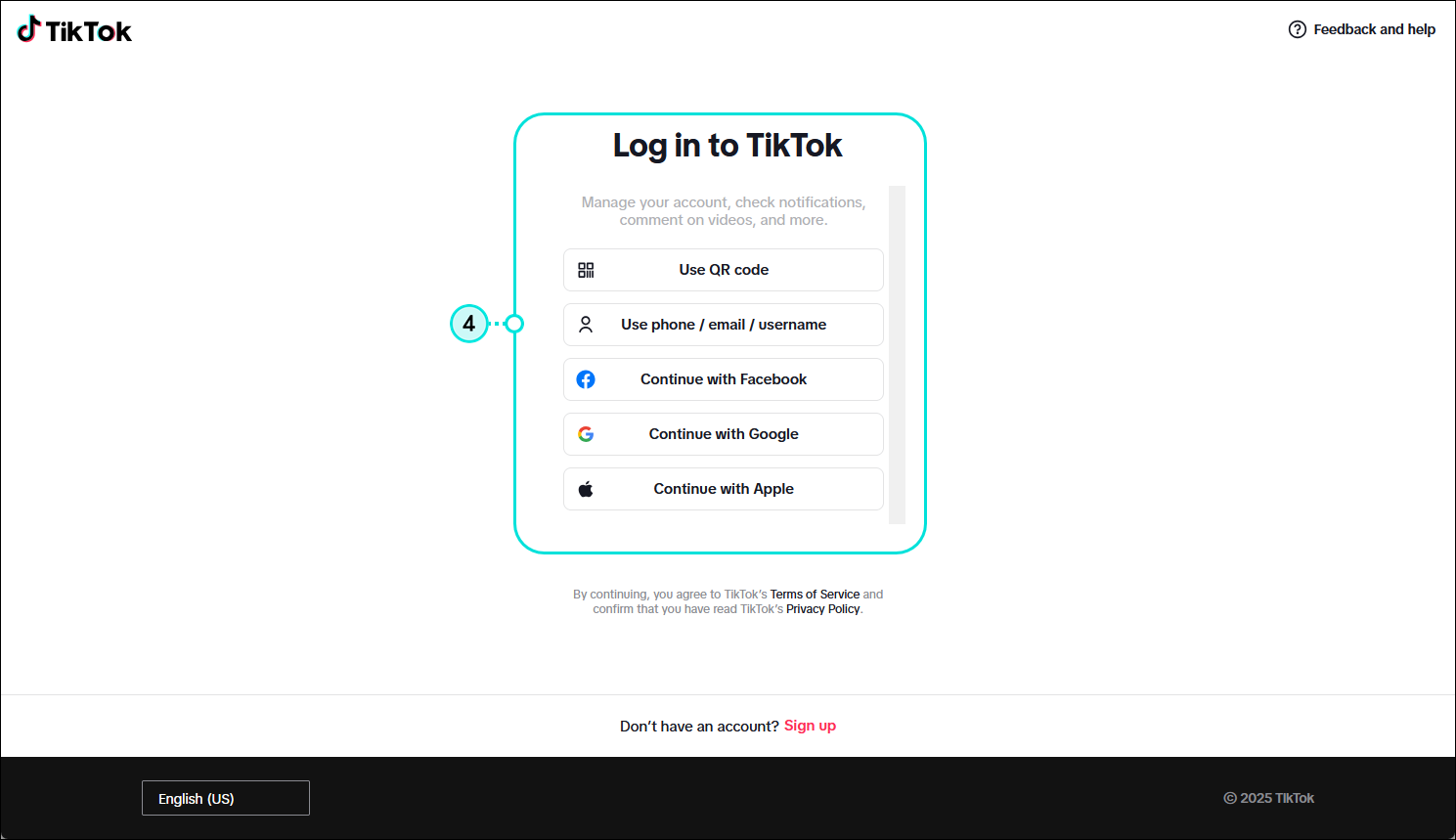
  2. Select how you want to sign into TikTok and log into your TikTok account.
    Note: Using the QR code option lets you sync using your mobile device.

    TikTok login page with Use QR code, Use phone/email/username, Continue with Facebook, Continue with Google, and Continue with Apple options

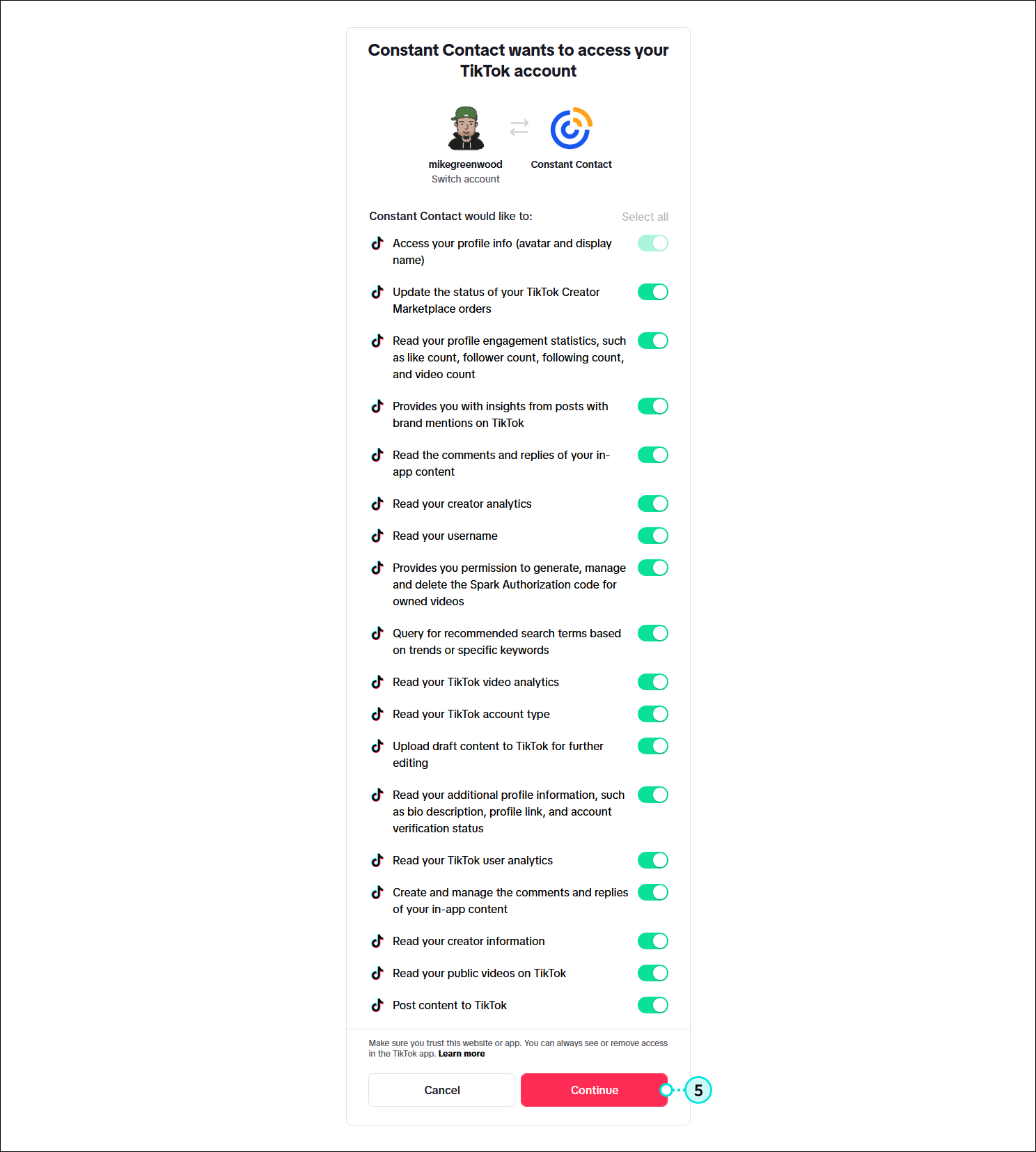
  3. Review the app permissions and click the Continue button. This gives Constant Contact permission to integrate with your account to create posts and import engagement activity. This doesn't give Constant Contact permission to access any of your personal account information or to post to your personal profile.

    TikTok permission options and Continue button

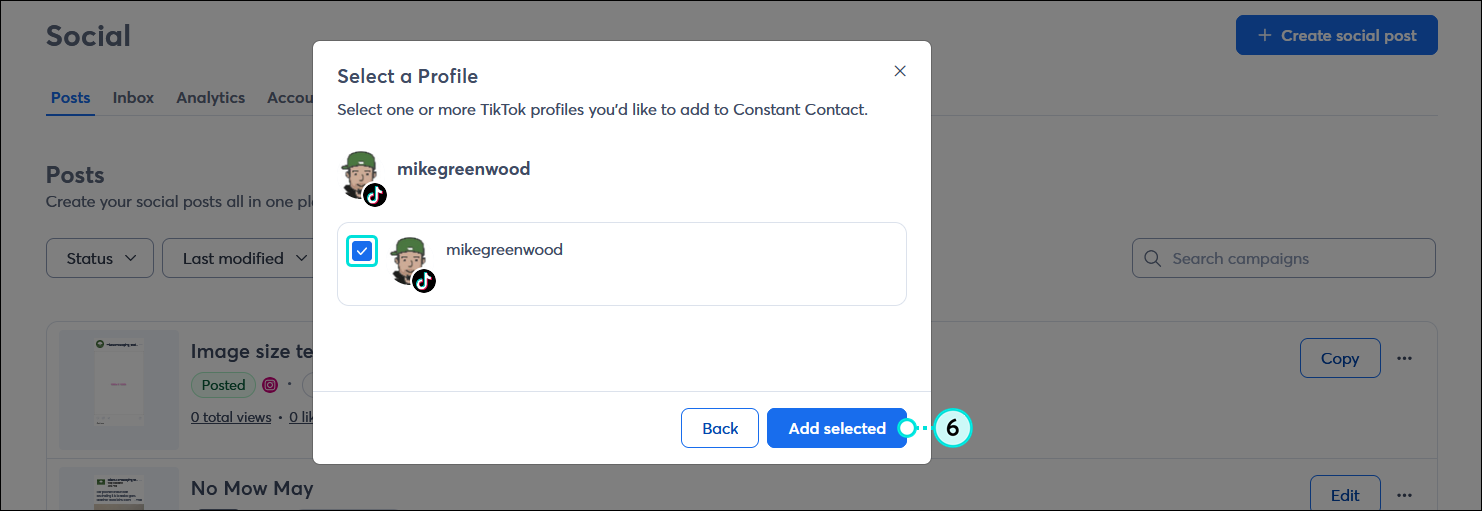
  4. From the Select a Profile overlay, select the TikTok profile you want to connect and click the Add selected button.

    Select a profile overlay with TikTok profile selected and Add selected button

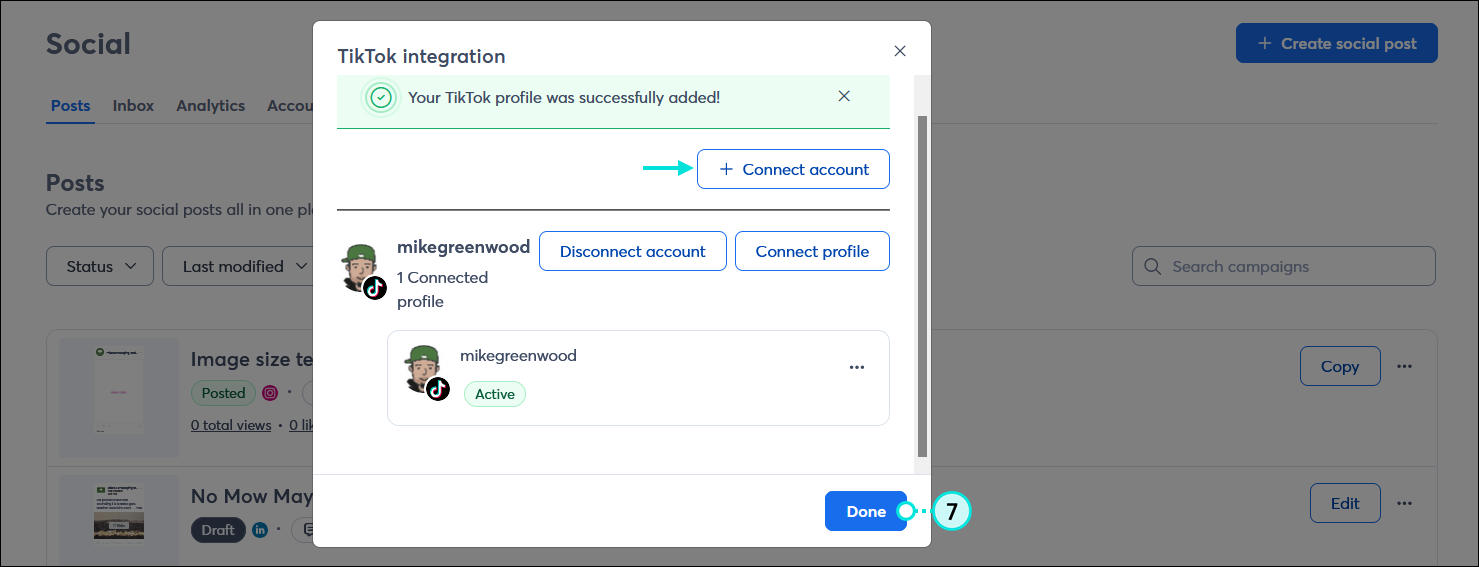
  5. Your account is successfully connected and you can either click the + Connect account button if you have multiple TikTok accounts to connect, or click the Done button to return to the Social dashboard.

    TikTok integration overlay with + Connect account button and Done button

Once your TikTok account is connected, you can create and share a post. Then, after your posts are published, you can review what kind of engagement you're getting.


Megaphone IconBe a better marketer: Want to learn more about using TikTok? Check out how to use TikTok for business!


For more information about connecting third-party apps to TikTok, please see TikTok's support.


Any links we provide from non-Constant Contact sites or information about non-Constant Contact products or services are provided as a courtesy and should not be construed as an endorsement by Constant Contact.


Questions?

Ask the Community

Did this article answer your question?


Constant Contact Logo

Copyright © 2026 · All Rights Reserved · Constant Contact · Privacy Center