Email and Digital Marketing
How can we help you?
Search our help articles, video tutorials, and quickstart guides

You've got this. You've got us. Search our Knowledge Base to quickly find answers to your questions.

How to find the Account Owner for your Constant Contact account

Article: 000054057
Updated: May 13, 2026

Locate the name or email address for the current Account Owner

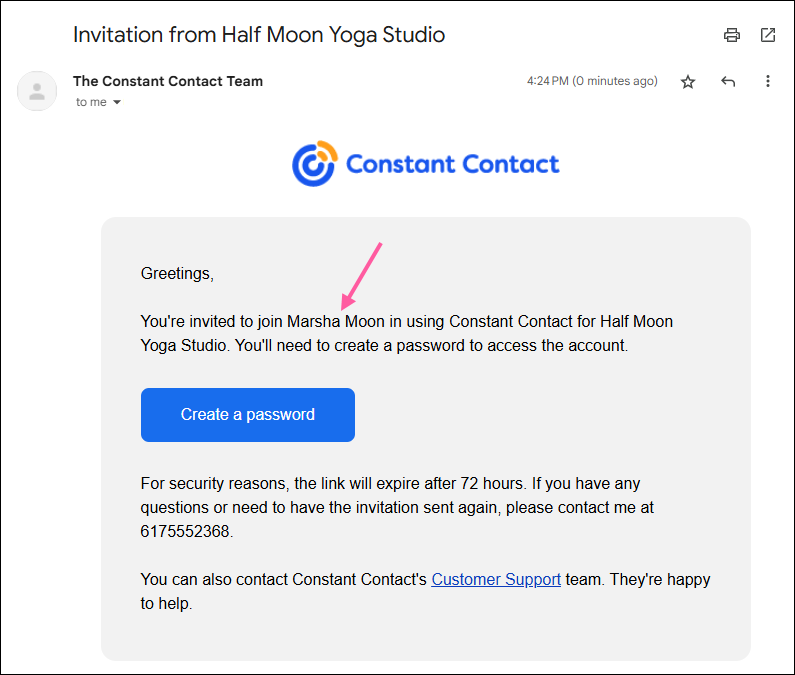
If you’ve been added to a Constant Contact account as an Account Manager or Campaign Creator and you’re not sure who the current Account Owner is, you can see their name in the email invitation you received when you were first added to the account as a user, or find their email address in the account settings.

New user email invitation with Account Owner name


To find the email address of the Account Owner:

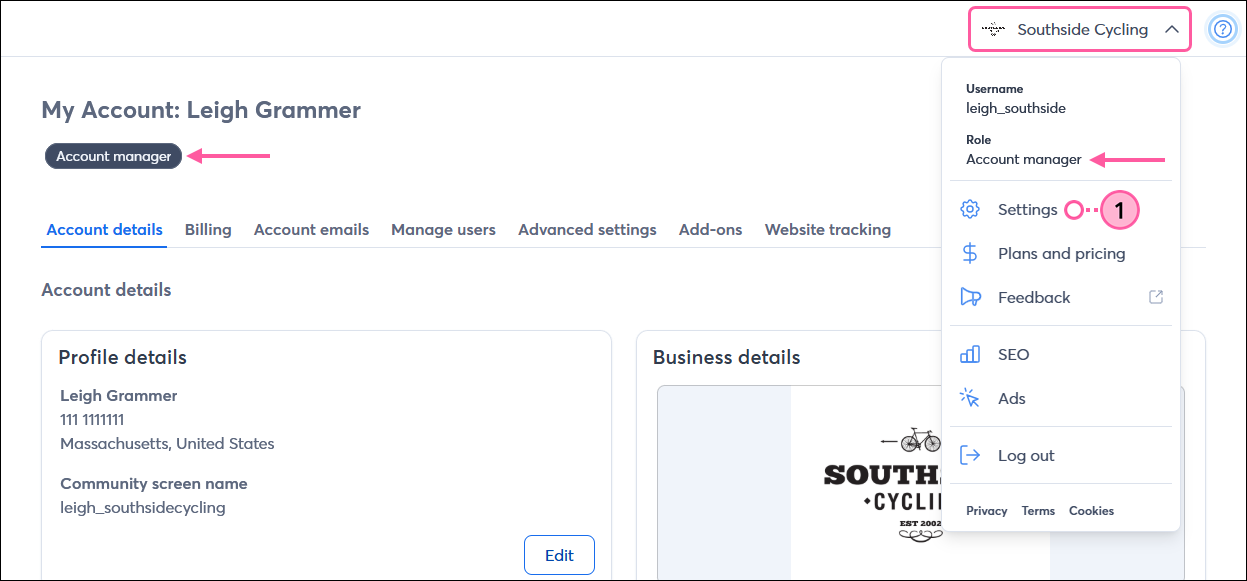
  1. Click the profile name in the upper-right and select Settings.
    Tip: You can see the user role for your login credentials within the drop-down and at the top of the My Account page.

    Profile drop-down, Settings option, and Account Manager user role

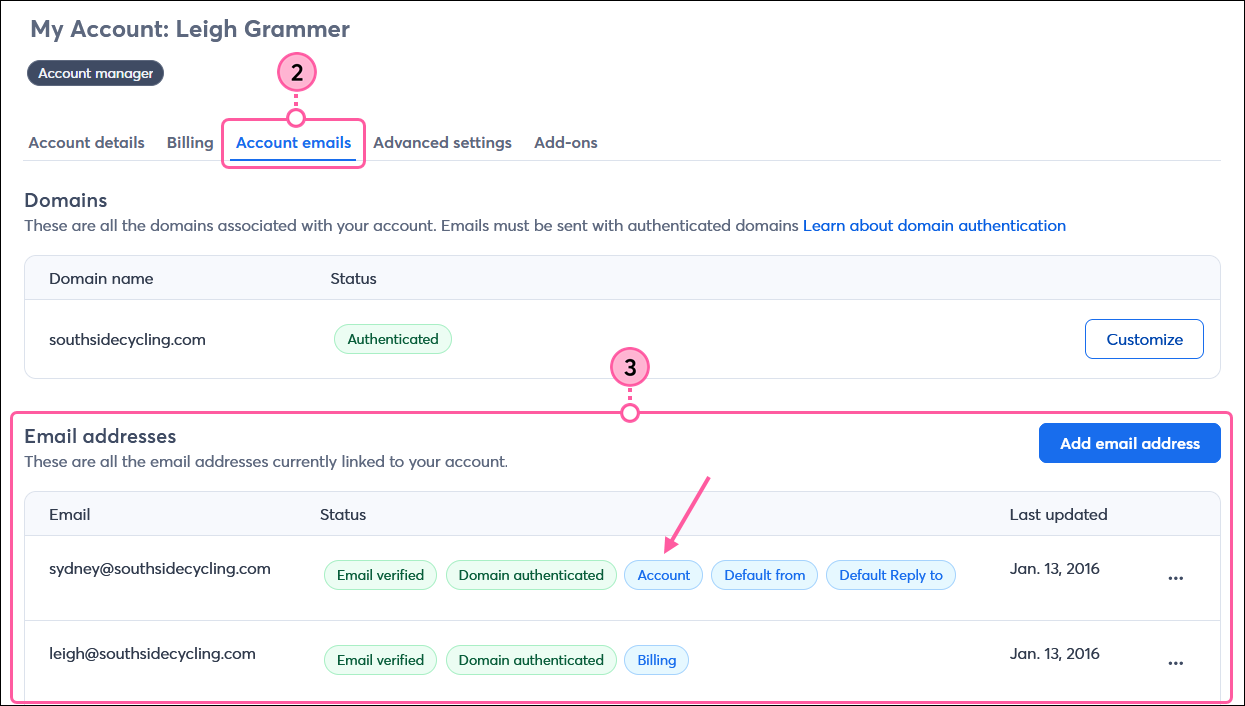
  2. Click the Account emails tab.
    Note: Campaign Creators don’t have access to this information.
  3. In the Email addresses table, locate the email address with the “Account” label.

    My Account, Account Emails tab, Email Addresses table, and email address with Account label


Questions?

Ask the Community

Did this article answer your question?


Constant Contact Logo

Copyright © 2026 · All Rights Reserved · Constant Contact · Privacy Center