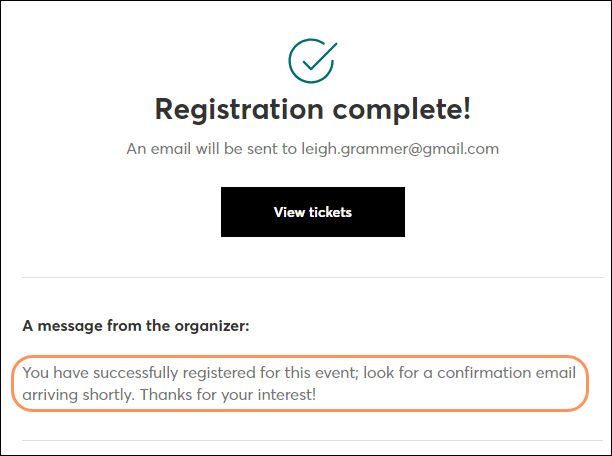
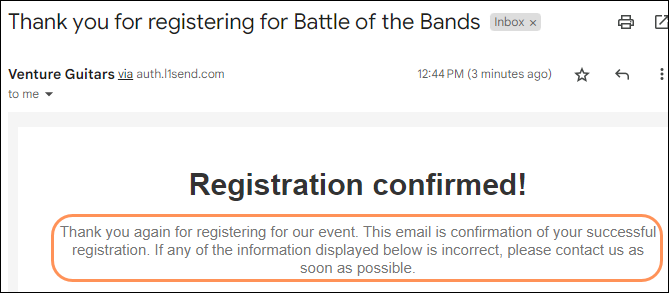
Customize the messages your registrants will see on the thank you page and in the confirmation email when they sign up for your event, or on the decline page.
| Thank you page message example |
 |
| Confirmation email message example |
 |
On the event dashboard, scroll to the "Event tools" section under the "Overview" tab. Click the Confirmations block.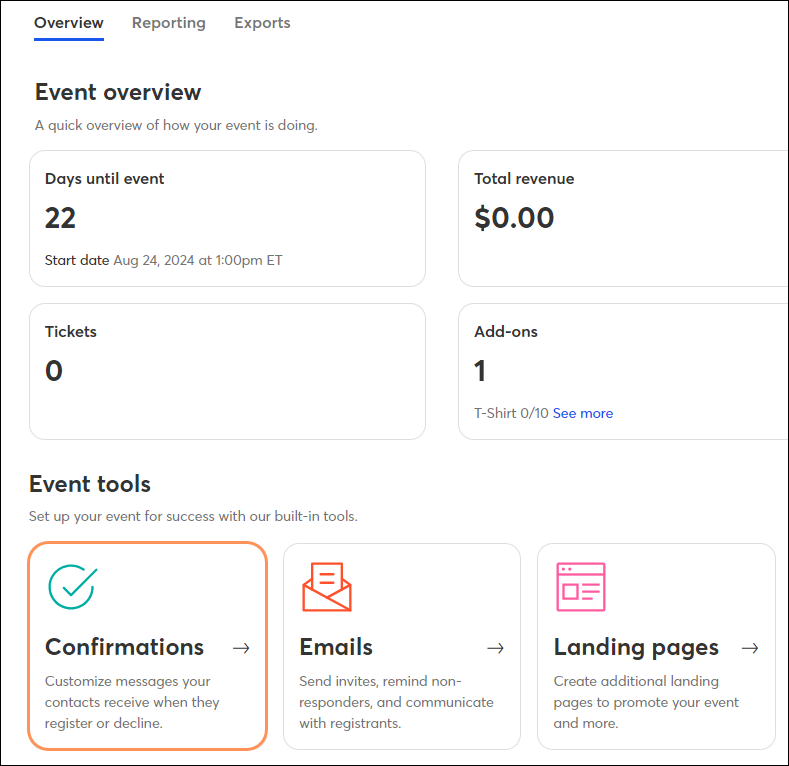
Edit one or all of the following:
Click "Restore default messages" to revert your changes back to our default text. When you're done making changes, click Save.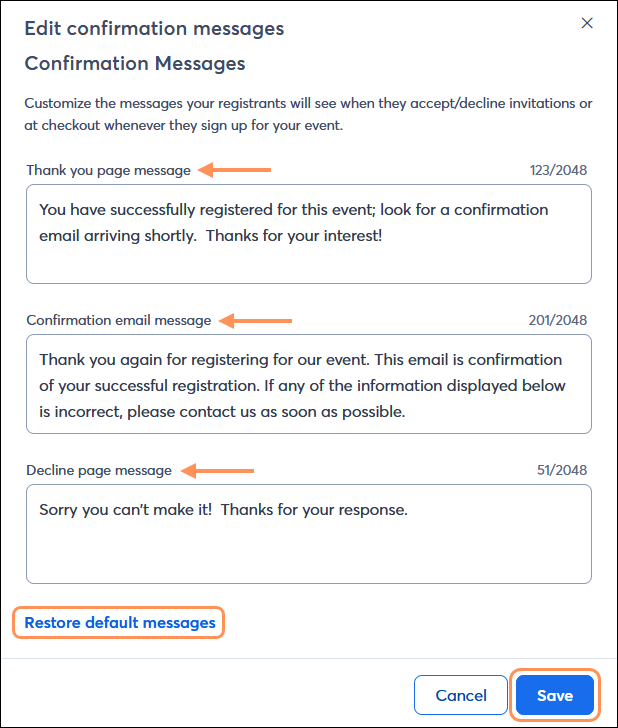
Copyright © 2026 · All Rights Reserved · Constant Contact · Privacy Center