Email and Digital Marketing
How can we help you?
Search our help articles, video tutorials, and quickstart guides

You've got this. You've got us. Search our Knowledge Base to quickly find answers to your questions.

Partners: Agency Directory overview for services

Article: 000044324
Updated: October 20, 2025

As an exclusive benefit to Certified partners, you're able to create a listing on the Constant Contact Agency Directory

Add People IconIn need of multiple accounts? Our multi-account solution is designed for organizations seeking unique accounts for their various locations, departments, or users. Take advantage of bulk pricing, product features for brand control, customized onboarding, and more!


Congratulations on being Constant Contact Certified! One of your exclusive benefits includes the option to post a listing on our Agency Directory.

Constant Contact’s Agency Directory puts your business in front of a wide range of small businesses and nonprofits who are looking for help with their digital marketing. As you’ve now passed the Certification exam, you can add your company to the Agency Directory.
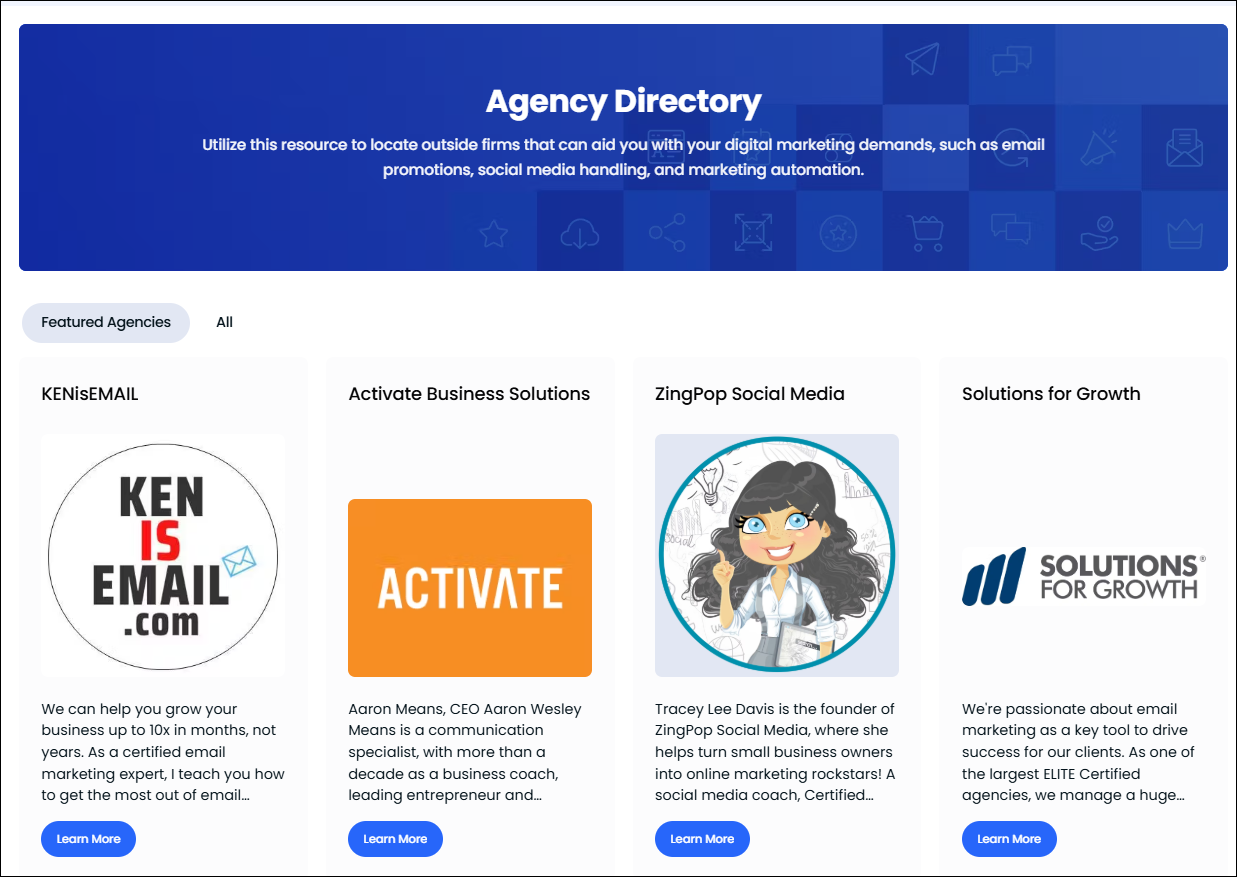

Agency Directory on Constant Contact Community

Before you start


This directory is accessed by Constant Contact’s prospects, trialers, and customers—so make sure your listing clearly reflects your experience with Constant Contact, and explains how your company can help prospective clients deliver results with our tools.


Constant Contact reserves the right to request edits on all submitted directory listings. Please strive to keep the formatting of your listings simple—use the recommended image sizes (details below) and do not add excess text formatting to your photos. Listings should be professional with a focus on small-business needs and not contain any inappropriate content, as determined by Constant Contact in its sole discretion.


Example Listings


To get an idea of what a listing looks like in our Agency Directory and to get some inspiration for your own listing, here are a few Constant Contact agency partners that have great directory listings:


Add your business to the directory


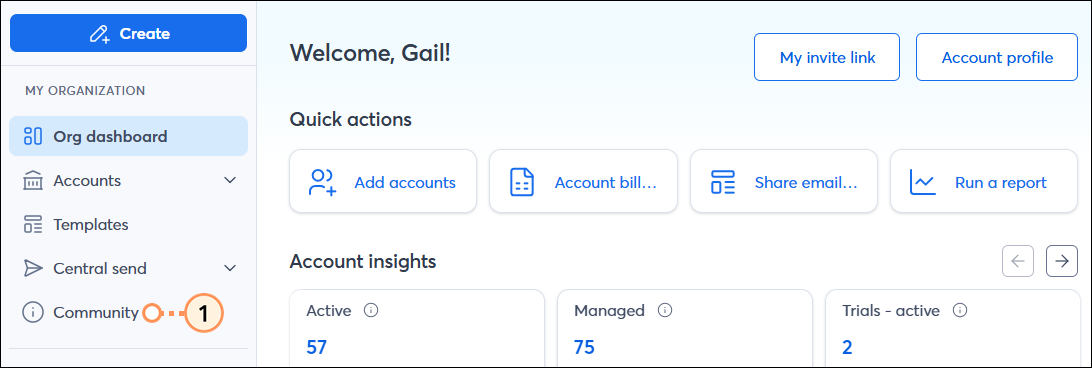
  1. From within your Constant Contact account, in the "My Organization" section of the left-hand menu, click Community.

    Left hand menu Community tab

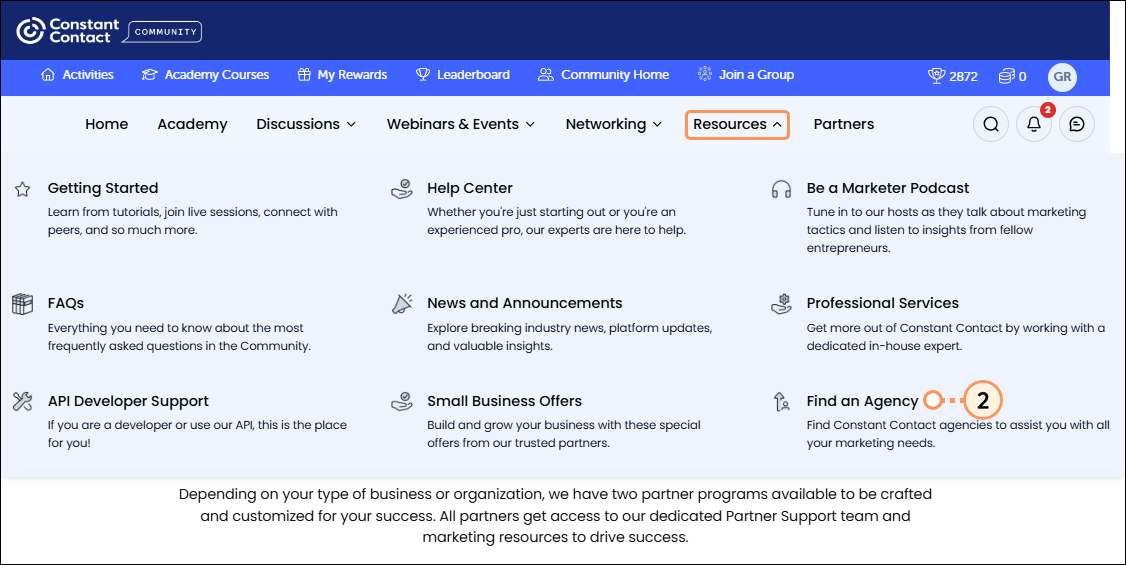
  2. Click the Resources dropdown and then click Find an Agency.

    Resources dropdown Find an Agency option

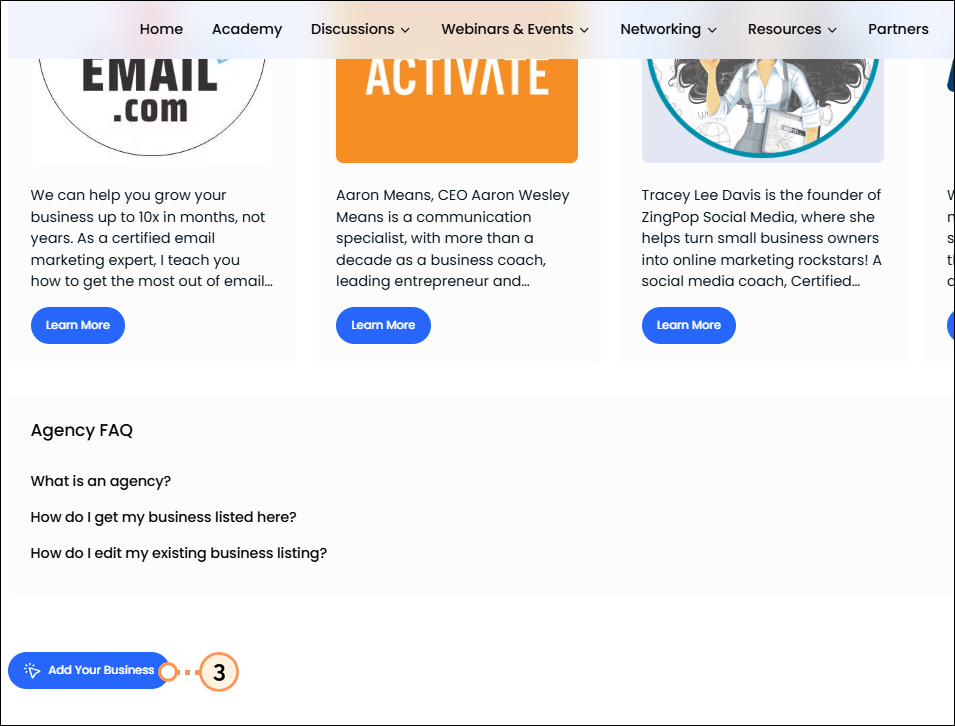
  3. Scroll to the bottom of the Agency Directory, and click Add Your Business.

    Agency Directory Add Your Business Link 
     
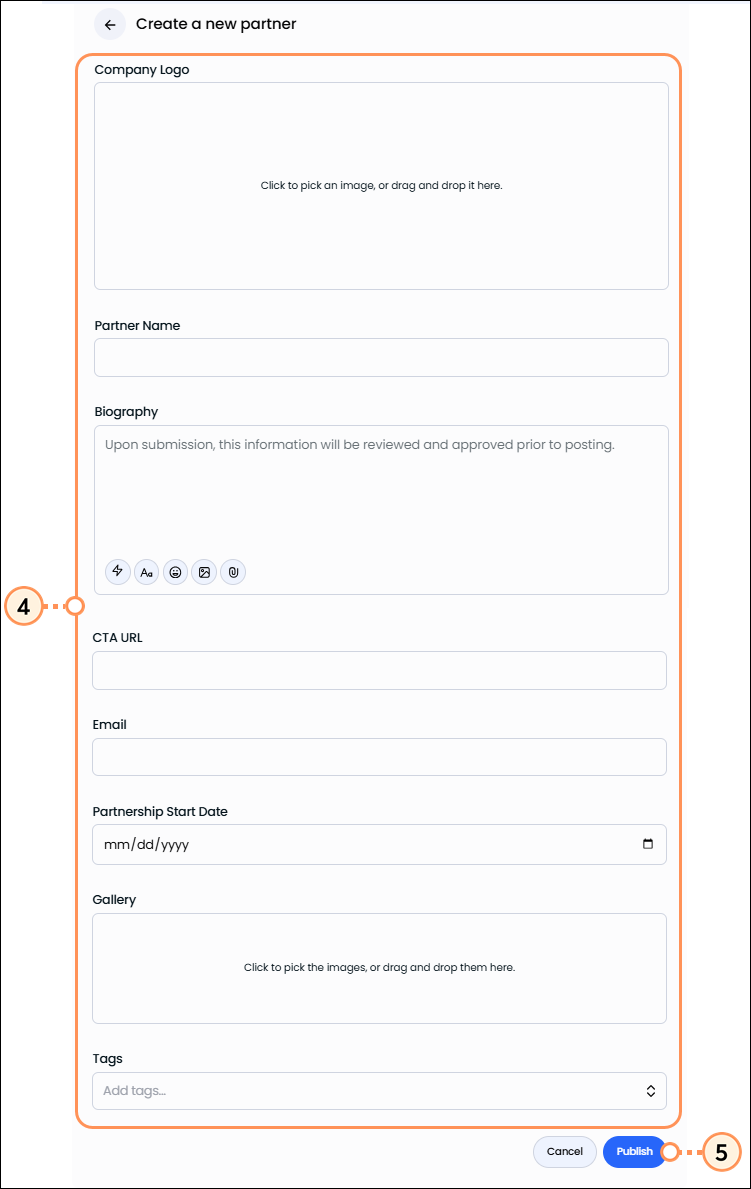
  4. Fill out the following fields to complete your listing:
    • Company Logo - Click the field to select an image, or drag and drop it. The logo is used to represent your listing on the directory.
    • Partner Name - Enter only your company name.
    • Biography - Enter details about your company, and the services you provide. Click the icons to add formatting, links, emojis, images, and more. This will be reviewed and approved prior to publishing your listing.
    • CTA URL - Enter the URL where visitors should be directed to when they click on the call-to-action button within the listing.
    • Email - Enter your email address.
    • Partnership Start Date - Enter the start date of your partnership with Constant Contact.
    • Gallery - Add the images you'd like to appear in the gallery section of your listing.
    • Tags - Select appropriate tags from the list.
  5. Click the Publish button.

    Fill out partner form and publish


After you've submitted your listing, we will carefully examine the listing and make a decision to either accept or deny it based on the information provided. Once published, if you need to make any edits, resubmit your listing under the "Add Your Business" section, similar to your initial submission.


    Questions?

    Email certification@constantcontact.com.


    Questions?

    Ask the Community

    Did this article answer your question?


    Constant Contact Logo

    Copyright © 2026 · All Rights Reserved · Constant Contact · Privacy Center