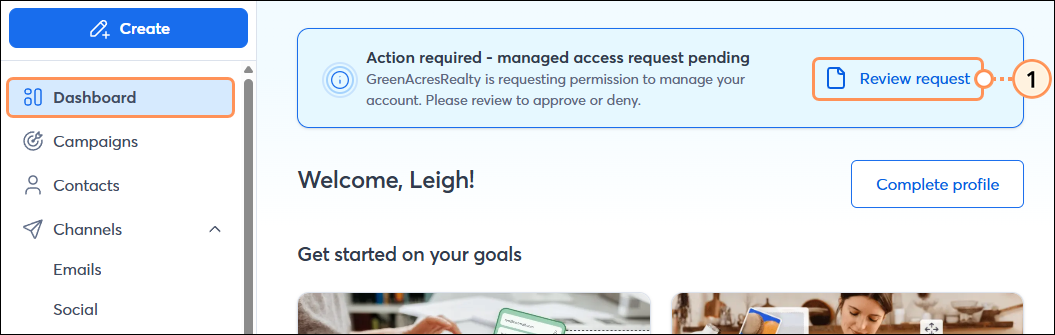
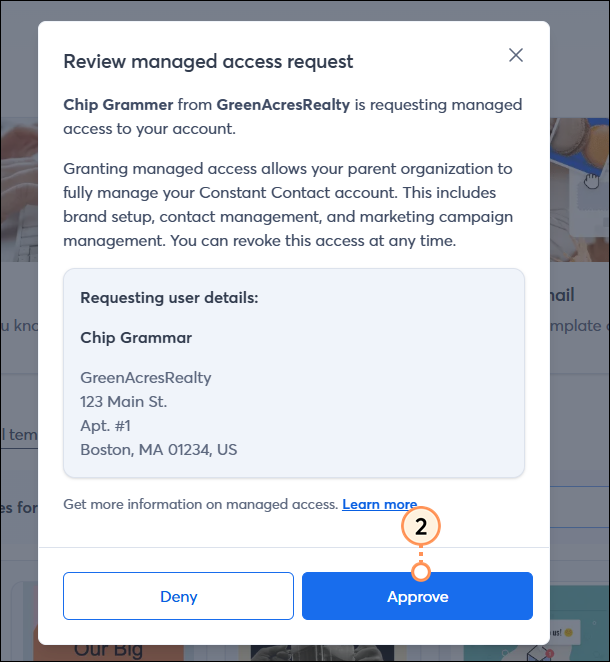
Constant Contact has a partner network of thousands of marketing agencies and professionals who help businesses like yours with everything from overall marketing strategy to day-to-day work in their clients’ Constant Contact accounts. If you’re working with a partner who referred you, you may want to grant them access to your account so they can create their own user role. To do this, the agency must first request access from you. Once the partner has submitted a request for managed access to your account, follow these steps within your own account to grant them full access:
It's a security best practice not to share your login credentials with anyone. Creating a user role for your agency provides them with their own login credentials. This also gives you, the Account Owner, full control over administering this user in the event that your business relationship changes.
 | Important: We also encourage you or your agency to set up Multi-Factor Authentication (MFA) as an extra layer of security. In addition to your password, MFA requires a secondary factor to verify identity when logging in from a device we don't recognize. Please see our detailed instructions for setting up MFA. |
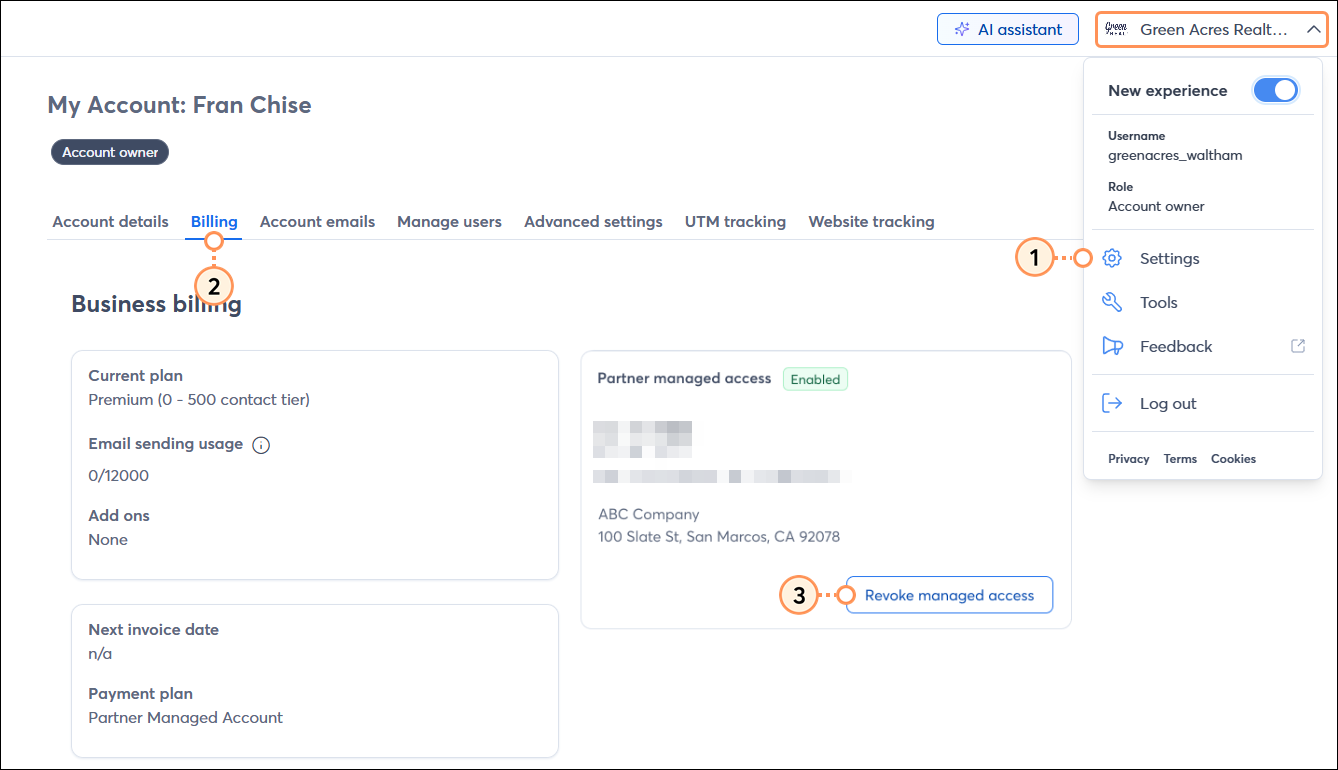
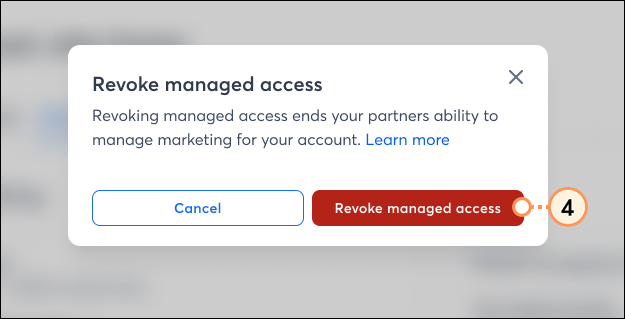
To revoke access:
Copyright © 2026 · All Rights Reserved · Constant Contact · Privacy Center