Email and Digital Marketing
How can we help you?
Search our help articles, video tutorials, and quickstart guides

You've got this. You've got us. Search our Knowledge Base to quickly find answers to your questions.

Preview dynamic content in the Constant Contact mobile app

Article: 000039840
Updated: February 27, 2026

See how dynamic content in an email will look based on selected criteria from your mobile device

If you created an email on your desktop and added dynamic content, you can preview it from a contact's perspective while viewing the campaign in your mobile app. 

Note: You cannot insert dynamic variables into your emails in the mobile app; you must first make those changes on your desktop. 


Preview content on Android

To see how dynamic content will appear to your customers:

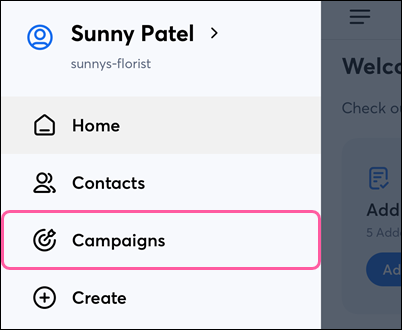
  1. In the Menu iconMenu, tap Campaigns.

    Menu with Campaigns option
     
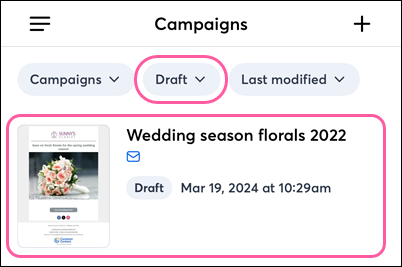
  2. (Optional) Tap StatusDraft at the top of the screen.
  3. Tap on the email with dynamic content.

    Campaigns dashboard with Draft status filter and campaign selected
     
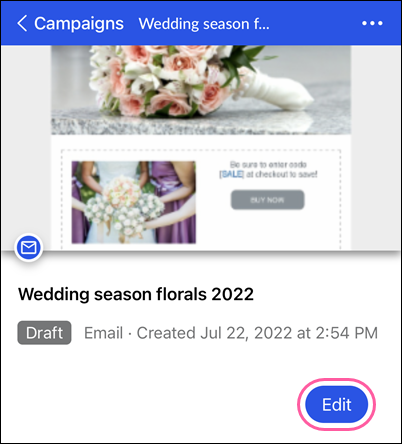
  4. Tap Edit.

    Draft email details page with Edit button
     
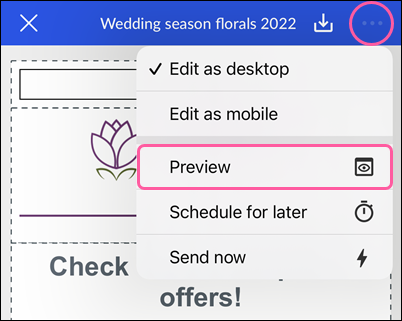
  5. Tap the three dots in the upper-right and tap Preview.

    Email editor with actions drop-down and Preview option
     

In your preview, dynamic content variables will be replaced with your own Account or Contact information, showing you how the email will look to the contacts who meet the criteria for that block. 


Preview content on iPhone

To see how dynamic content will appear to your customers:
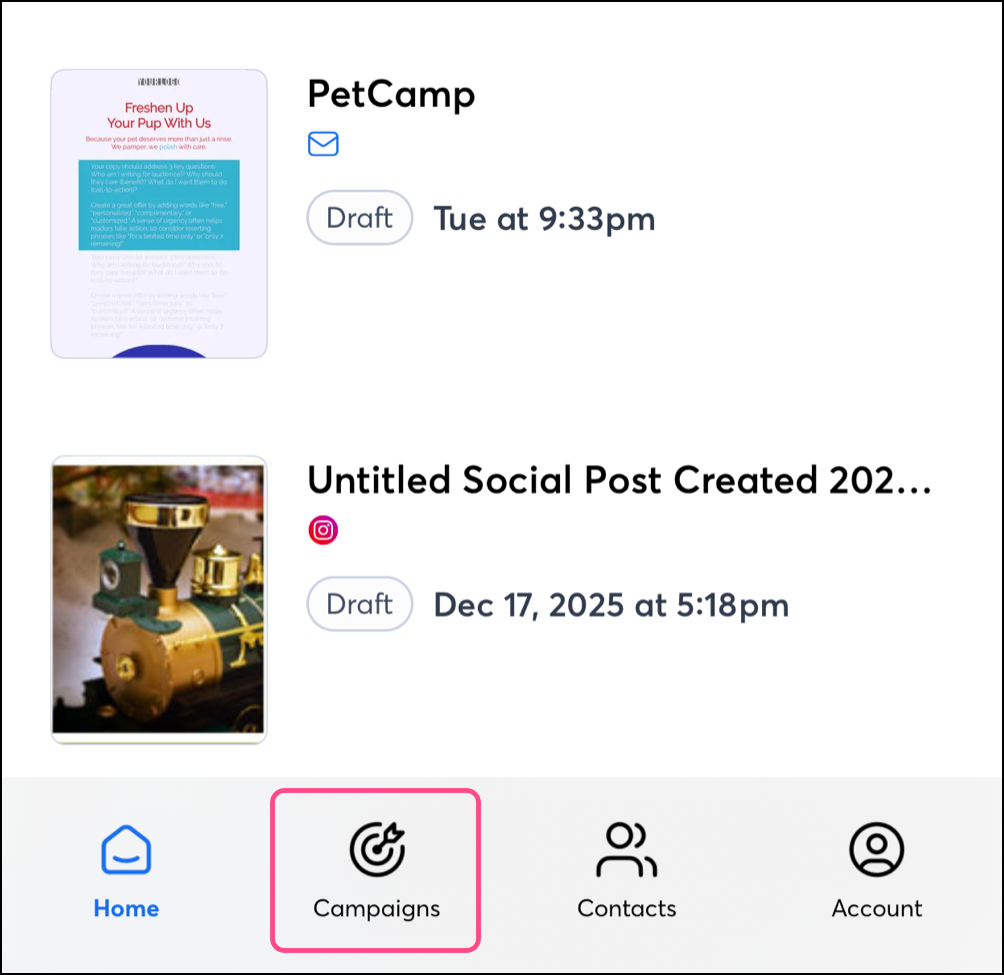
  1. Tap Campaigns from the bottom navigation menu. 


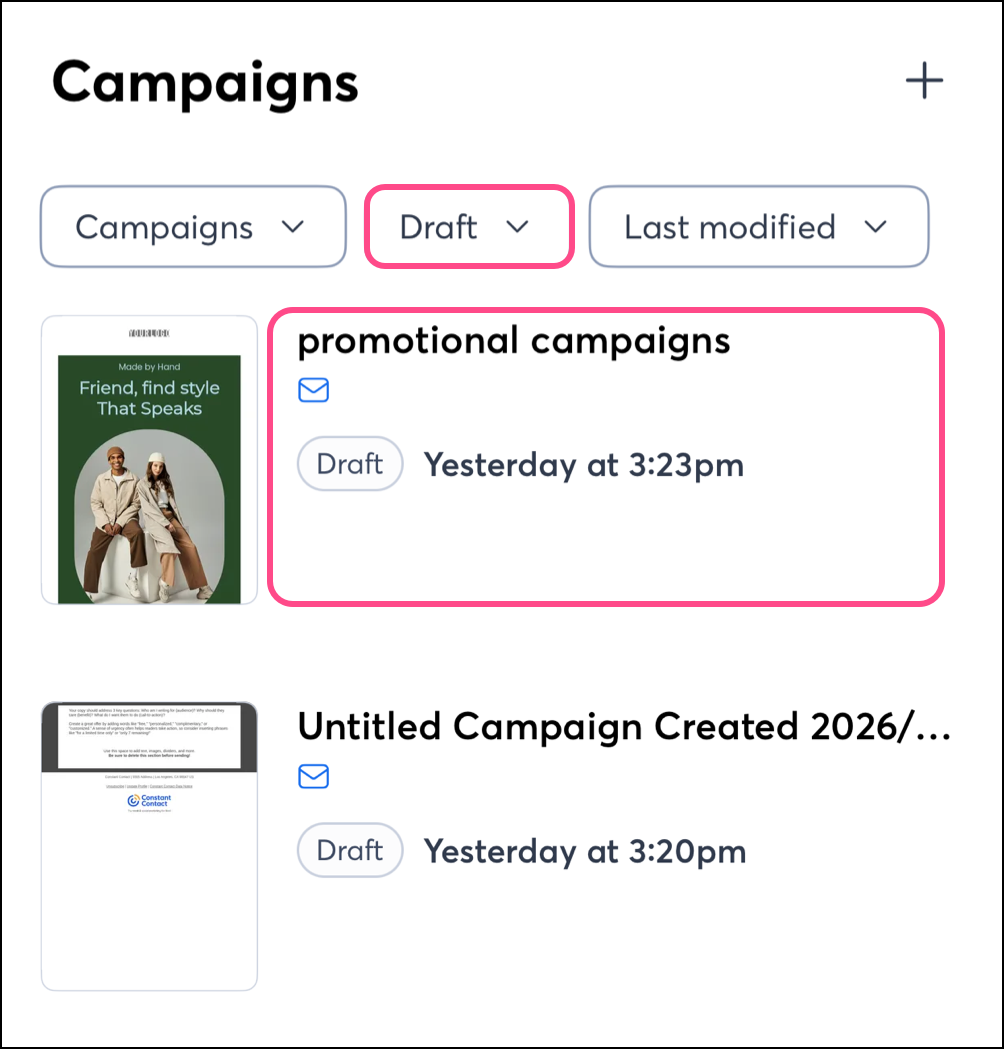
  2. (Optional) Tap StatusDraft at the top of the screen.
  3. Tap on the email with dynamic content.


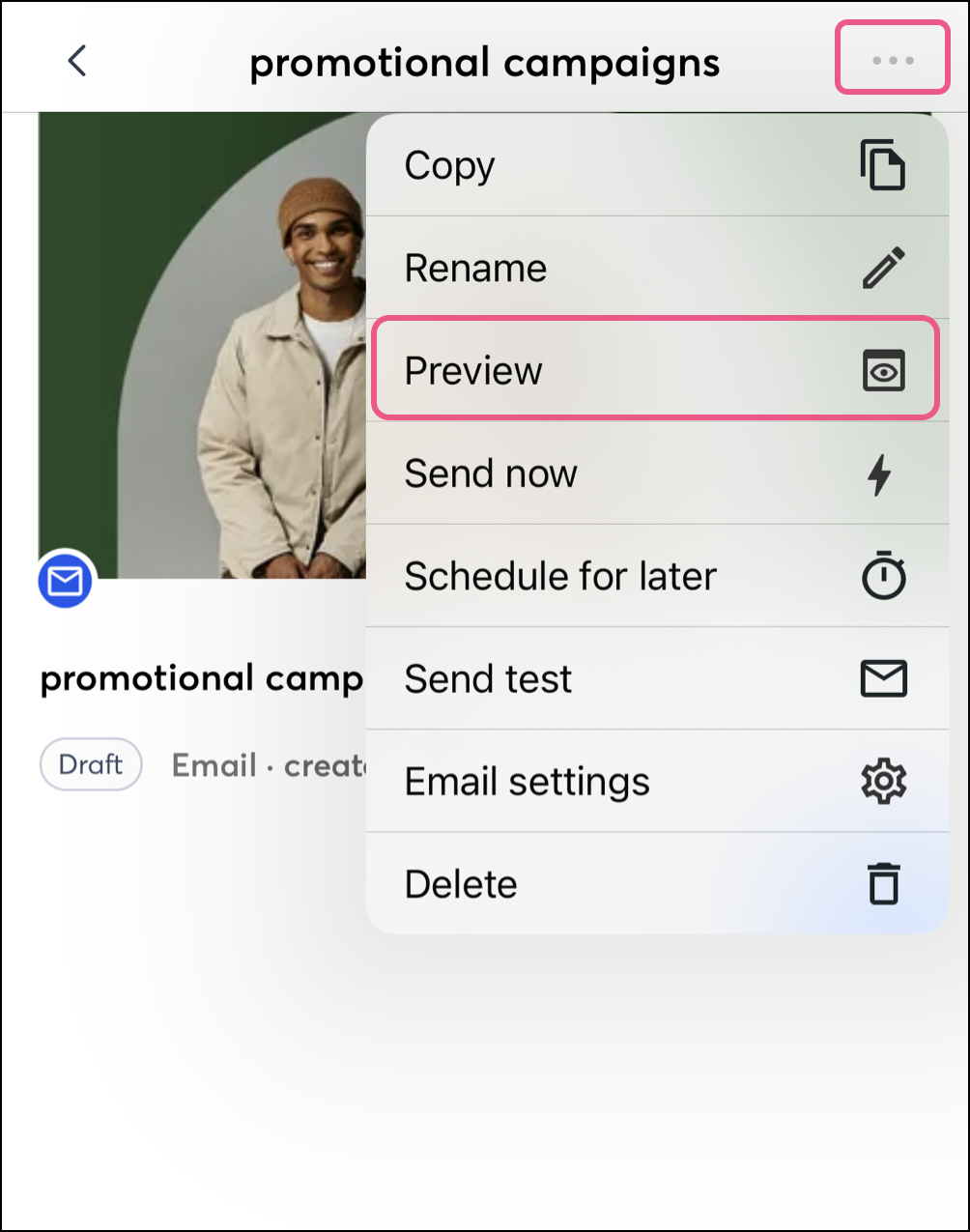
  4. Tap on the three dots and select Preview


  5. In your preview, dynamic content variables will be replaced with your own Account or Contact information, showing you how the email will look to the contacts who meet the criteria for that block.


Questions?

Ask the Community

Did this article answer your question?


Constant Contact Logo

Copyright © 2026 · All Rights Reserved · Constant Contact · Privacy Center