In order to properly connect your Mindbody account to Constant Contact, you must be logged into Mindbody using the Owner login. The Owner login is the unique login that was issued when you originally signed up for Mindbody.
In Constant Contact, when attempting to sync your Mindbody contacts, you'll receive the following error if you're not logged in with the Owner login:
We couldn't connect your Mindbody account. Please make sure you've logged in using your Mindbody owner login and entered the corresponding site ID below.
It is possible for the Owner login to have the same username as a Staff or Consumer login; however, the Owner has specific permissions within the Manager Tools. To ensure that you're logged into Minbody as the Owner, complete the following steps:
 Settings > Mindbody Add-ons from the left navigation menu, and look for API Integrations".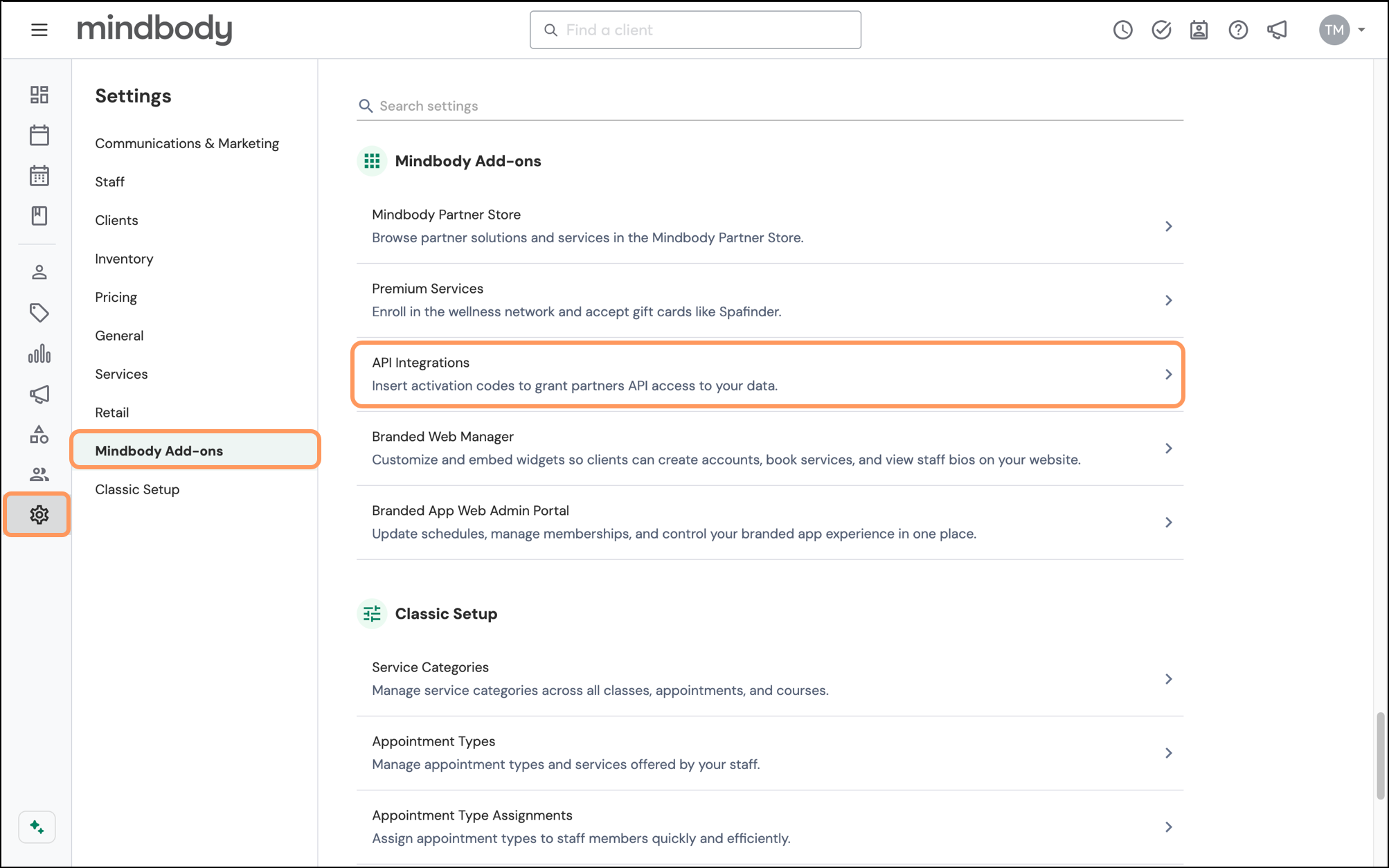
Does your account look different?
You may be using an older version of the platform.
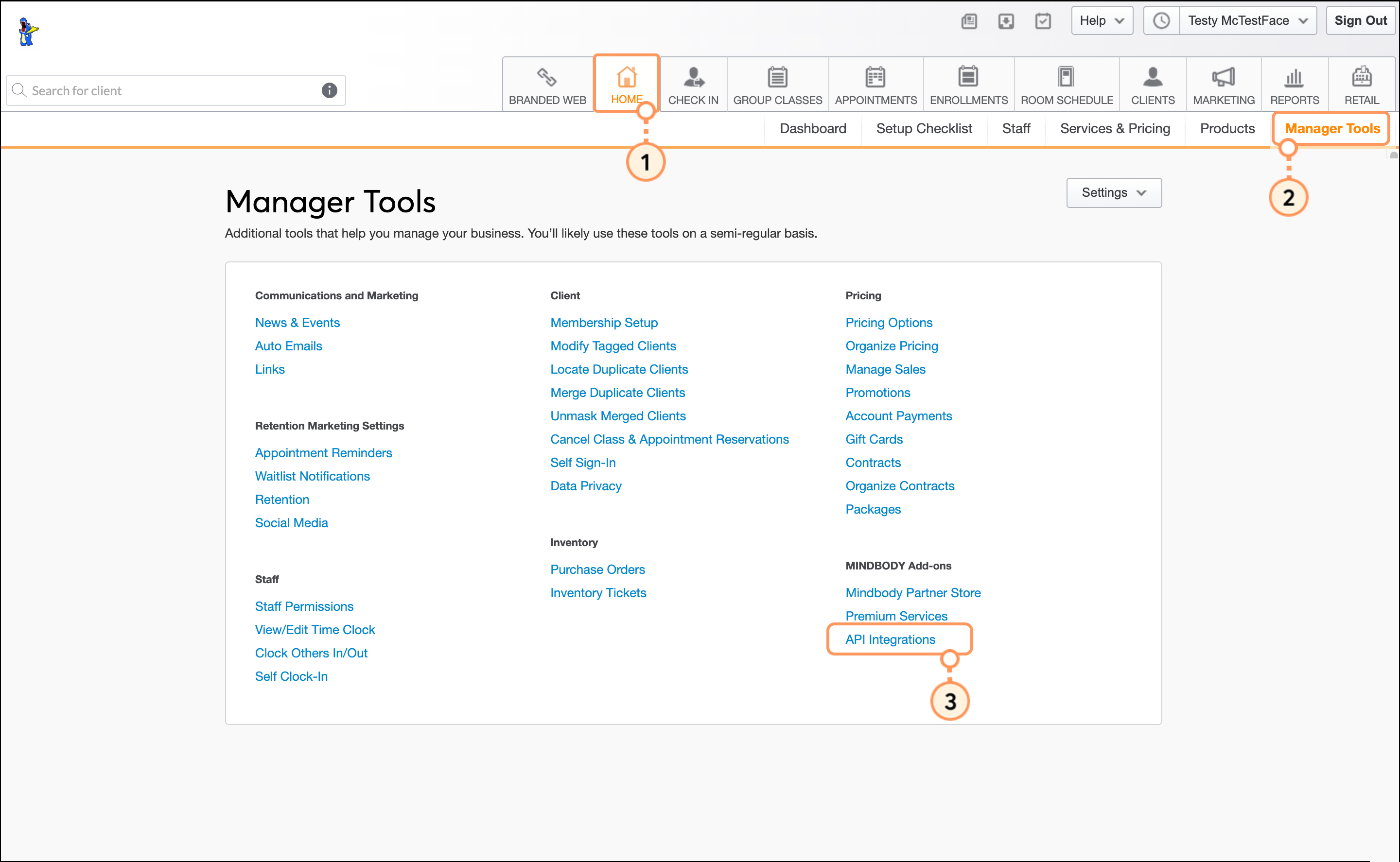
Once you've confirmed that you're logged into Mindbody as the Owner, you can continue syncing Mindbody contacts into Constant Contact.
For more information about the Mindbody Owner login, please see Mindbody's support.
Any links we provide from non-Constant Contact sites or information about non-Constant Contact products or services are provided as a courtesy and should not be construed as an endorsement by Constant Contact.
Copyright © 2026 · All Rights Reserved · Constant Contact · Privacy Center