Email and Digital Marketing
How can we help you?
Search our help articles, video tutorials, and quickstart guides

You've got this. You've got us. Search our Knowledge Base to quickly find answers to your questions.

Check the status of a scheduled ad with a Facebook Lookalike Audience

Article: 000029334
Updated: September 8, 2026

Check the processing status of a Facebook Lookalike Audience for a Facebook and Instagram Ad or Lead Ad from the ad's Details page within your Constant Contact account

If you chose to create a Lookalike Audience when you created a new Facebook and Instagram Ad or Lead Ad, an attempt is made to publish the ad every 15 minutes, but it can take Facebook between three and six hours to process the audience. You can check the status of your Lookalike Audience and ad from the ad's Details page within your Constant Contact account:
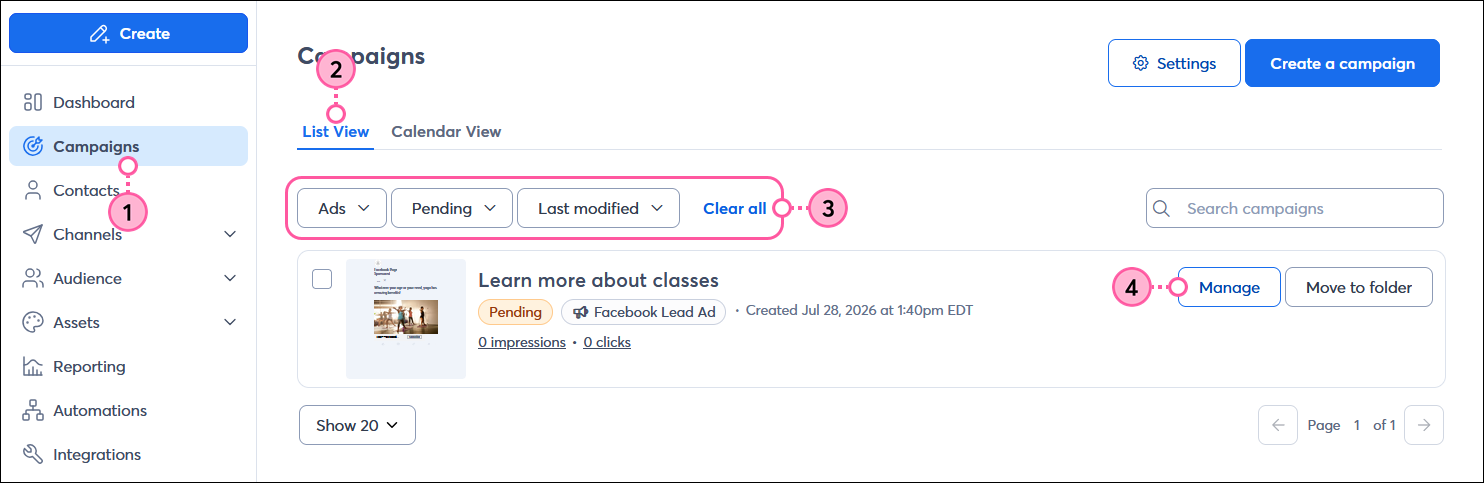
  1. In the menu on the left-hand side, click the "Campaigns" option.
  2. Click the List view tab.
  3. Narrow your search by selecting:
  • The "Ads" option from the Campaign type drop-down menu
  • The "Pending" or "Active" option from the Status drop-down menu
  1. Click the Manage button next to the pending or active ad you want to review.

    Left-hand menu with Campaigns option selected, List view tab selected, Campaign type drop-down menu with Ads option selected, Status menu with Pending option selected, and Sort By drop-down menu with Last modified option selected, and pending ad with Manage button

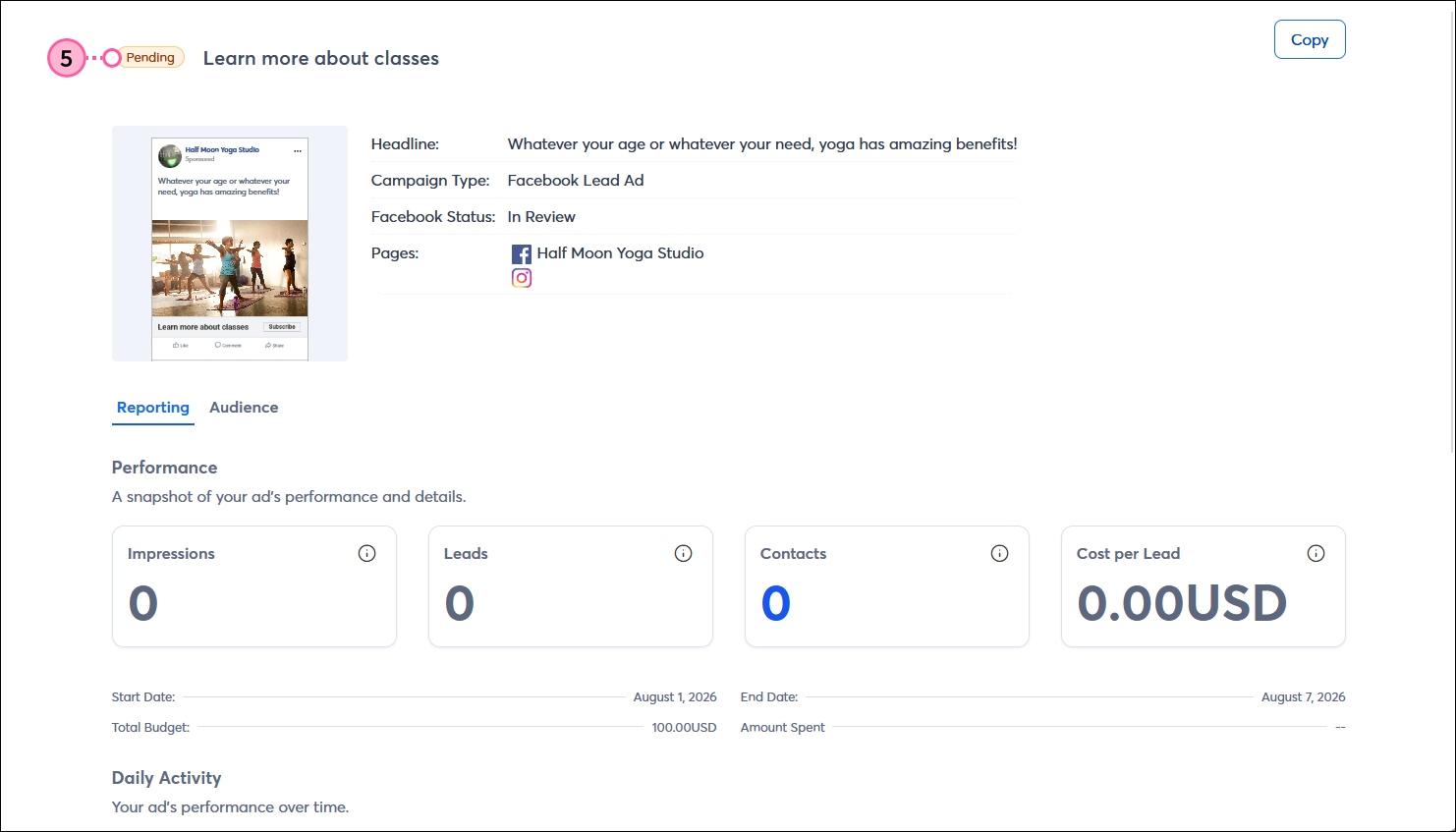
  2. Check the ad's status in the upper left-hand corner of the ad's Details page. If your Lookalike Audience is still processing, your ad stays in the "Pending" status. Once Facebook has finished processing your audience, your ad is officially published, and the status changes to "Active."

    Facebook Lead Ad Details page with ad in Pending status

Your ad's performance and activity information don't start to display until the ad is both in the "Active" status and you've reached the selected start date.


Light Bulb IconDid you know? You can also check the status and view the details of your Lookalike Audience by logging into your Meta Ads Manager account and viewing the Audiences section.


Any links we provide from non-Constant Contact sites or information about non-Constant Contact products or services are provided as a courtesy and should not be construed as an endorsement by Constant Contact.


Questions?

Ask the Community

Did this article answer your question?


Constant Contact Logo

Copyright © 2026 · All Rights Reserved · Constant Contact · Privacy Center