Email and Digital Marketing
How can we help you?
Search our help articles, video tutorials, and quickstart guides

You've got this. You've got us. Search our Knowledge Base to quickly find answers to your questions.

Restore deleted images or documents

Article: 000006072
Updated: October 24, 2025

Restore a deleted file from the Trash in your Library

When you delete a file from your Library, it remains visible in the Trash folder and can be restored at any time. Images and files that have been deleted from the Trash folder can't be restored, but you can upload them to your Library again.
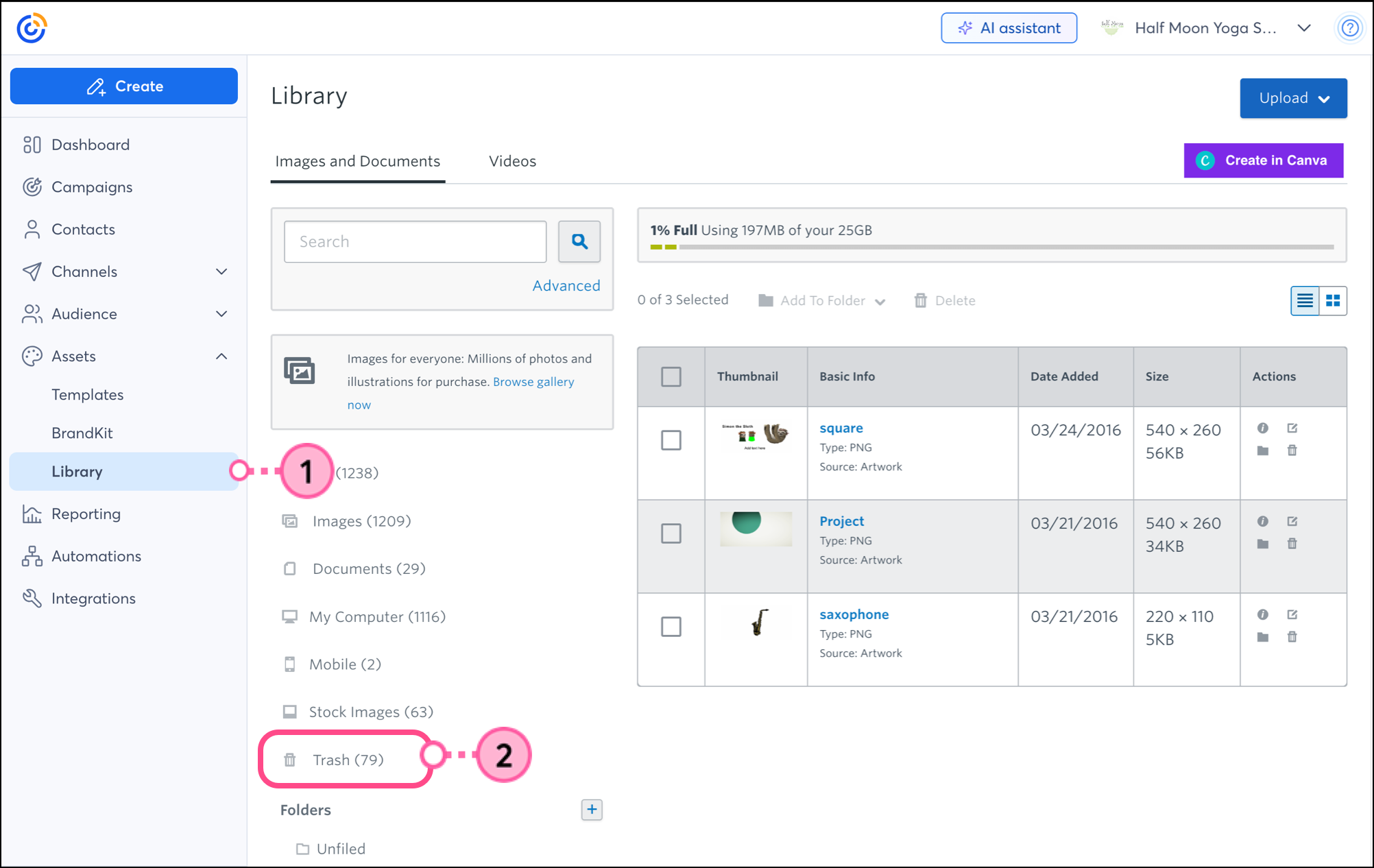
  1. Click AssetsLibrary.
  2. Click the Trash folder.


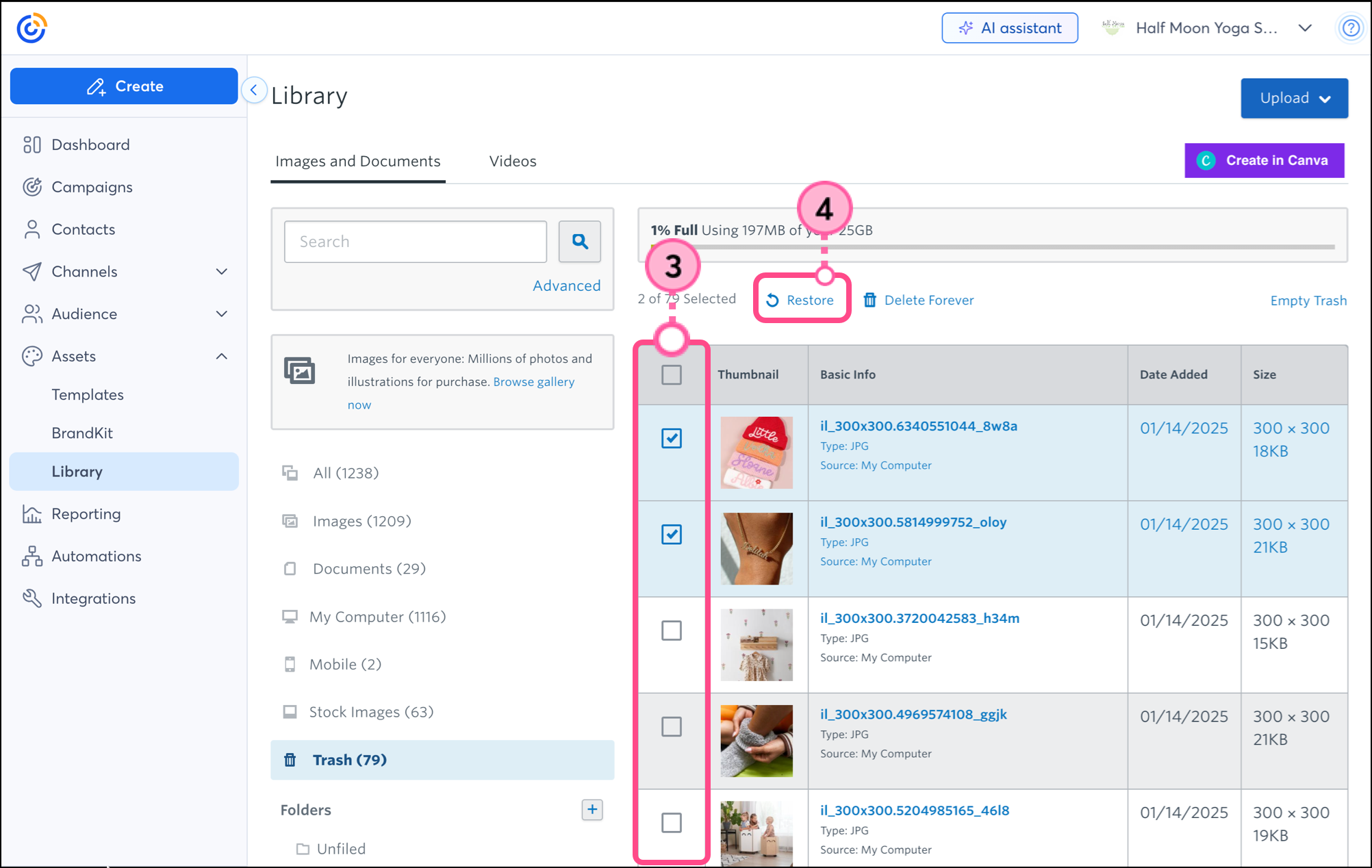
  3. Select the deleted document or image that you want to restore.
  4. Click Restore.

Your files are returned to any folders that you previously had them stored in.


Questions?

Ask the Community

Did this article answer your question?


Constant Contact Logo

Copyright © 2026 · All Rights Reserved · Constant Contact · Privacy Center