Email and Digital Marketing
How can we help you?
Search our help articles, video tutorials, and quickstart guides

You've got this. You've got us. Search our Knowledge Base to quickly find answers to your questions.

Compare unique and multiple opens of an email in your reporting

Article: 000006071
Updated: June 25, 2026

Compare the contacts that opened your emails once to the contacts who opened it multiple times and understand how multiple opens can occur

Knowing how often your contacts are opening your emails helps you gauge how interested they are in what you have to say. Your email reporting can be filtered by:

  • Unique opens - Shows you the date and time that each contact last opened your email, removing multiple opens by the same contact.
  • All opens - Shows you the date and time that every open was performed, so you can see a contact's behavior over time.

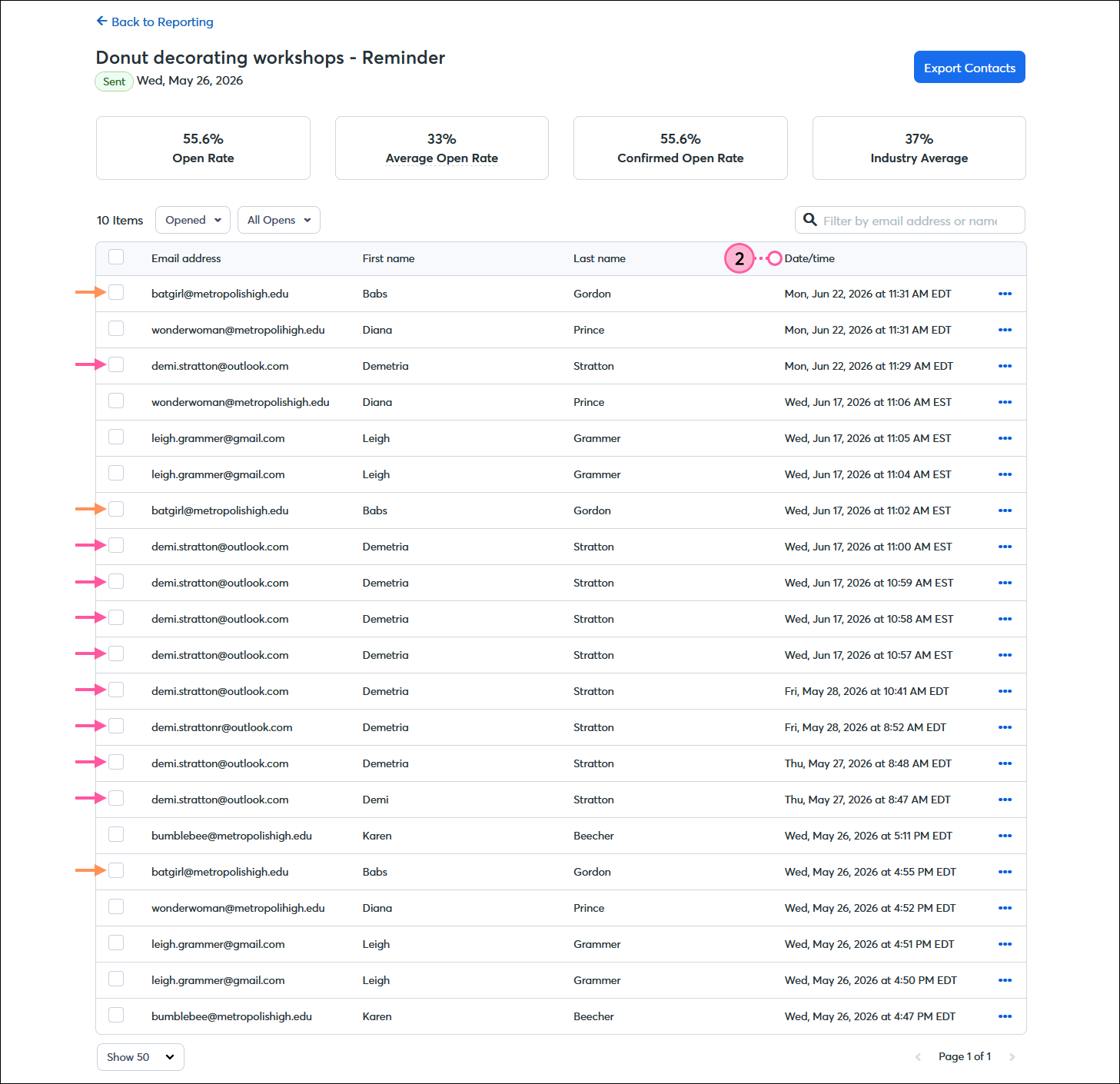
There are many reasons why a contact would open an email multiple times, and the dates and times of the opens can give you clues. For example, your contact may be re-reading your email to obtain a piece of information or respond to your call to action when it's more convenient for them. Therefore, you might see the same contact on the "all opens" report more than once, but the opens are spread out. However, if you see a contact opening an email multiple times in quick succession, it could indicate that your contact is scrolling through their inbox and the email is displaying in the preview pane every time they pass it. Every time the tracking pixel in your email is displayed, it counts as an open.

To review multiple opens for your email:
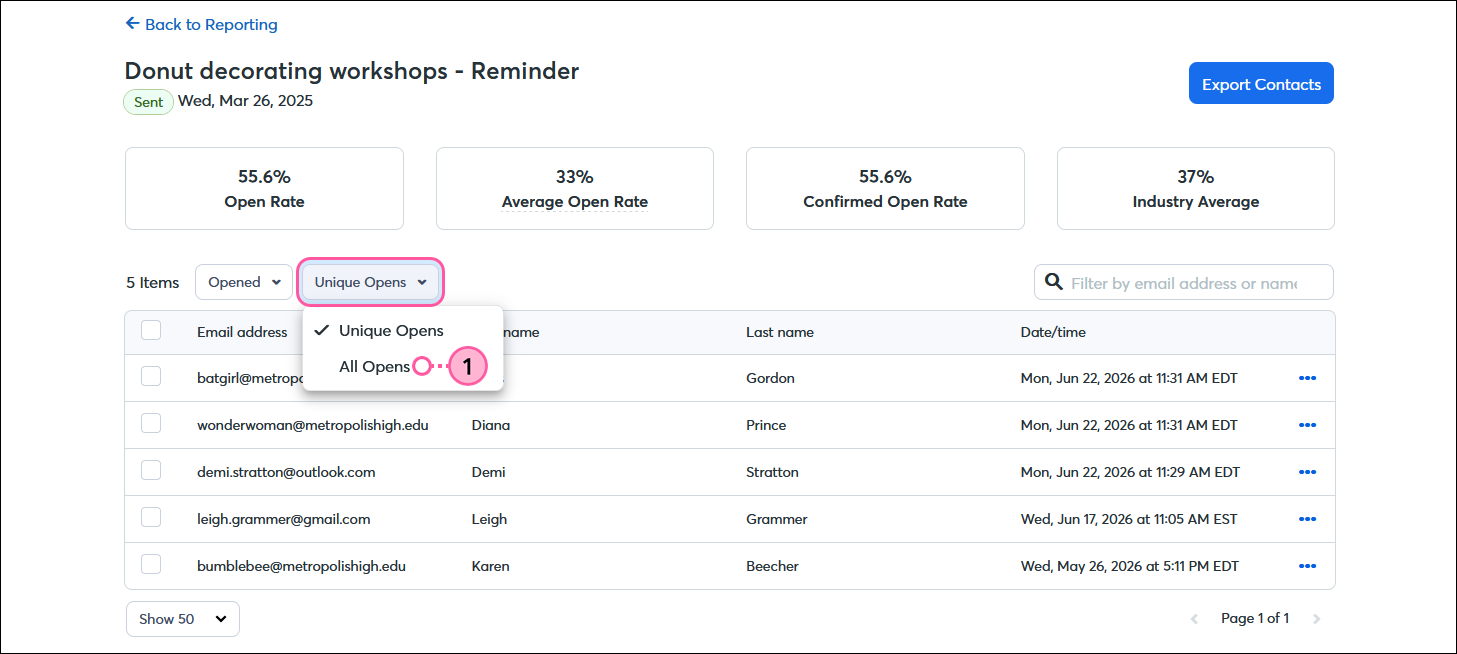
  1. From the Opened report, click the drop-down menu and select the "All opens" option.

    Email Opened report with Unique Opens option displayed and Open type drop-down menu expanded with All Opens option selected

  2. Review the open Date/time column for each contact to see which contacts are opening your email multiple times and how much time has passed between opens.

    Email Opened report with All Opens displayed and Date/time column showing multiple opens for each contact


Light Bulb IconDid you know? Your email clicks can help fill in some gaps of your reporting story! When you have a contact viewing your email multiple times, you can check the click report to see how they were engaging with your content.


Questions?

Ask the Community

Did this article answer your question?


Constant Contact Logo

Copyright © 2026 · All Rights Reserved · Constant Contact · Privacy Center