When you connect your TikTok Ads account to your Constant Contact account, you can pull in those leads and use Constant Contact’s marketing tools—including emails, automations, SMS marketing, and more to engage those leads. Additionally, use Constant Contacts AI Skills to check Fair Housing, MLS, and Email content.
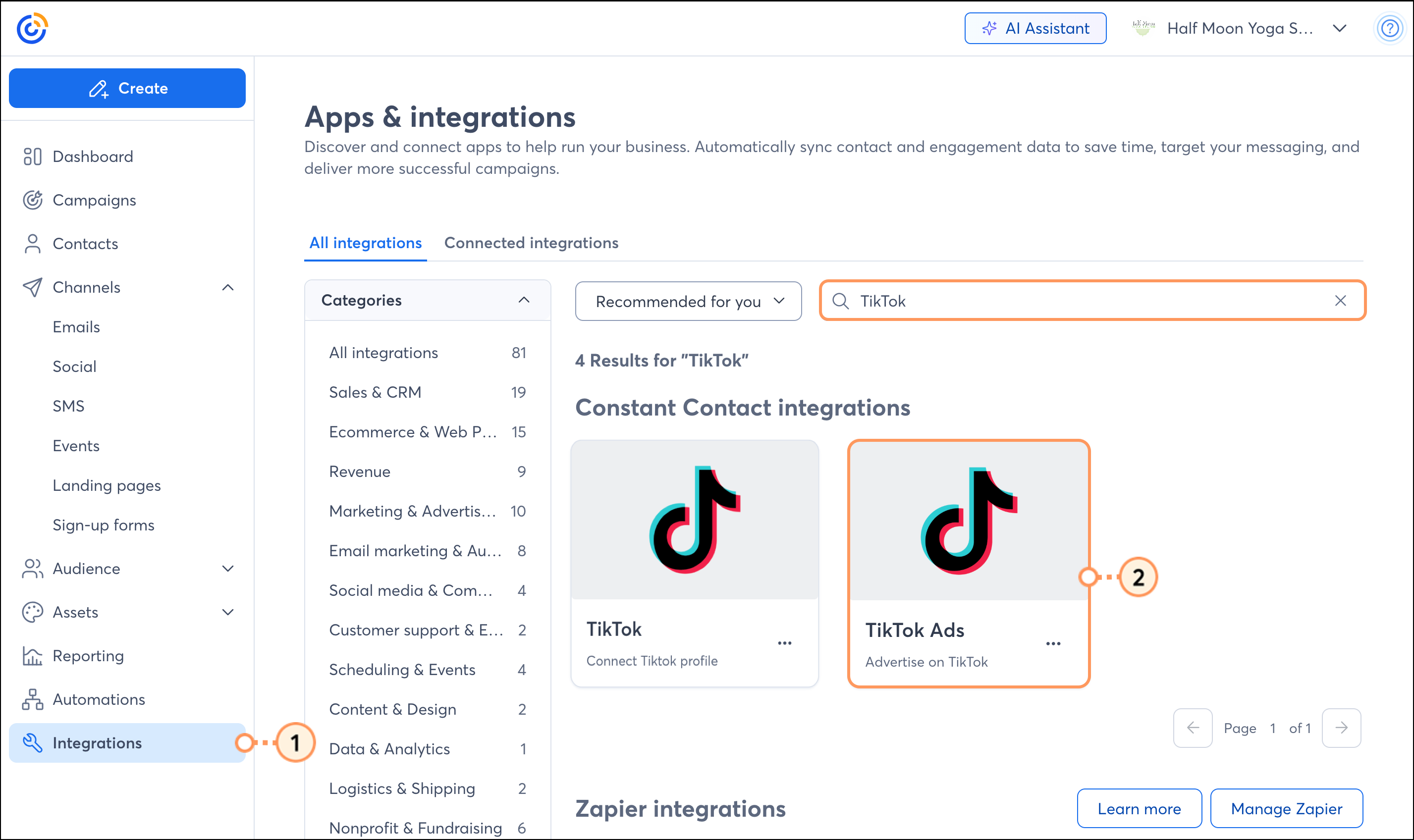
The TikTok Ads integration syncs in two directions: new leads added to your TikTok Ads forms are pulled into Constant Contact, and actions in the Constant Contact platform are synced back to TikTok (event registrations, email clicks, email opens, and SMS opt-ins). Connect your TikTok Ads account directly to your Constant Contact account through the Integrations tab.
Additionally, Constant Contact is building skills that package over 30 years of small business marketing expertise into a format that an AI agent can pick up and act on.
The first skills include:
Fair Housing Content Checker. Reviews real estate ad copy across text, emojis, hashtags, and audio to help identify potential Fair Housing considerations and explains potential risk areas.
Email Compliance Checker. Evaluates email campaigns for alignment with industry regulations, deliverability risks, accessibility guidelines, and best practices.
MLS Listing to TikTok Ad + Email Campaign. Takes an MLS listing/Listing URL and drafts an ad instance directly in TikTok and a ready-to-review HTML email in Constant Contact.
Note: While these skills flag compliance and regulatory risks for informational and marketing optimization purposes, they do not constitute formal legal advice.
The TikTok and TikTok Ads integrations are different. TikTok Ads are a feature of TikTok Business accounts, which are separate from Personal or Creator accounts.
If you've connected a TikTok Personal or Creator account using your TikTok integration, but have since switched your TikTok account to a TikTok Business account, you'll need to disconnect the current TikTok integration and then connect the TikTok Ads integration with your Business account. Duplicate contacts will not be uploaded.
If you've already run an ad and gathered some leads, you can integrate them into Constant Contact.
Note: Need help getting started with your first TikTok Ad? Read this guide from TikTok.
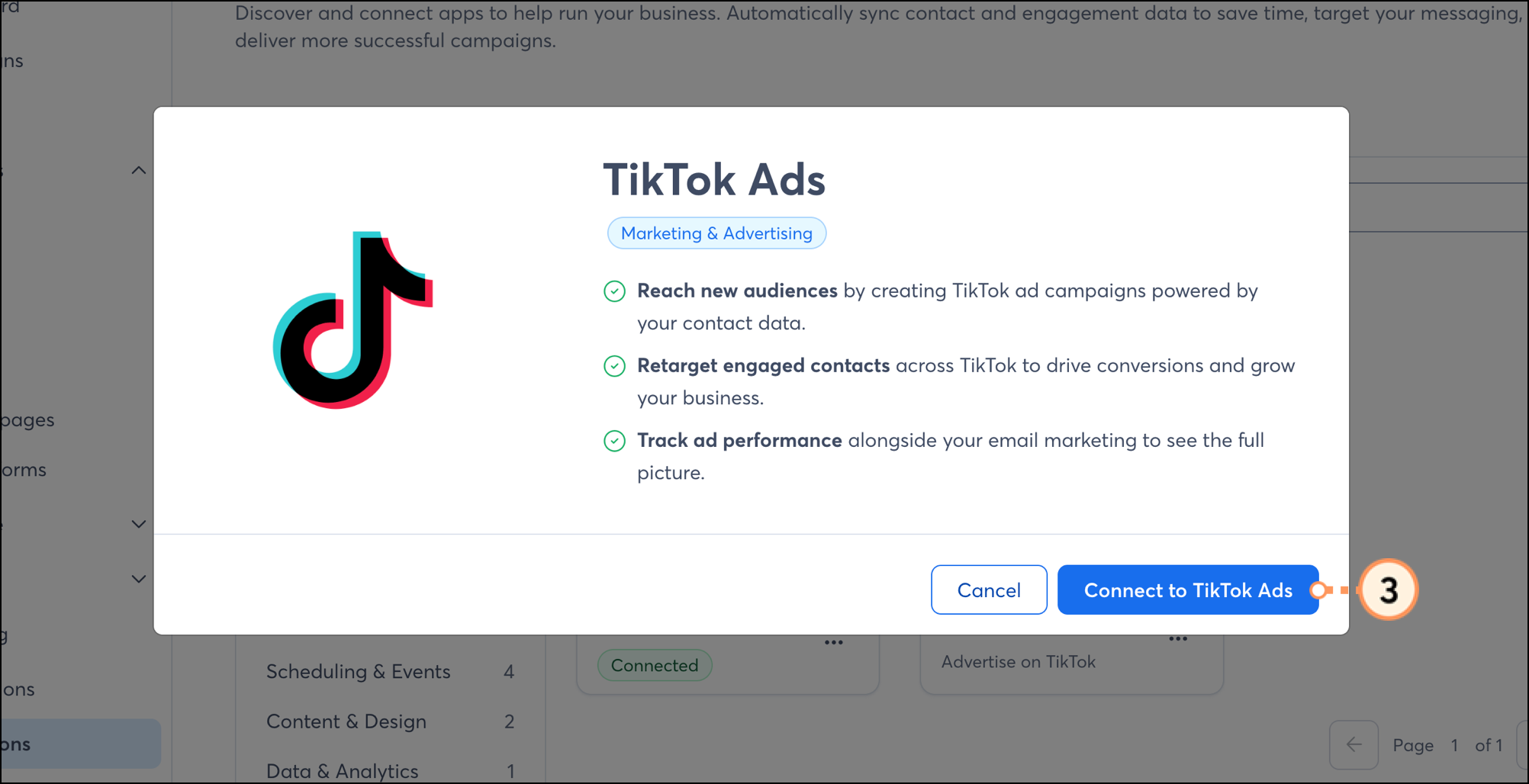
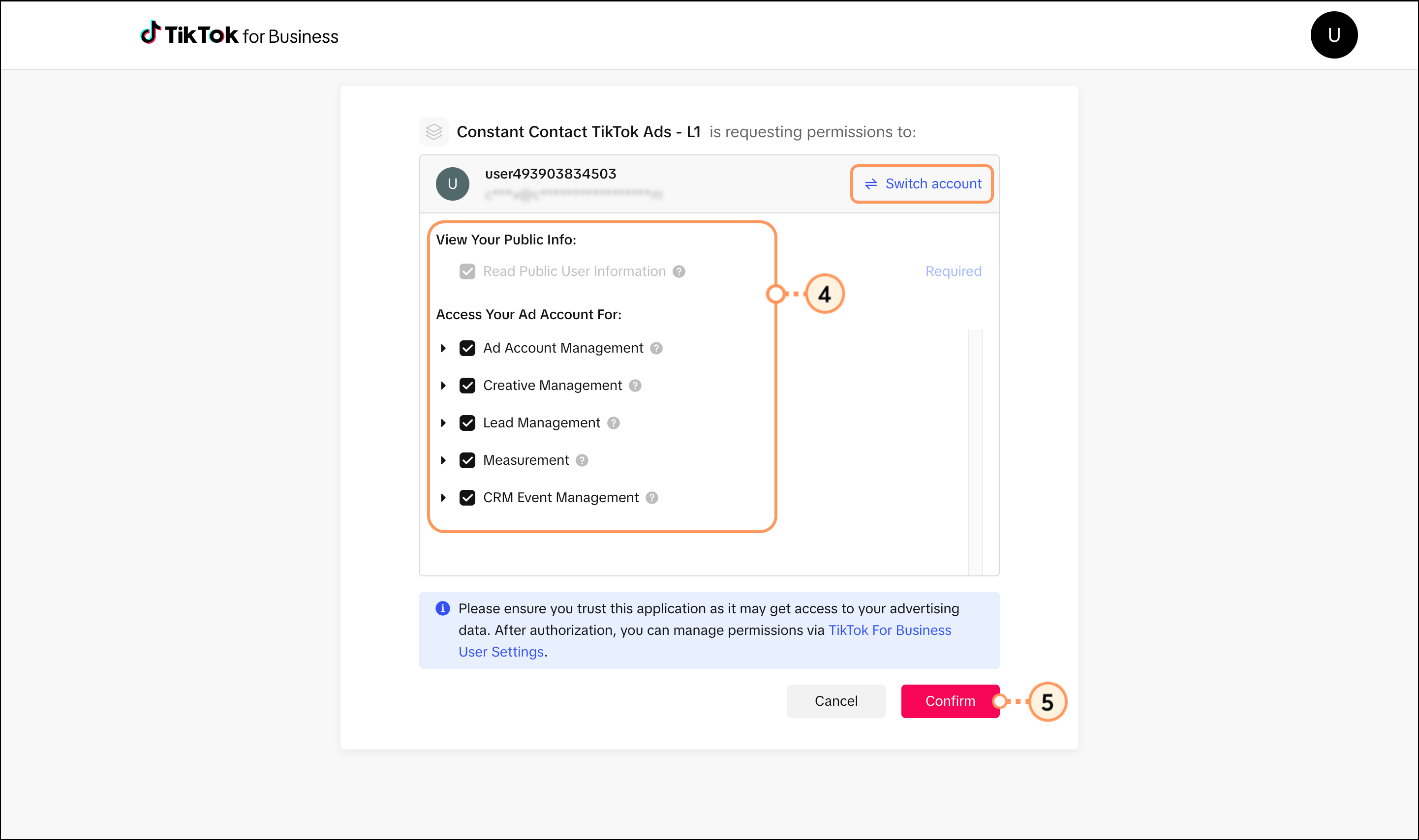
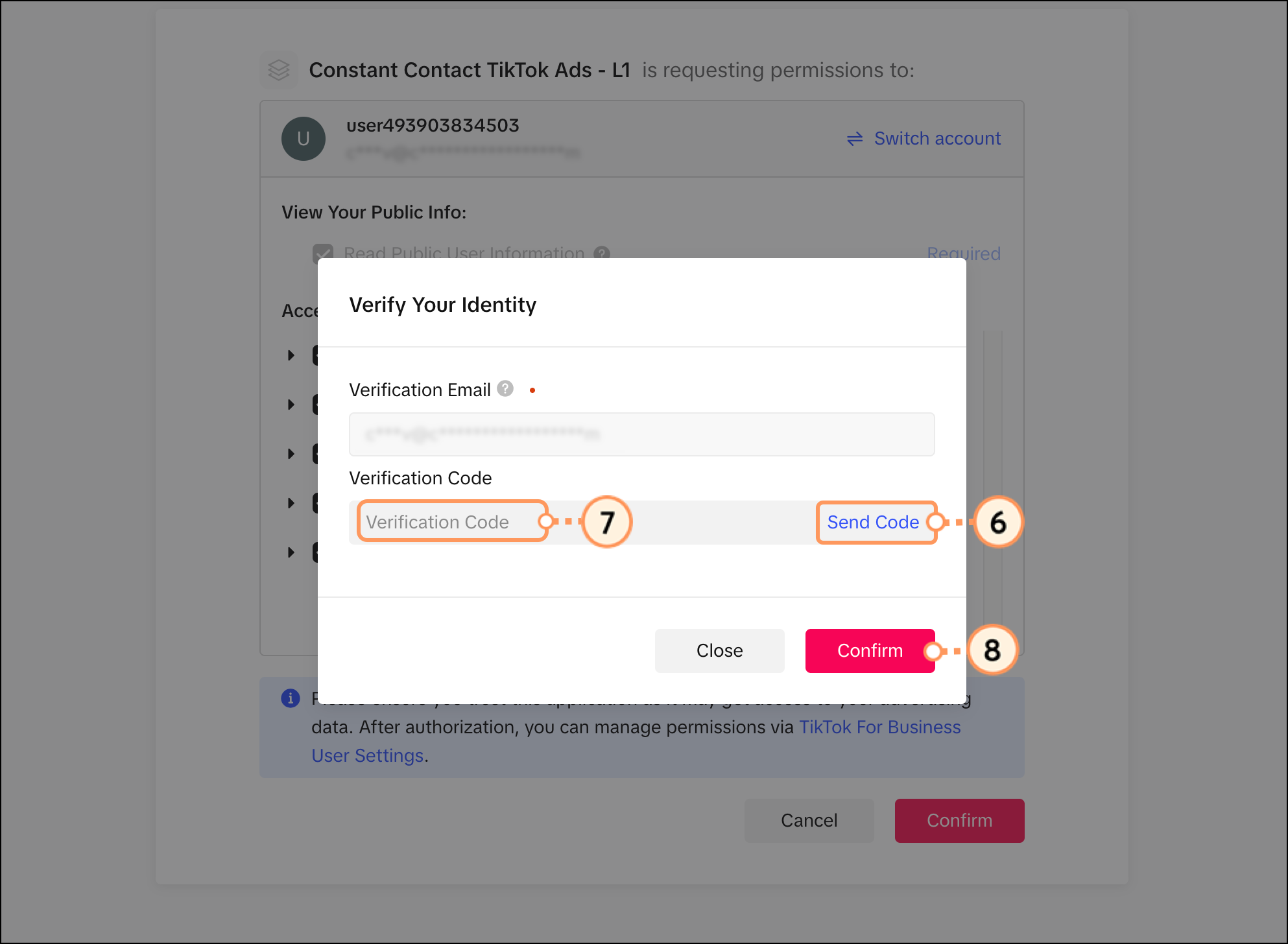
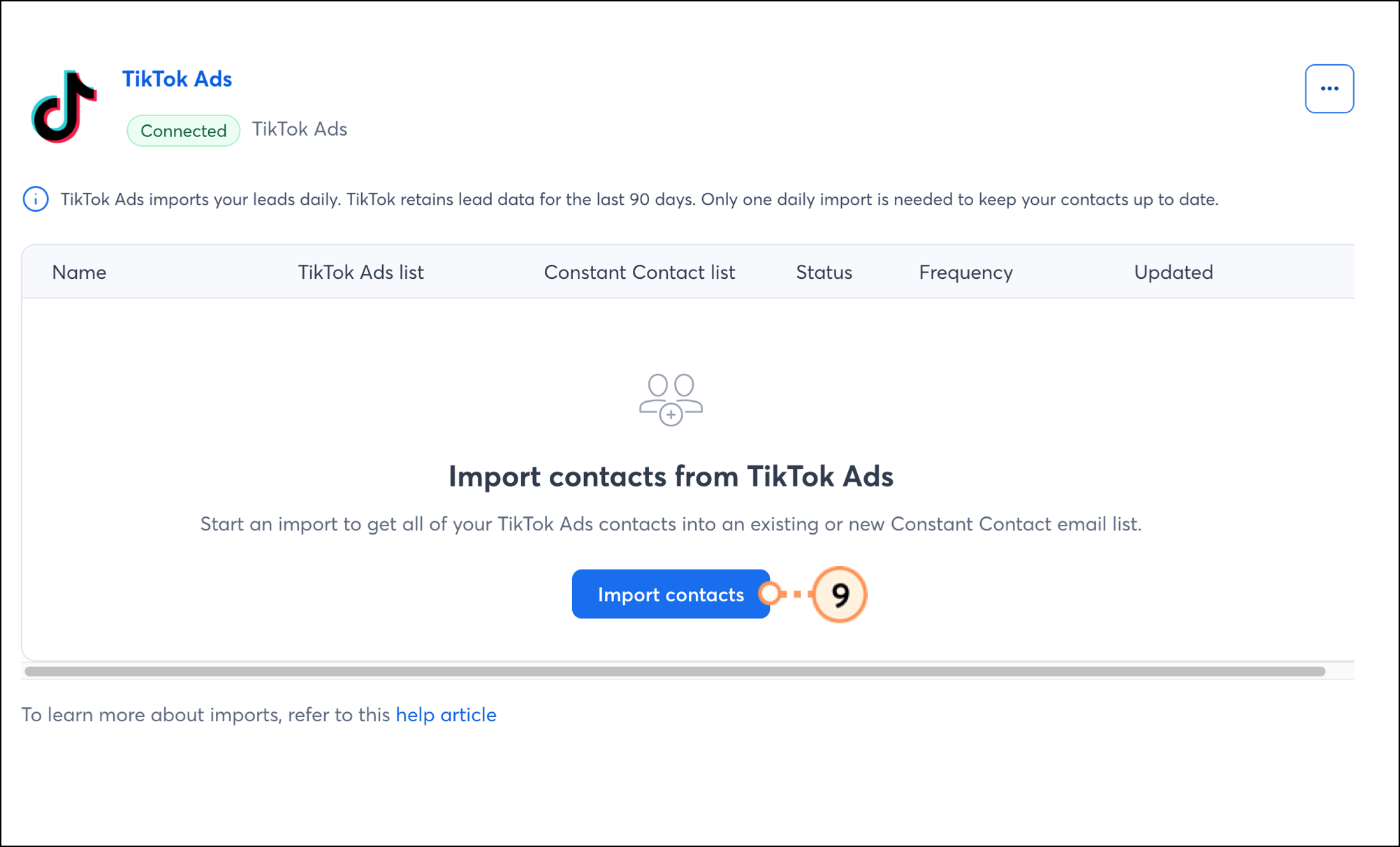
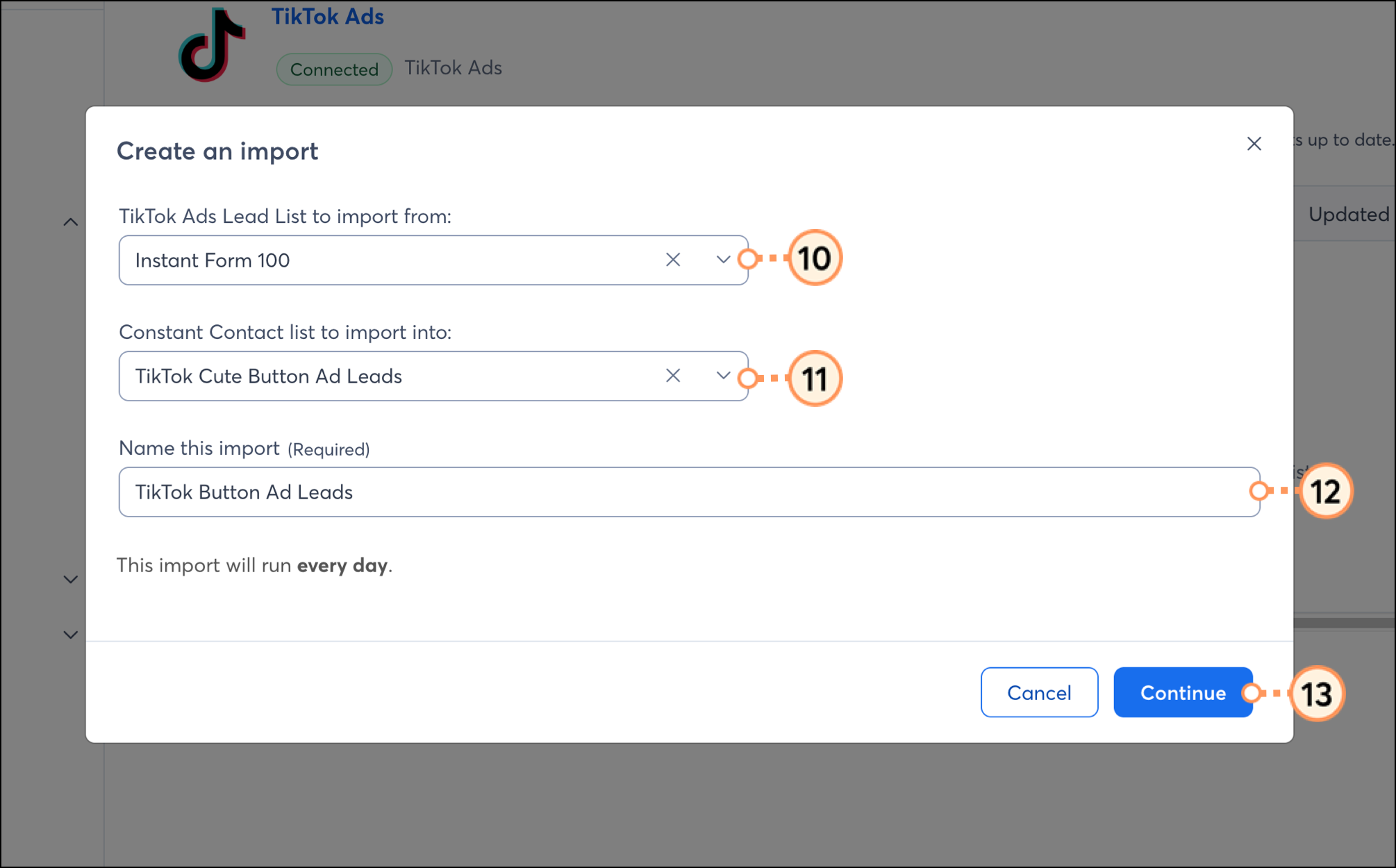
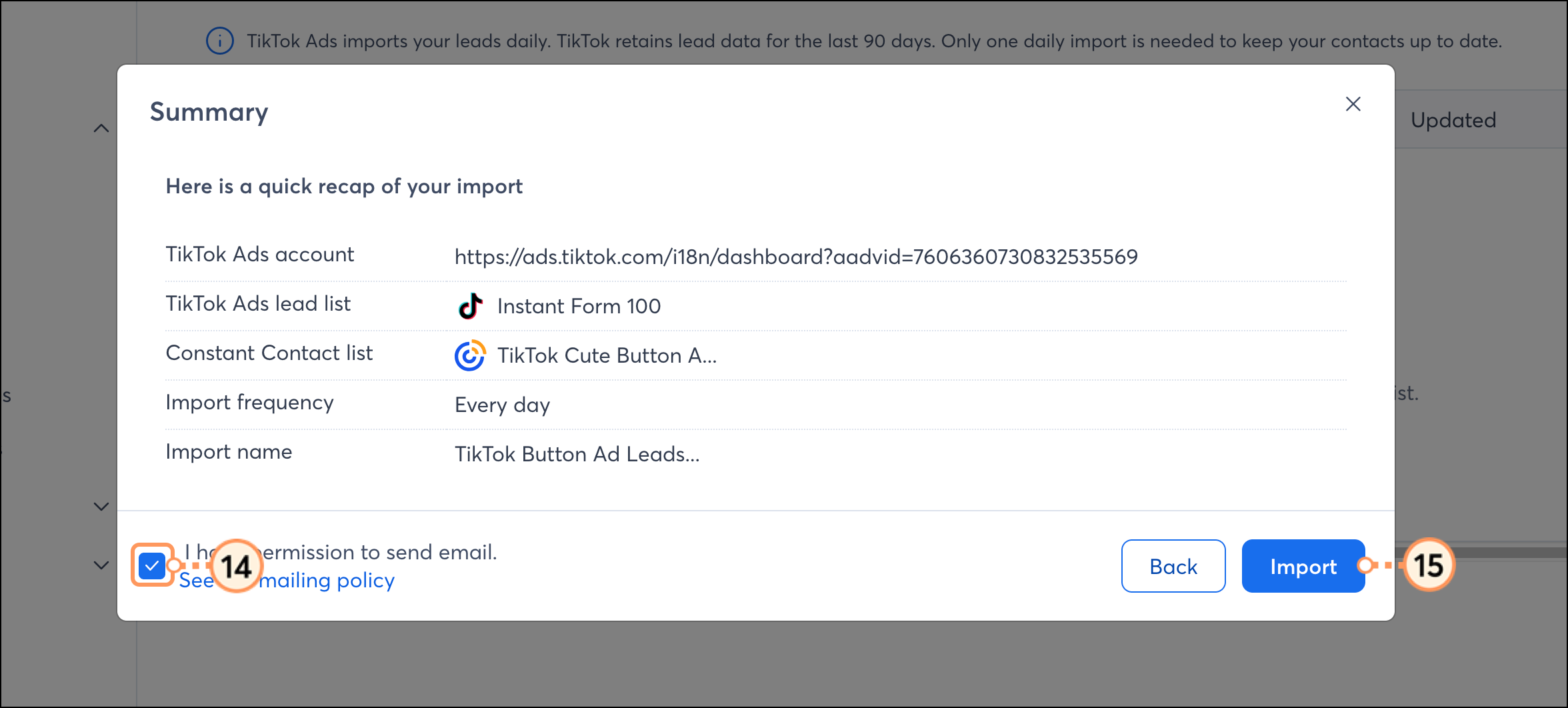
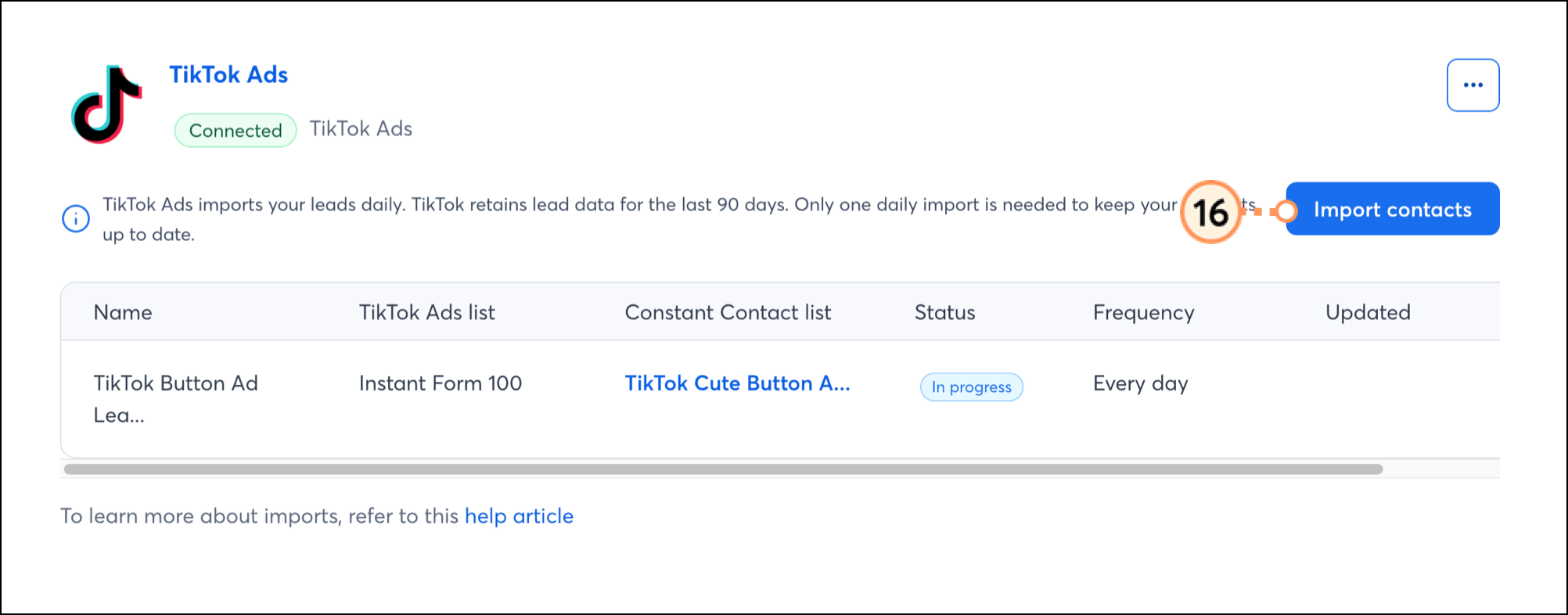
To connect your accounts, do the following:
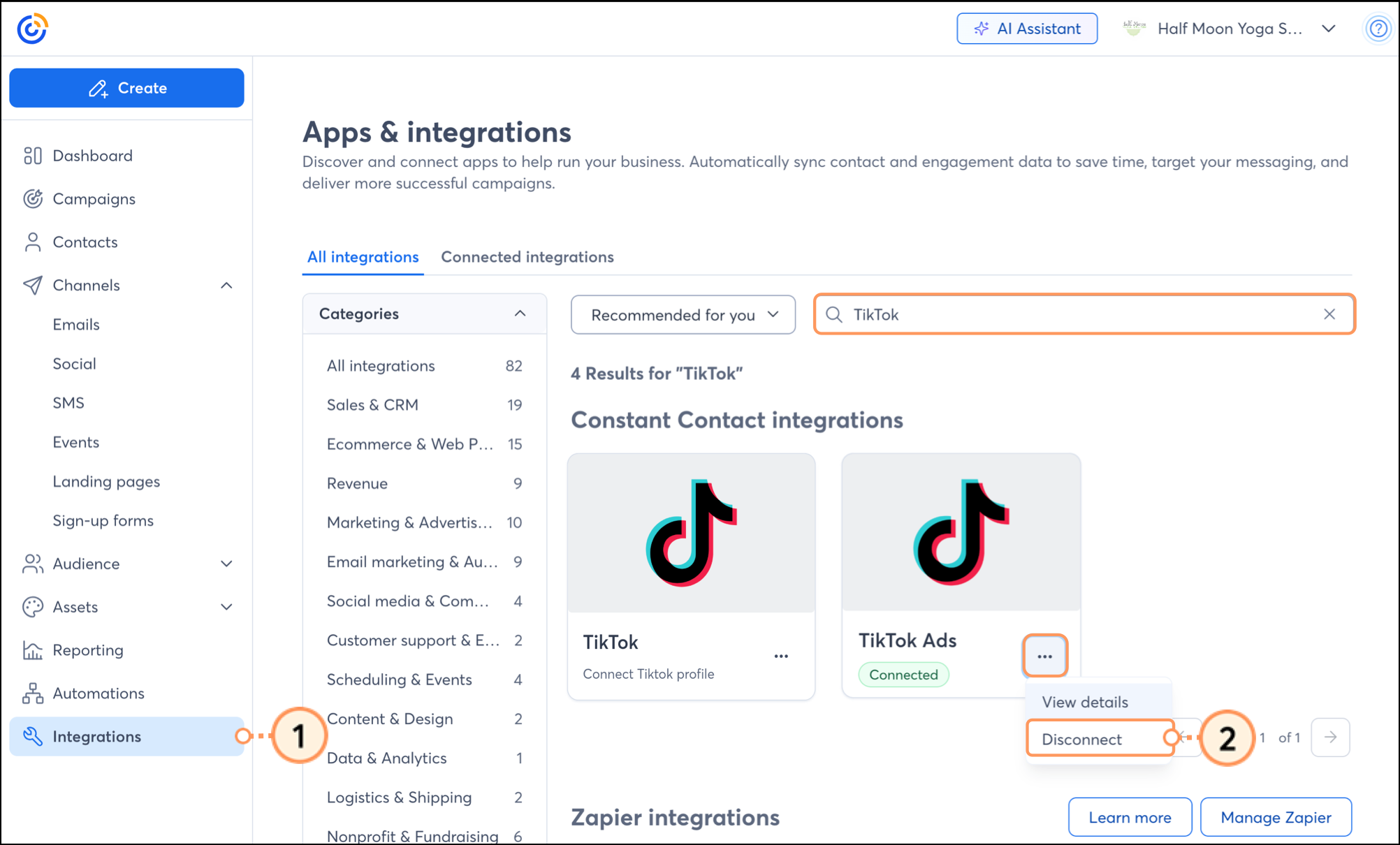
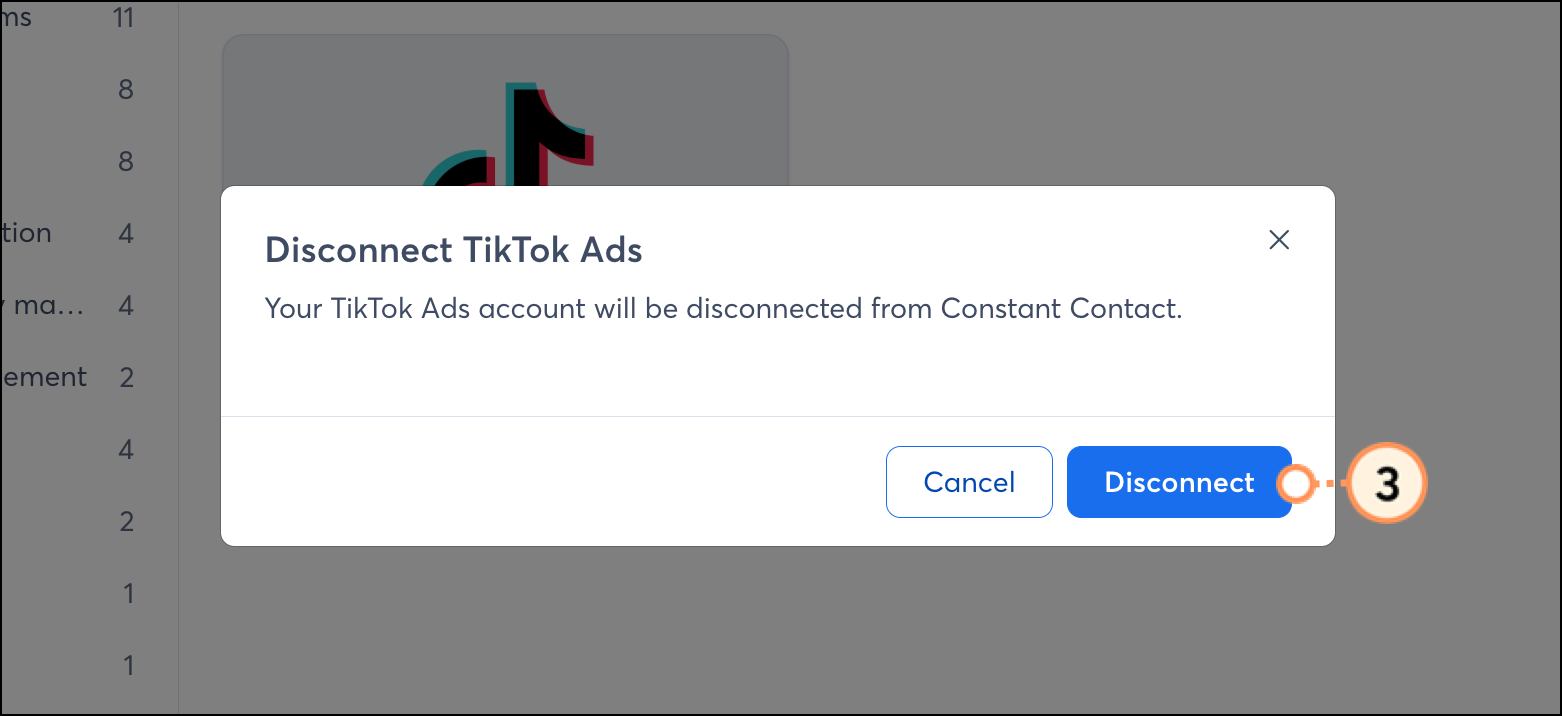
If you disconnect a TikTok Ads account from your Constant Contact account, leads will no longer sync from the TikTok Ads platform. Contacts and lists imported or created from the integration will remain.
To disconnect your TikTok Ads account from Constant Contact, complete the following steps:
Once TikTok Ads are synced to your Constant Contact account, you can take advantage of the following features:
Copyright © 2026 · All Rights Reserved · Constant Contact · Privacy Center