Email and Digital Marketing
How can we help you?
Search our help articles, video tutorials, and quickstart guides

You've got this. You've got us. Search our Knowledge Base to quickly find answers to your questions.

Partners: Connect your Roomvu account with Constant Contact

Article: 000053476
Updated: November 26, 2025

Automatically sync new leads into your Constant Contact account

Our integration with Roomvu allows you to automatically sync leads from your Roomvu account into Constant Contact. Once imported, use Constant Contact's tools, including pre-built email templates, segmenting capabilities, and automation, to engage with your leads and nurture a relationship.


Connect Roomvu to Constant Contact

Power your marketing with Constant Contact's tools

Connect Roomvu to Constant Contact


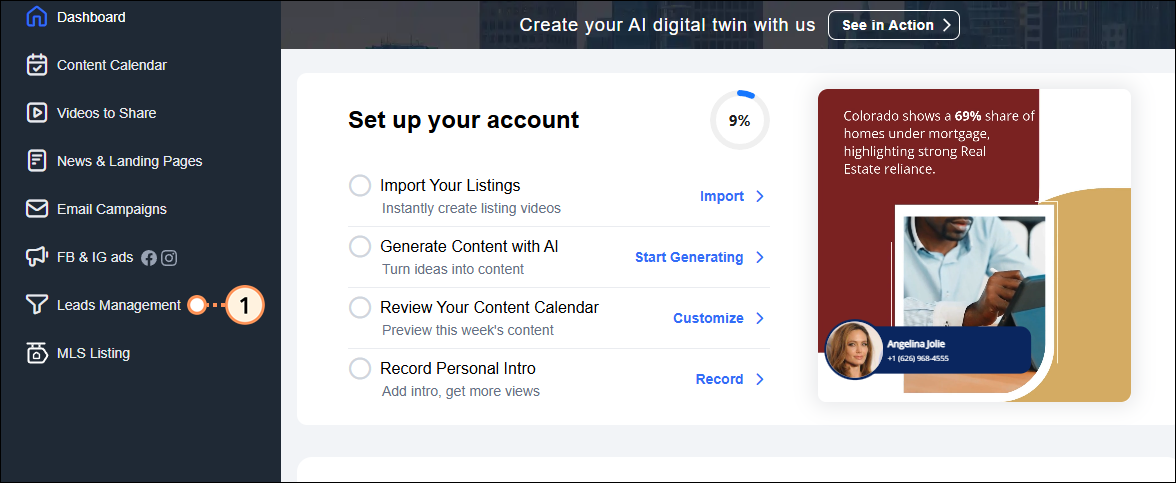
  1. Within your Roomvu account, click Leads Management from the menu on the left.

    Roomvu Account Home Dashboard Leads Management Menu Option

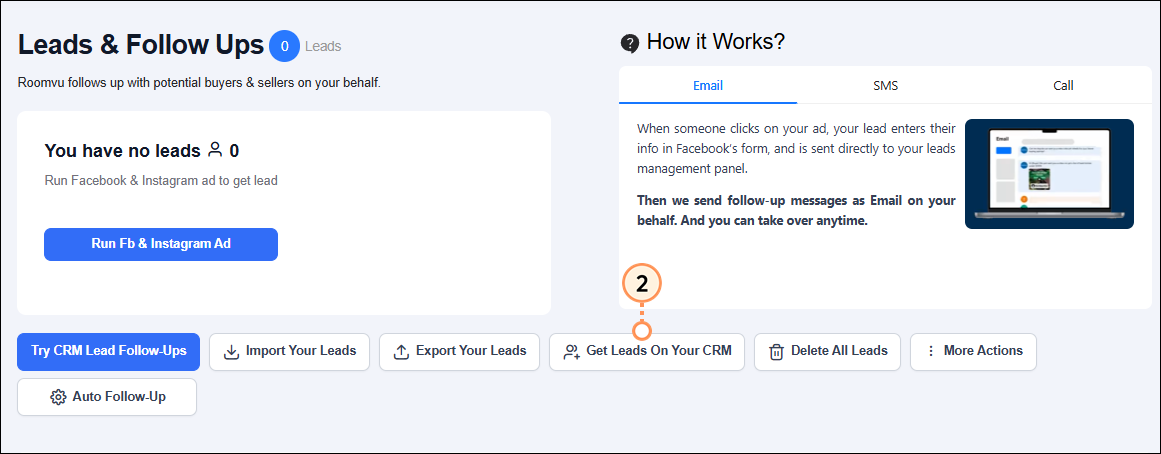
  2. Click Get Leads on Your CRM.

    Get Leads on your CRM button

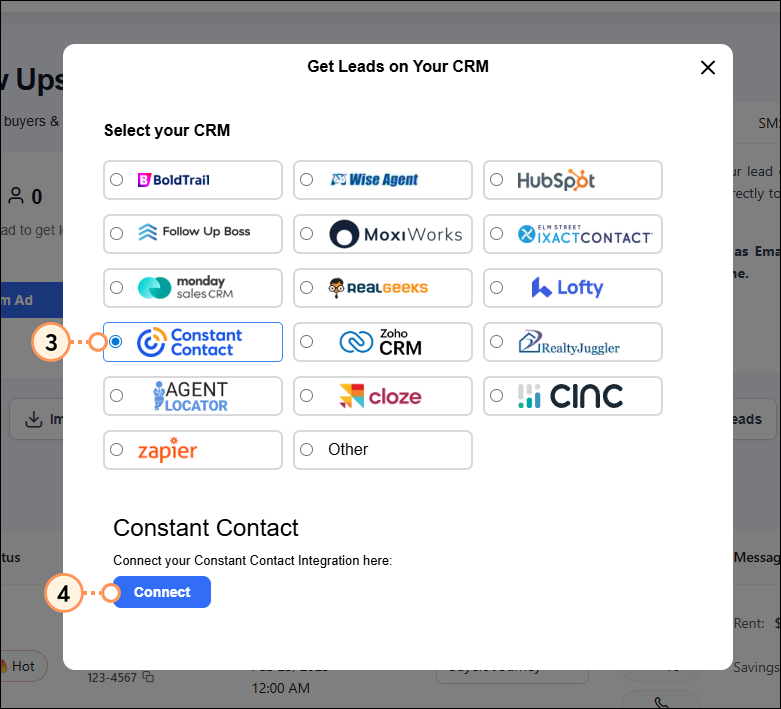
  3. Select Constant Contact.
  4. Click Connect.

    Constant Contact radio button selected Connect button

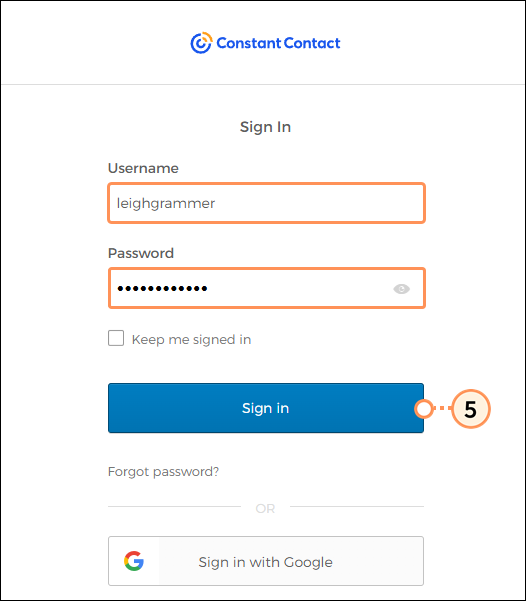
  5. Sign into your Constant Contact account.

    Constant Contact username and password and Sign In button

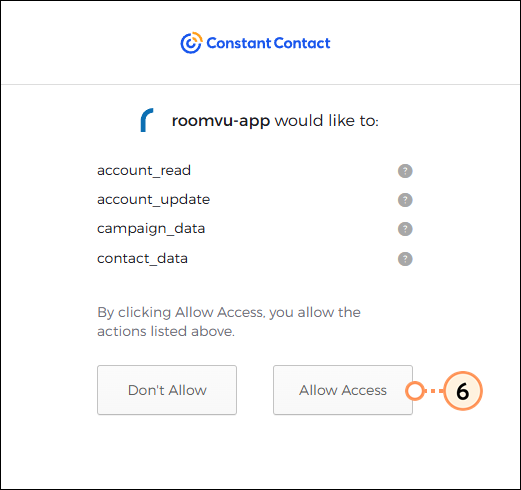
  6. Click Allow Access.

    Roomvu permissions and Allow Access button


Once connected, new leads added within your Roomvu account will automatically sync into your Constant Contact account.


Power your marketing with Constant Contact's tools
 

Utilize Constant Contact tools to build a relationship with your new contacts:


Questions?

Ask the Community

Did this article answer your question?


Constant Contact Logo

Copyright © 2026 · All Rights Reserved · Constant Contact · Privacy Center