Email and Digital Marketing
How can we help you?
Search our help articles, video tutorials, and quickstart guides

You've got this. You've got us. Search our Knowledge Base to quickly find answers to your questions.

Partners: Community overview

Article: 000045166
Updated: October 7, 2025

Gain access to trainings and assets, connect with other partners, leave feedback, and more by accessing the Constant Contact Community through your account

Add People IconIn need of multiple accounts? Our multi-account solution is designed for organizations seeking unique accounts for their various locations, departments, or users. Take advantage of bulk pricing, product features for brand control, customized onboarding, and more!


Get the most out of your partnership by utilizing the Resources tab. Here you'll find trainings, useful assets, and more to help you get started and grow your partnership.


Access and navigate the Resources tab

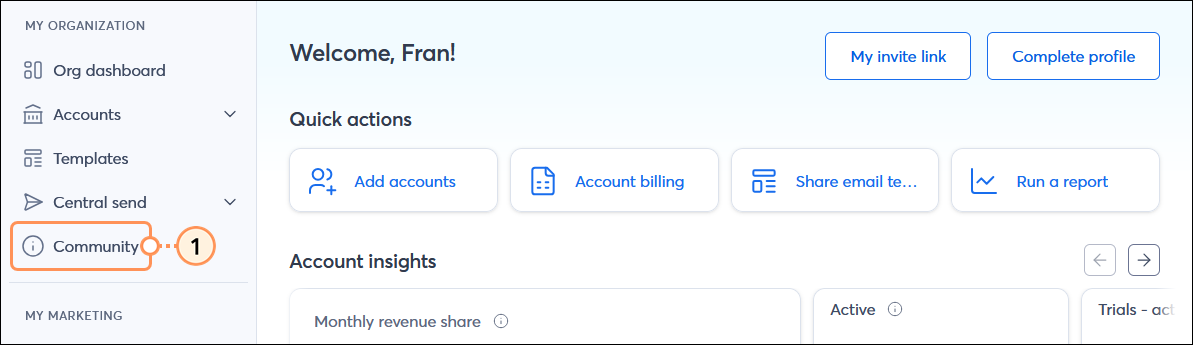
  1. In the MY ORGANIZATION menu on the left-hand side, click the Community option. You're prompted to log in if you aren't already.

    Dashboard page with MY ORGANIZATION menu and Community option selected

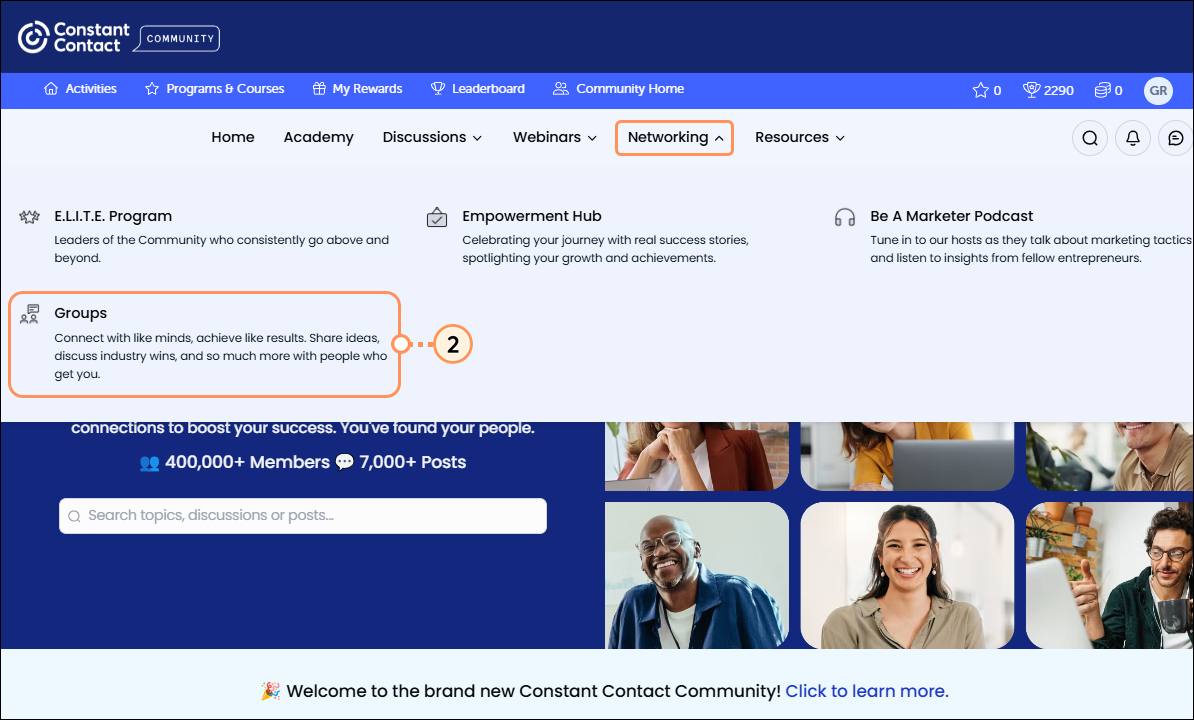
  2. Navigate to the Networking Groups page by clicking the Networking dropdown menu and then Groups.
    Note: Agency, Consultant, and Freelancer partner types will bypass this step. If you fall into one of these partner types, skip to step 3.

    Networking dropdown Groups option

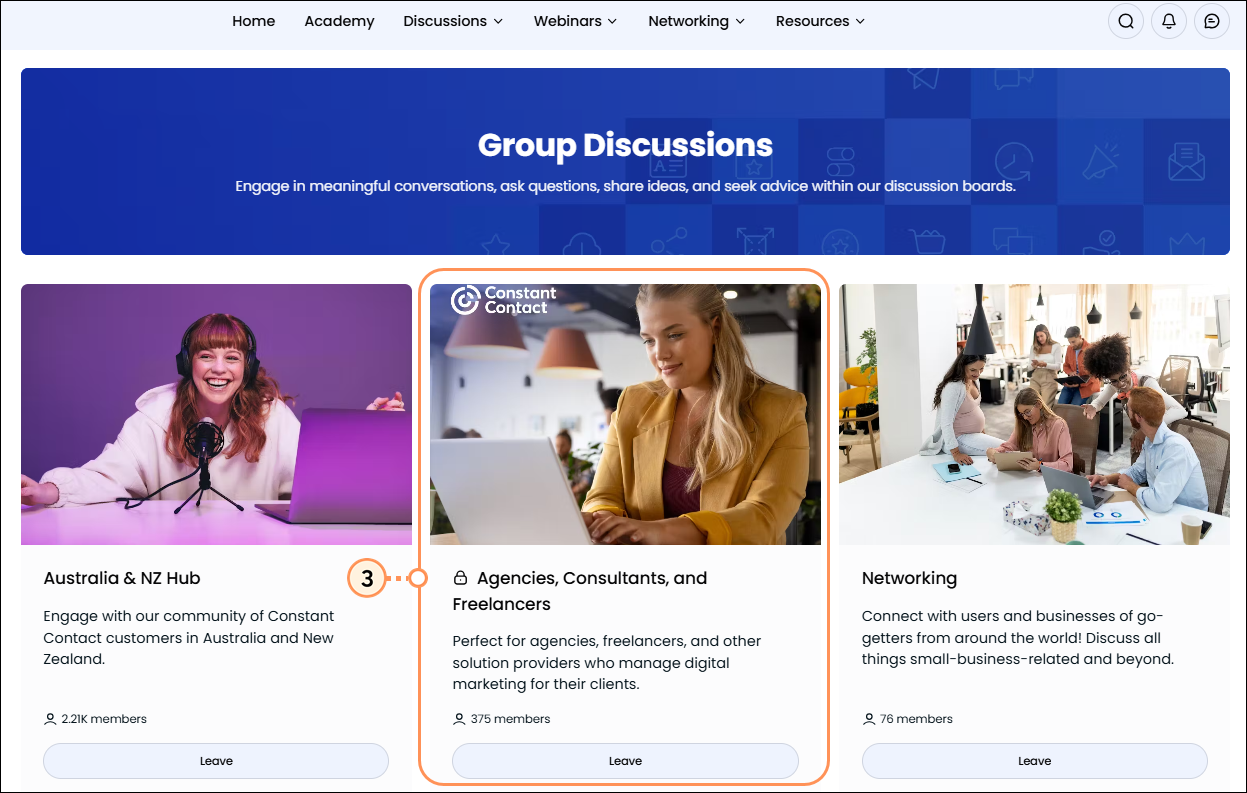
  3. Click on the Agencies, Consultants, and Freelancers tile to access this private group.

    Group Discussions page Agencies Consultants and Freelancers tile

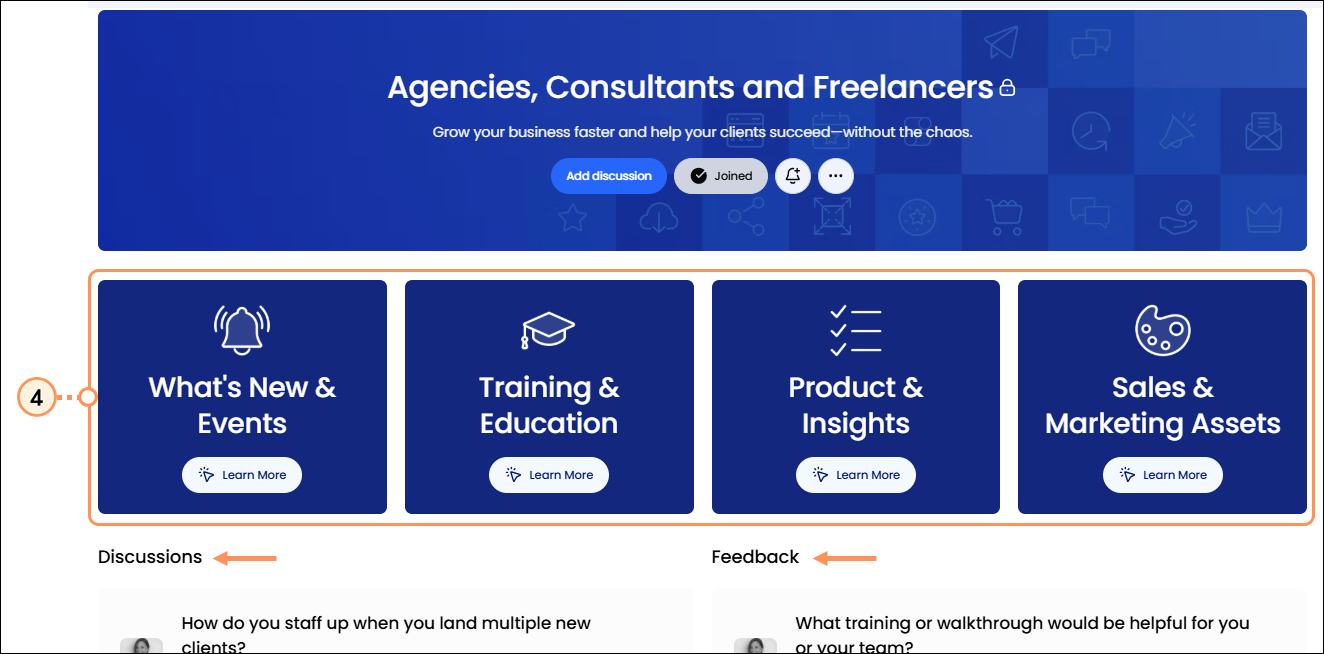
  4. Click the tiles to start exploring the available resources, or scroll down to engage in discussion or leave feedback.

    Community Group Home page for Partners


What’s included in this Networking Group

Light Bulb IconDid you know? Cookies are required for you to access the Partner Networking Group.  If you are working in Chrome Incognito, you won't see the Partner Networking Group (unless you are also logged into Constant Contact).  If you are not working Incognito and still don’t see the Partner Networking Group page, please make sure your cookies are enabled. Make sure you are logged in to your Partner Account in Constant Contact, our Community platform is synced to the core Constant Contact platform. If you have questions or issues, please contact Partner Support. 


  • What’s New & Events - Recently added content, upcoming webinars, events & announcements, product enhancements, and trending discussions.
  • Training & Education - Learn about Constant Contact’s platform and value proposition, to help you understand the brand’s role, your role, and the customer’s needs. Access certifications, onboarding guides for your team, and client training toolkits.
  • Product & Insights - Stay in the know about new releases, detailed feature guides, and how to leverage platform capabilities for your clients.
  • Sales & Marketing Assets - Find high-impact sales collateral, co-brandable marketing materials, recruitment strategies, vertical-specific content, and partner success stories.


Connect with other partners and provide feedback

We encourage you to join in on discussions and share your feedback.
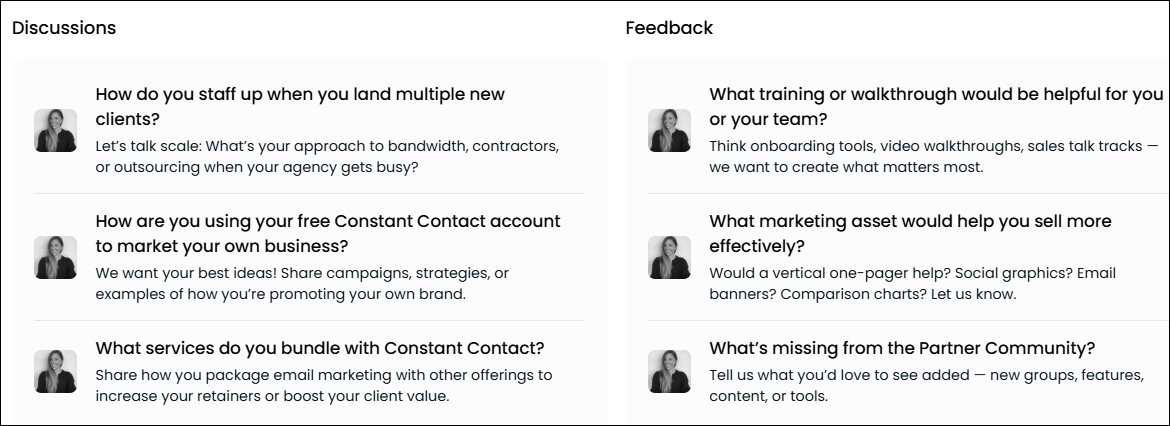
  • In the Discussions section - We’d love for you to use this space to connect with other fellow Agencies, Consultants, and Freelancers. We’ve jump-started the discussion by including a few topics where you can introduce yourself and share insights, challenges, and success stories.
  • In the Feedback section - We want to hear from you. Help us to help you by sharing your feedback and letting us know what’s working within the Partner Networking Group space, what isn't working, and where there are gaps. We're listening!

    Discussions and Feedback Sections of Community Group Page


Questions?

Ask the Community

Did this article answer your question?


Constant Contact Logo

Copyright © 2026 · All Rights Reserved · Constant Contact · Privacy Center