The tags you add to your contacts are important pieces of information that help you make sense of your contacts and the types of content you create for them. Exporting your contacts doesn't remove them from your account, but gives you a hard copy of their information that you can open in Excel.
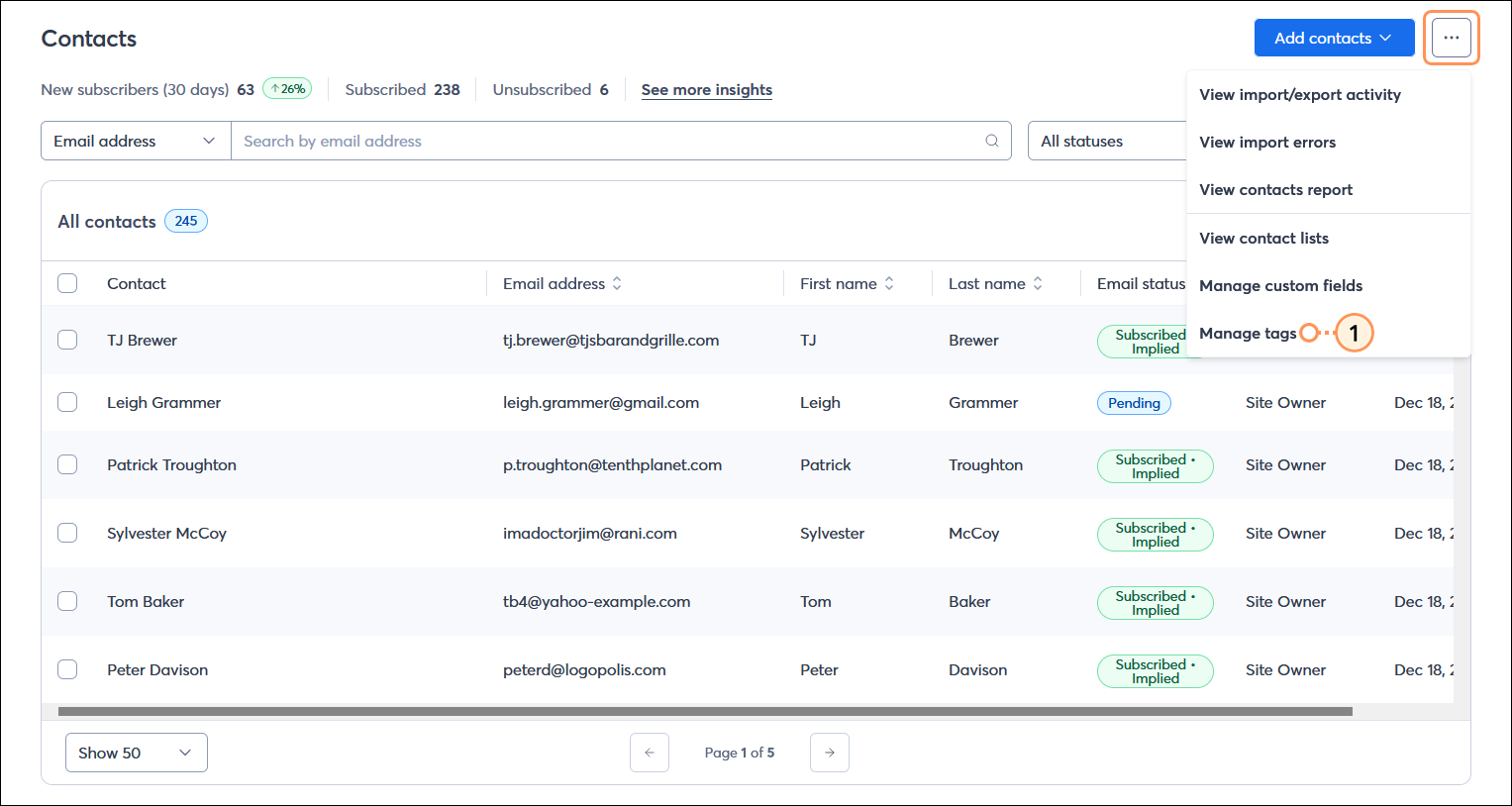


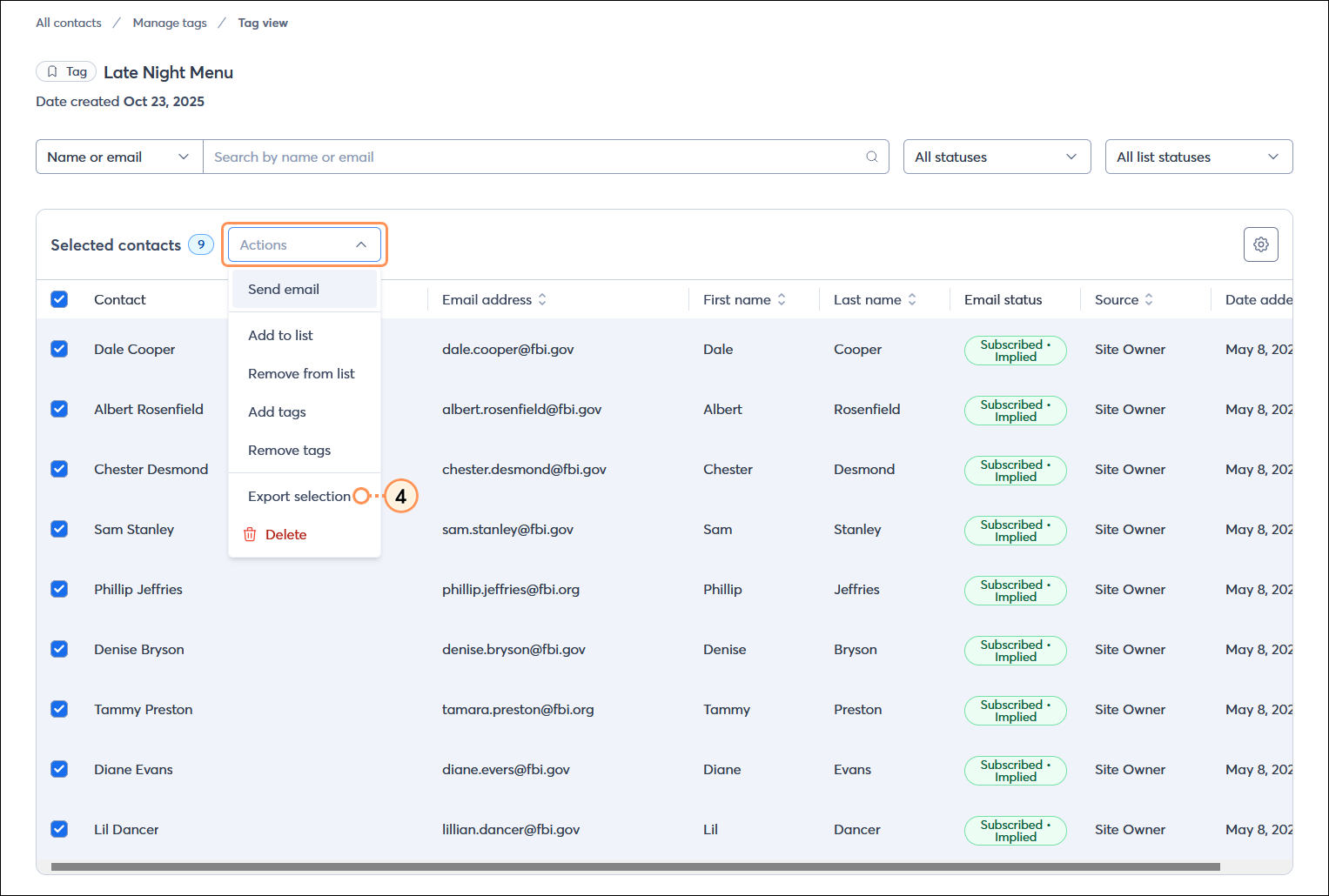
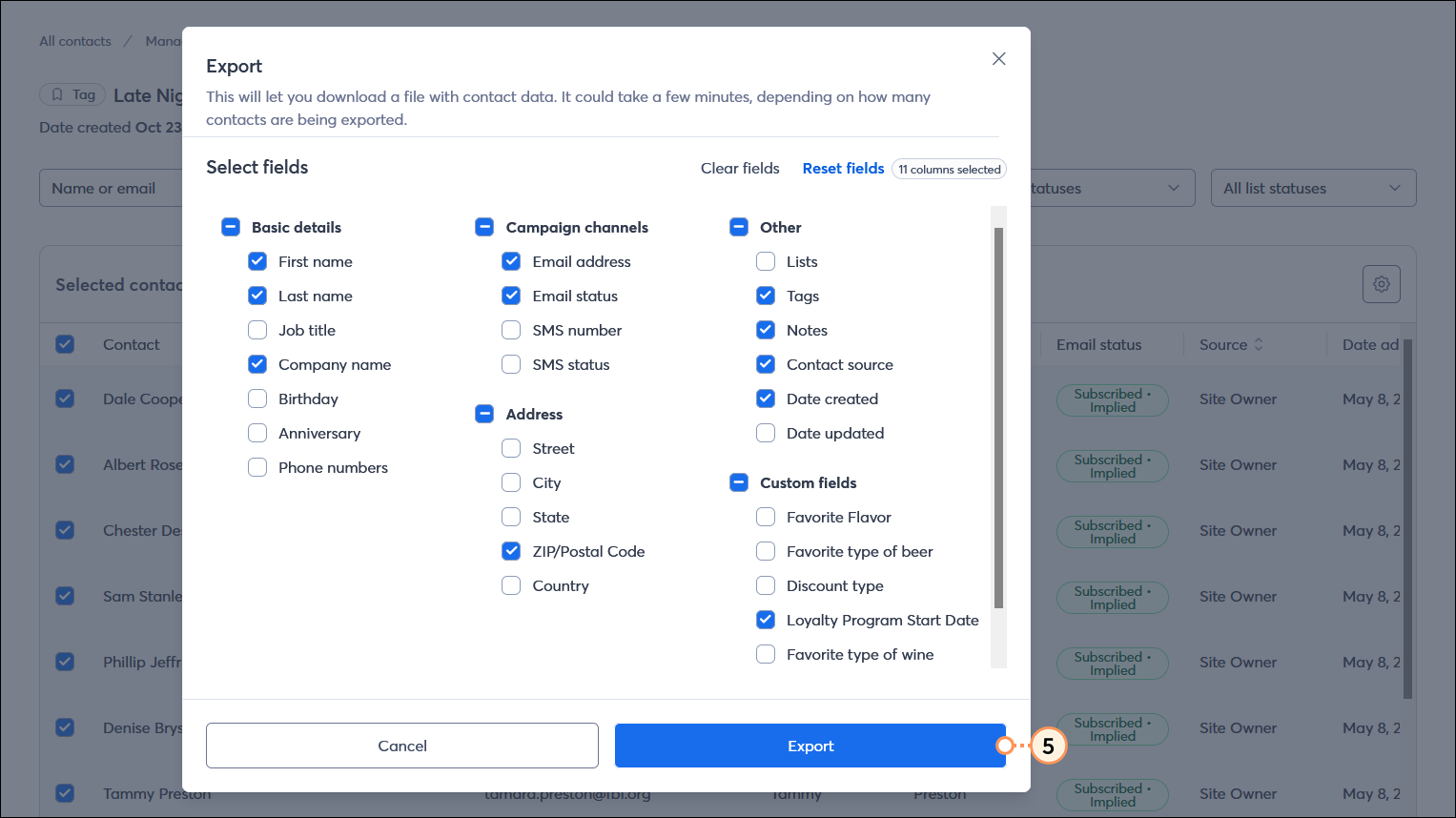
Repeat the steps for each tag you want to export. When your export is complete, you can find your CSV or Excel file and download it by viewing your import/export activity. CSV files can be opened with Microsoft Excel and Google Sheets. Your results can be combined into a single spreadsheet as needed.
Copyright © 2026 · All Rights Reserved · Constant Contact · Privacy Center