Phishing emails can compromise your data! If you receive a suspicious email and want to confirm that it did, in fact, get sent through Constant Contact, you can check the unique campaign ID that is included in the header of every email we send. If the campaign ID isn't present, then the email was not sent by Constant Contact and was spoofed.
Constant Contact's unique campaign ID is a string of numbers, letters, and punctuation, followed by "@synd.ccsend.com," and it helps us identify who sent the email. It's displayed in the email as the Message ID. The process for viewing an email's Message ID differs by email client:
 | Important: Did you receive a "Login From New Device" email? Please take a look at our help article to determine why and what to do next. |
Follow AOL's Support or Yahoo's Support instructions to view the raw message and use Ctrl+F to search for "Message" to highlight the Message ID within the raw content.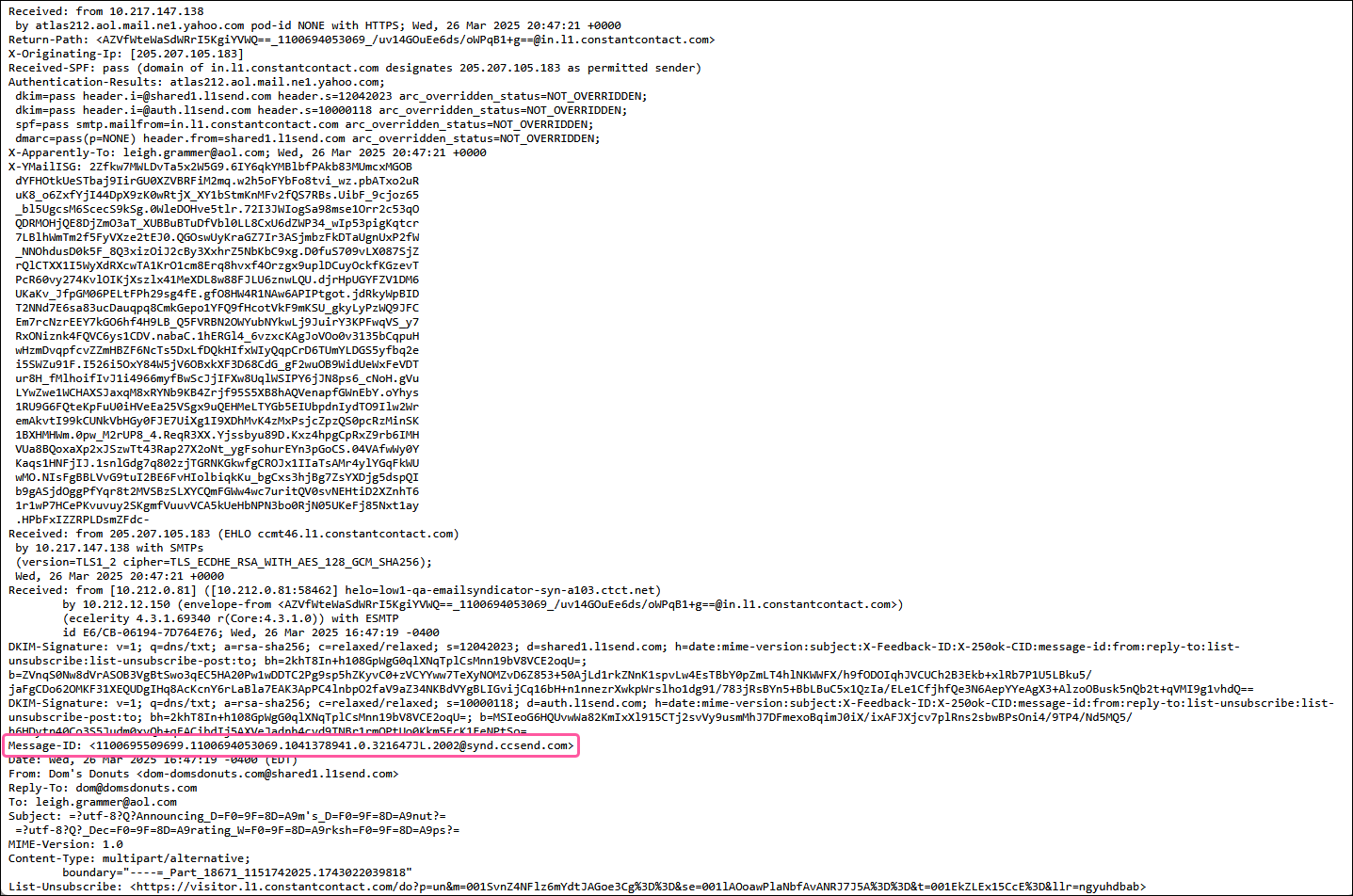
Follow Google's Support. instructions to view the original message and find the Message ID.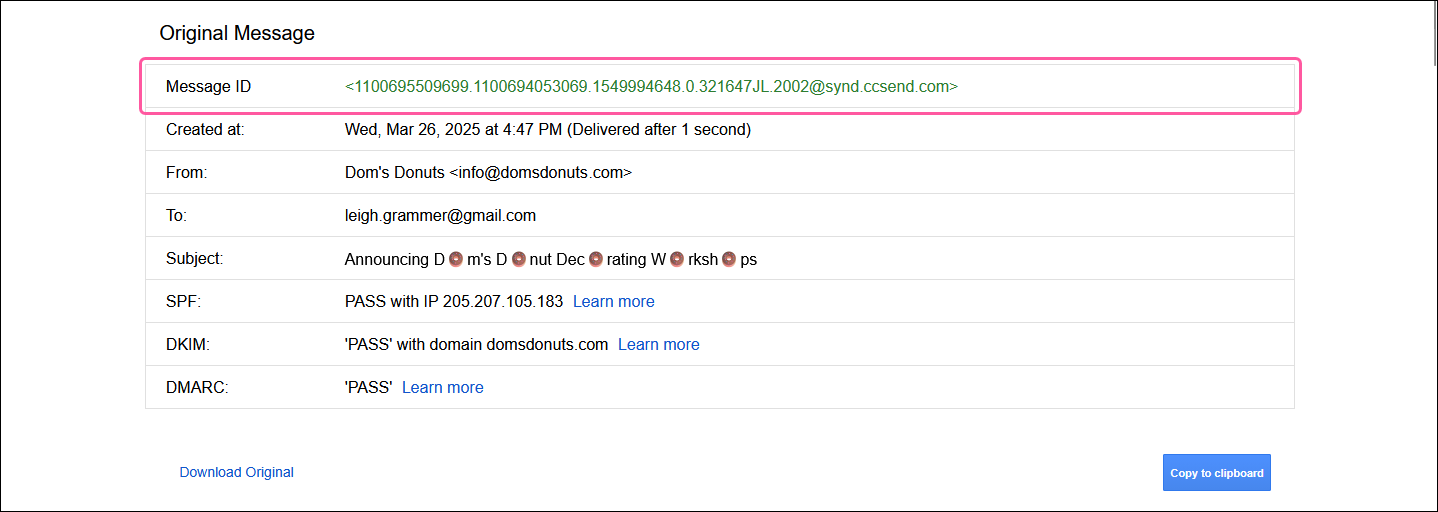
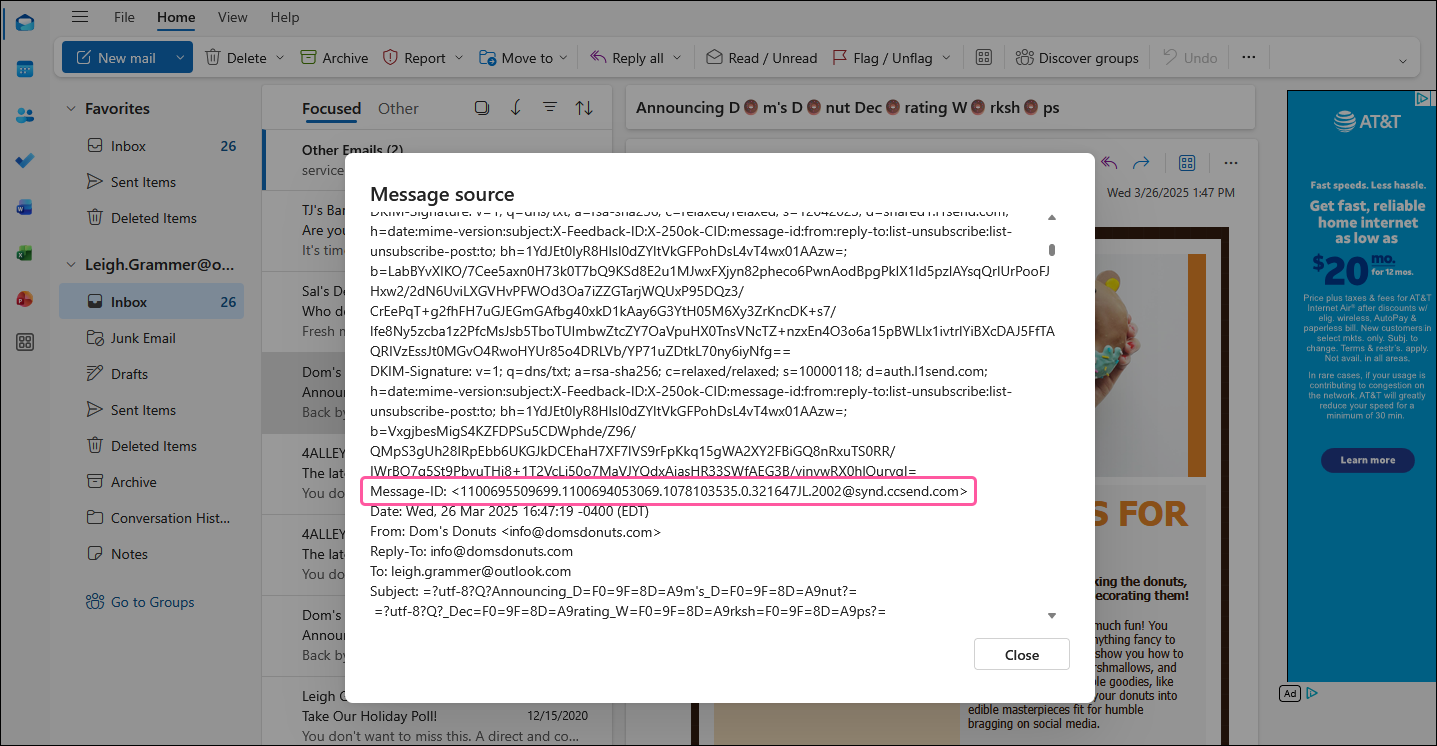
Follow Microsoft's Support. instructions to view the message source and use Ctrl+F to search for "Message" to highlight the Message ID within the source content.
Any links we provide from non-Constant Contact sites or information about non-Constant Contact products or services are provided as a courtesy and should not be construed as an endorsement by Constant Contact.
Copyright © 2026 · All Rights Reserved · Constant Contact · Privacy Center