Email and Digital Marketing
How can we help you?
Search our help articles, video tutorials, and quickstart guides

You've got this. You've got us. Search our Knowledge Base to quickly find answers to your questions.

View the sign-ups generated through your Facebook Lead Ad

Article: 000026107
Updated: November 9, 2025

Review the contacts added through a Facebook Lead Ad and manage the Facebook Lead Ad contact list

As you collect subscribers through your Facebook Lead Ad, each new contact is added to a "Facebook Lead Ads" list in your account. You can review the contacts on the list through the details page for your lead ad and then manage the contacts:


View the Facebook Lead Ads contact list

  1. Click on the profile name in the upper-right and select Ads.
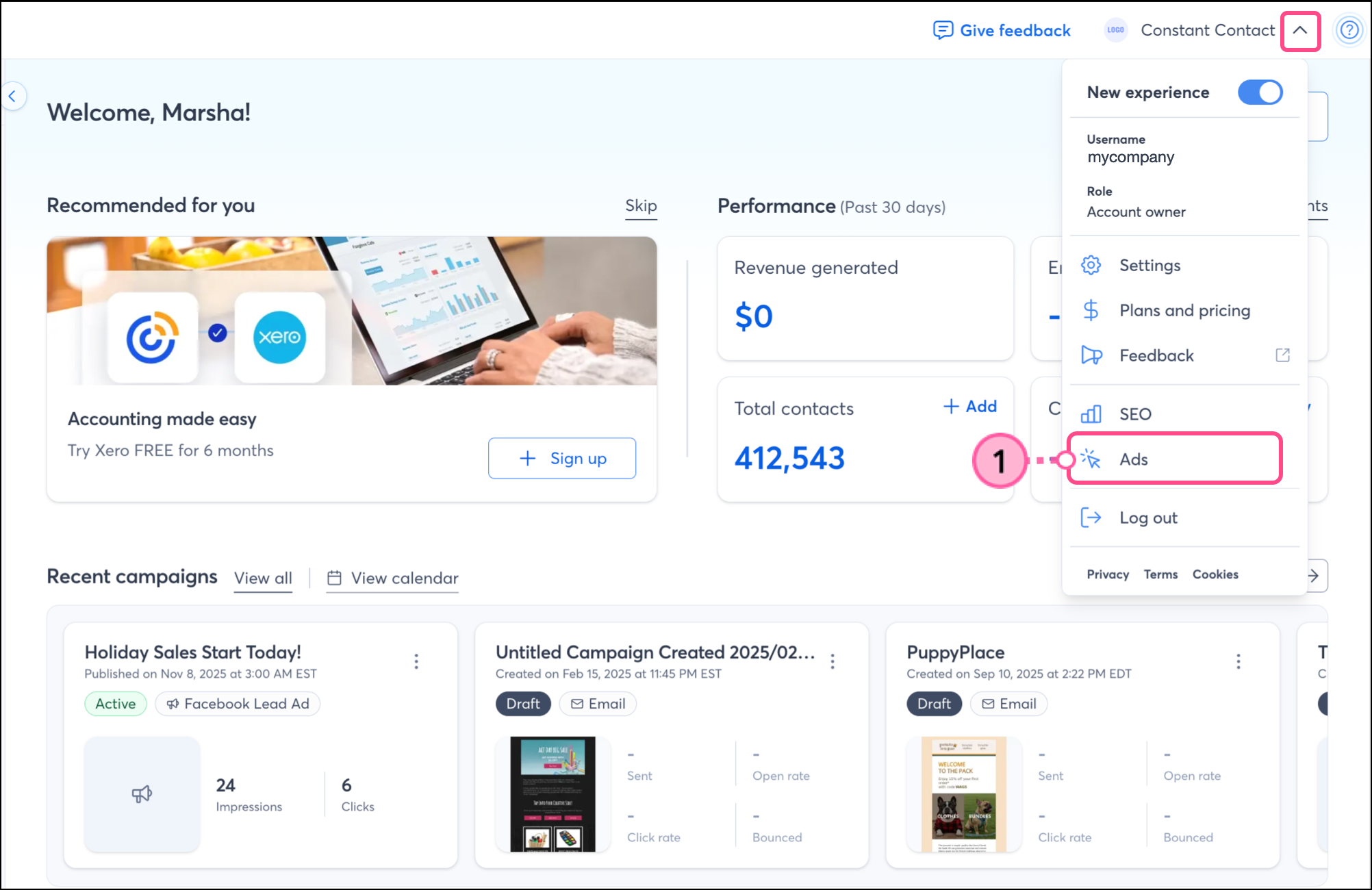


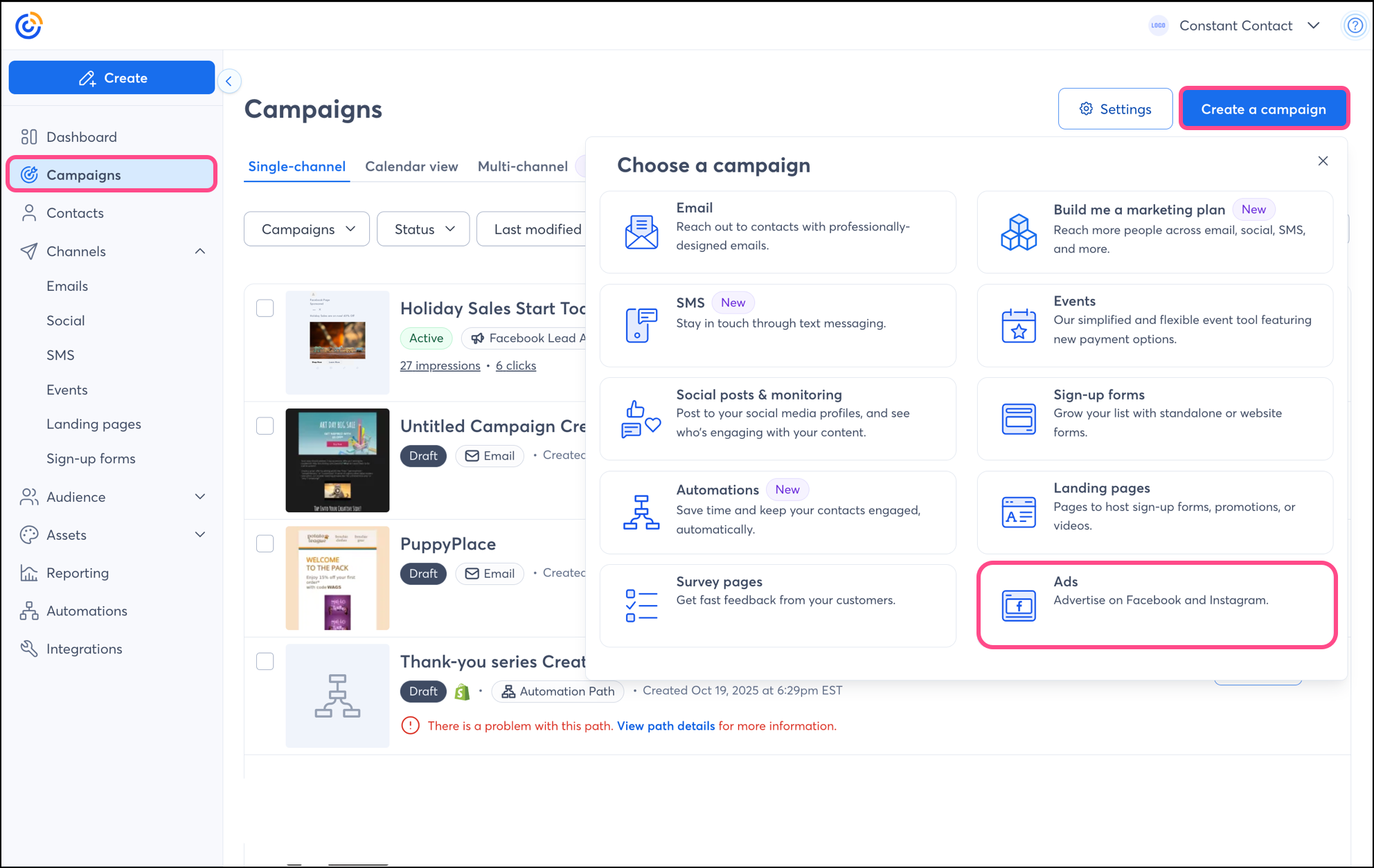
    Note: Don't see Ads in your profile menu? To navigate to the Ads section, you can also click on Campaigns, click Create a campaign, and select Ads from the dropdown menu that appears. 


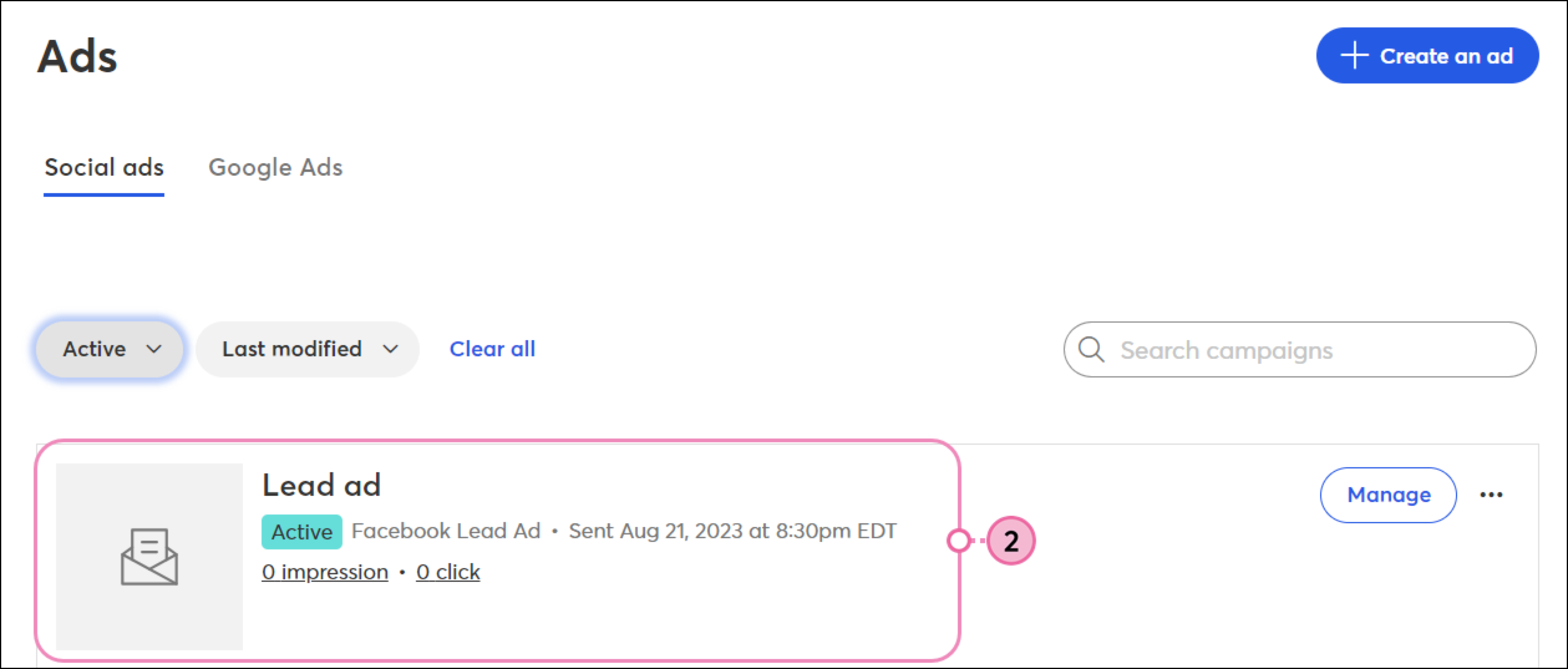
  2. Click on the name of your ad.


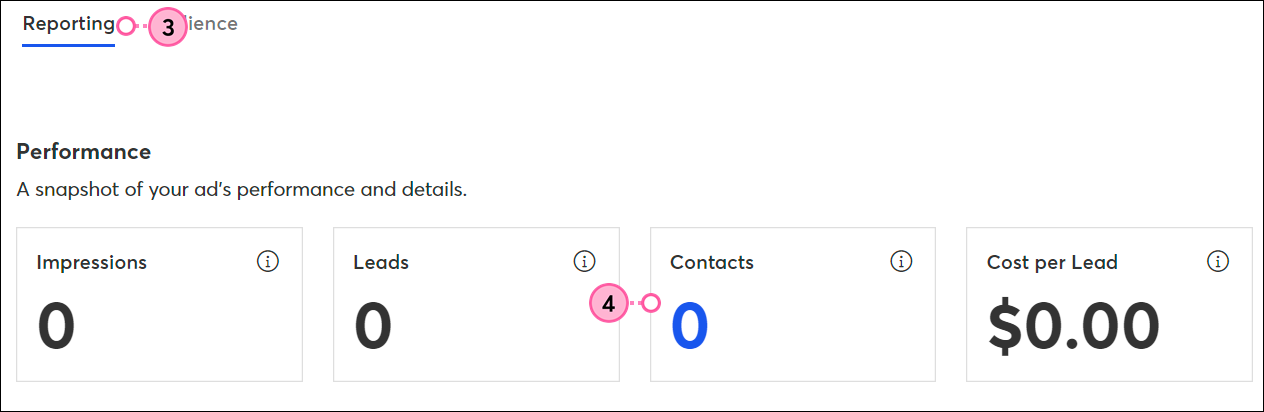
  3. Click Reporting
  4. In the Contacts cell, click on the number of contacts.

    Reporting Tab and Contacts Number Link

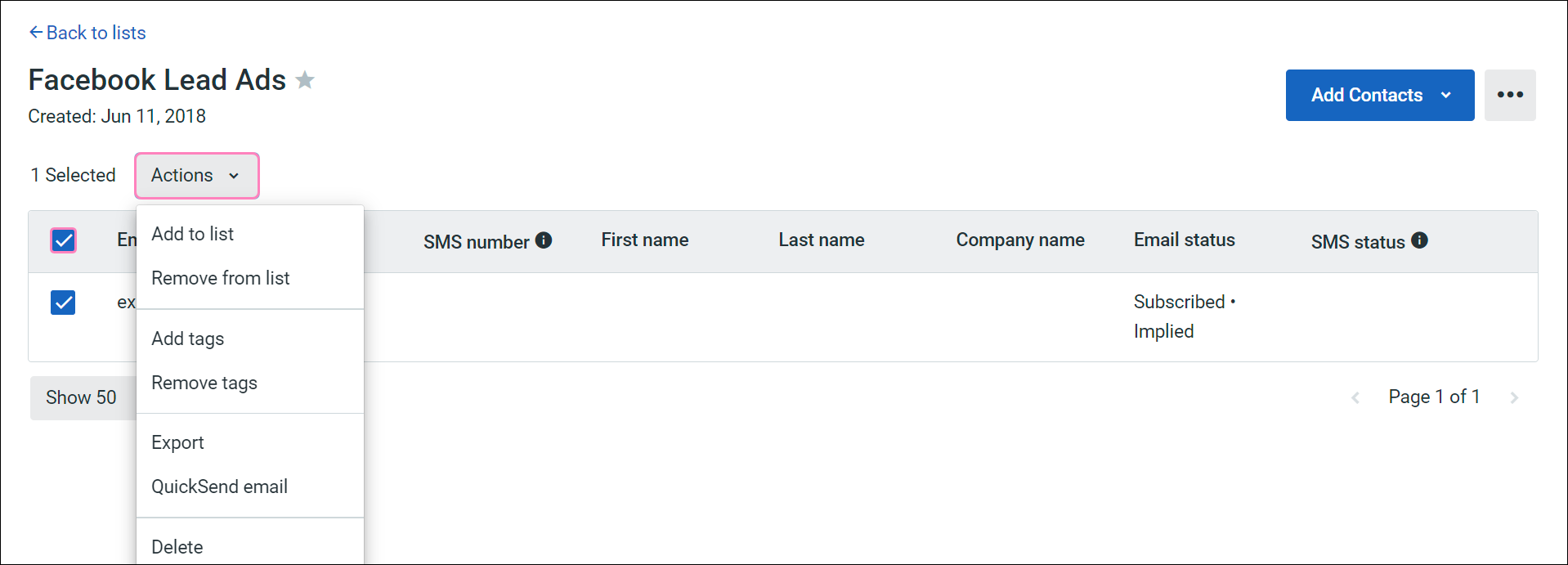
Manage the Facebook Lead Ads contact list

All of the actions available for your existing contact lists are also available for your Facebook Lead Ads list, including: 


Questions?

Ask the Community

Did this article answer your question?


Constant Contact Logo

Copyright © 2026 · All Rights Reserved · Constant Contact · Privacy Center