Email and Digital Marketing
How can we help you?
Search our help articles, video tutorials, and quickstart guides

You've got this. You've got us. Search our Knowledge Base to quickly find answers to your questions.

Activate or deactivate a sign-up form installed on your website

Article: 000020547
Updated: November 21, 2025

Prevent an Inline, Banner, Flyout, or Pop-up Sign-up Form from being seen on your website

Once your Inline, Banner, Flyout, or Pop-up Sign-up form is created and the code has been installed on your website, you have control over whether or not you want the form to be seen, without having to delete the code.


Activate a website sign-up form

Ready to show your sign-up form to your audience? Activate it to start displaying it on your website:
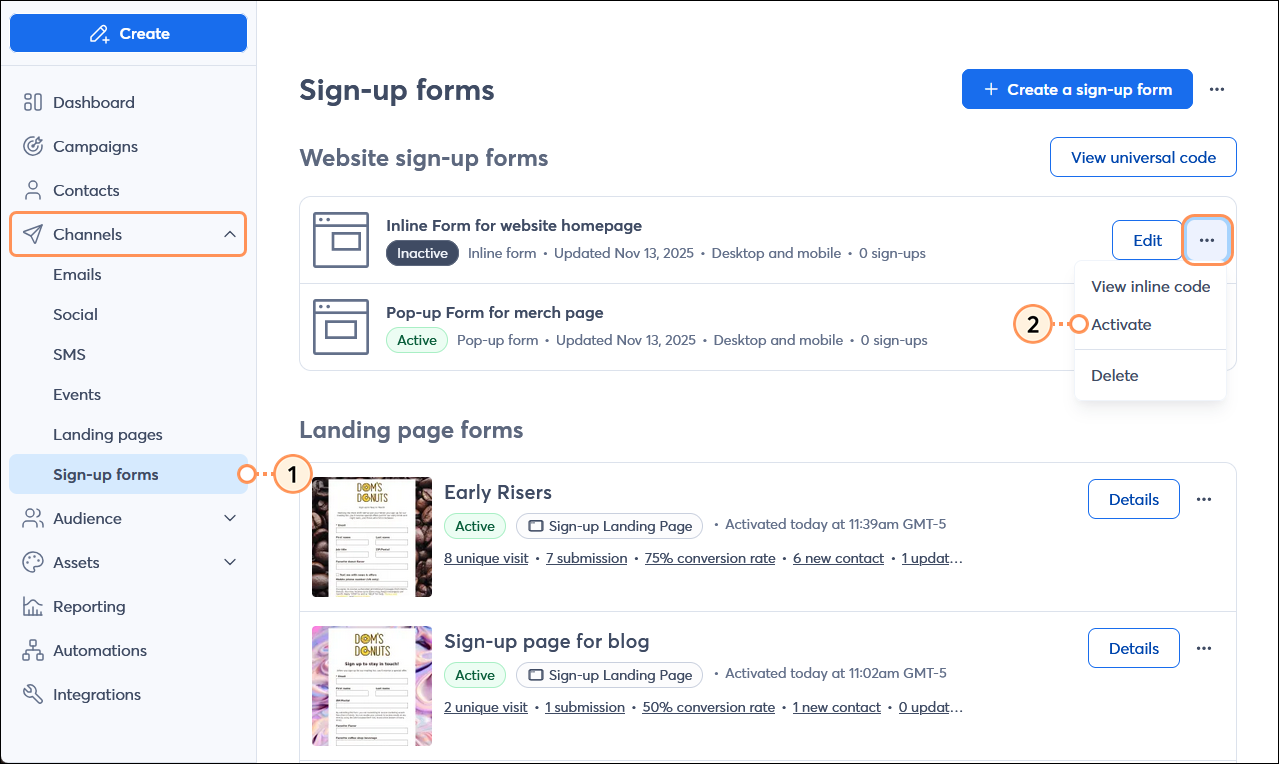
  1. From the menu on the left-hand side, click Channels > Sign-up forms.
  2. Next to the inactive sign-up form you want to activate, click the button with the three dots and then select the "Activate" option from the drop-down menu.

    Channels menu expanded with Sign-up forms option selected, Sign-up forms page with inactive website sign-up form with menu expanded and Activate option selected

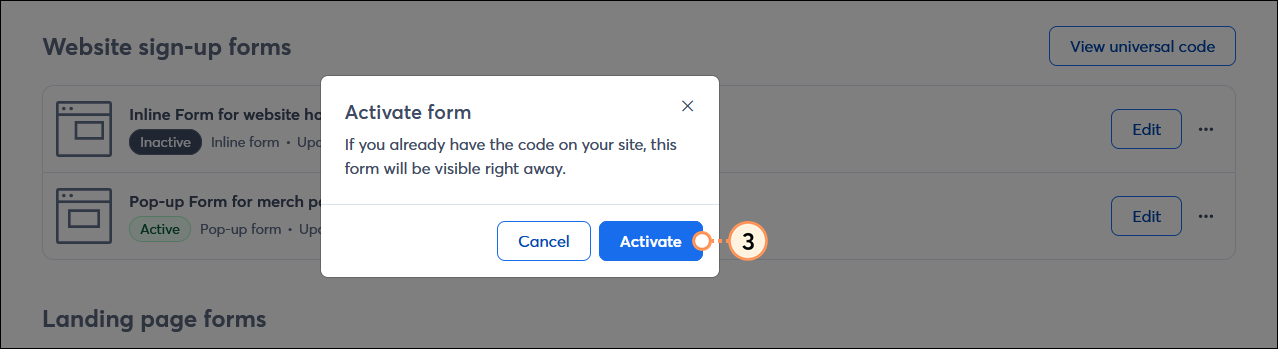
  3. Click the Activate button to confirm the action.

    Activate form overlay and Activate button

An active website sign-up form can be deactivated at any time if you need to make edits to the content or if you want to stop using it altogether.


Deactivate a website sign-up form

Want to remove a sign-up form from view? Deactivate it to prevent it from displaying on your website:
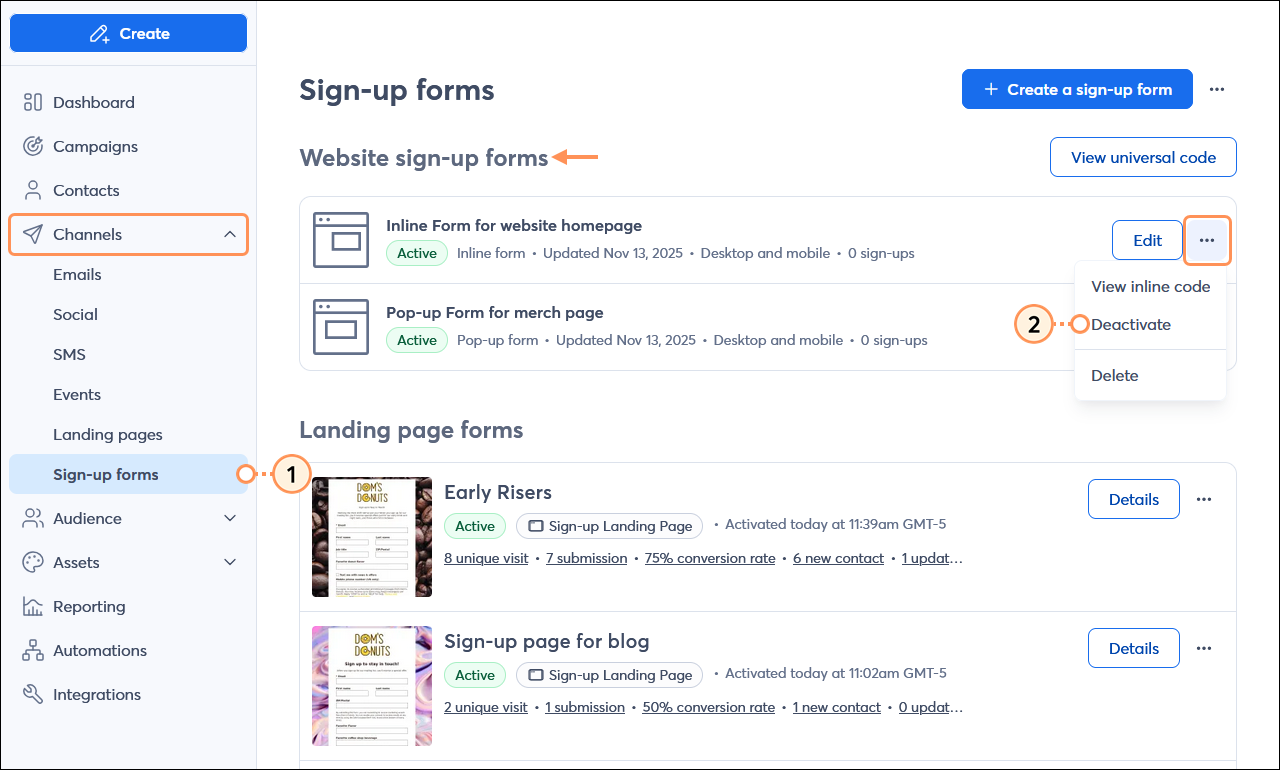
  1. In the menu on the left-hand side, click Channels > Sign-up forms.
  2. Next to the active sign-up form you want to deactivate, click the button with the three dots and select the "Deactivate" option from the drop-down menu.

    Channels menu expanded and Sign-up forms option selected, Sign-up forms page with active website sign-up form with menu expanded and Deactivate option selected

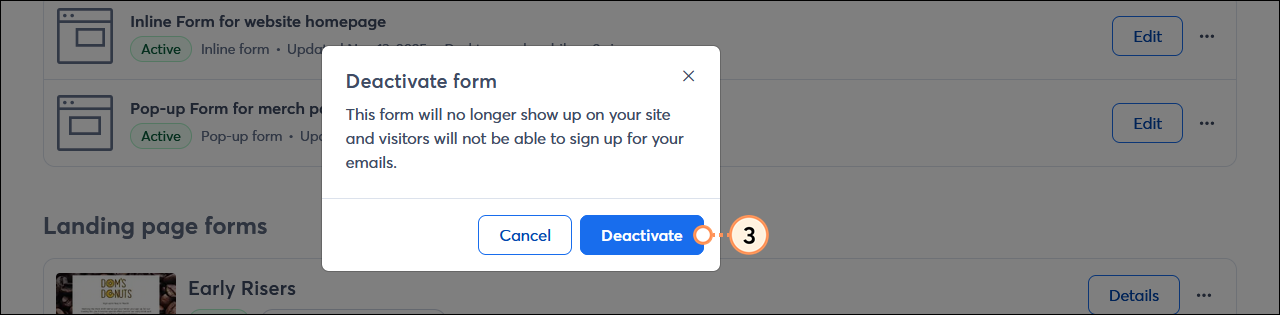
  3. Click the Deactivate to confirm the action.

    Deactivate form overlay and Deactivate button

While the form is deactivated, you can make edits to it and reactivate it at any time. Deactivated forms can also be deleted to remove them from view.


Questions?

Ask the Community

Did this article answer your question?


Constant Contact Logo

Copyright © 2026 · All Rights Reserved · Constant Contact · Privacy Center