Email and Digital Marketing
How can we help you?
Search our help articles, video tutorials, and quickstart guides

You've got this. You've got us. Search our Knowledge Base to quickly find answers to your questions.

Avoiding image-only emails

Article: 000017661
Updated: June 12, 2026

Include more than a single image in your email to avoid getting caught in spam filters


You've spent a ton of time designing a graphic or flyer that includes all of your branding and the important information you need to share. You want to get mileage out of it, but there are serious pitfalls to just inserting it into an email and sending it off without any other content:


Why you should avoid image-only emails

When an image is the only source of text in your email, you can run into problems that decrease your deliverability, opens, and engagement:

  • Spammy - Image-only emails are often associated with spammers, leading to high spam complaints, high bounce rates, and a negative impact on open rates. Email clients often block image-only emails or route them directly to the junk or spam folder to defend against spam.
  • Accessibility - If you manage to get into the inbox, recipients who have images disabled in their email client won't see any of the information beyond your subject line. Screen readers and voice assistants for the visually impaired also can't decipher text embedded in an image. If important information is only in your image, you're preventing that information from reaching your audience!
  • Difficult to translate - Information in an image-only email is hard to translate. If you have separate text blocks in your email, recipients can easily use a browser extension or copy and paste the text into a translation program. When you only have text within an image, contacts need to manually type the text into a translation program.
  • Mobile responsiveness - Mobile devices resize images to fit smaller screens, which can result in tiny, unreadable text.
  • Readability - Saving a PDF as an image can result in a large file size or image dimensions, which can lead to compression and grainy, blurry, or unreadable text. Large images can also be slow to load.
  • Dark mode compatibility - Dark mode is easy on the eyes and saves battery life, but not all websites, email clients, and apps apply it the same way. Dark mode can sometimes make image text unreadable because it can't distinguish text from other parts of the image. Putting all your content into a single image gives you much less control over how your email displays.
  • Searchability - The keywords in your image aren't searchable in an email client, which makes it harder for your contacts to find your email later when they have the time to fully engage with it.


Ways to improve an image-only email

Ideally, the best way to improve the likelihood that you'll get into the inbox and be read is to upload the plain image (without all your text) and add your text to the email body. The text in your image should support your email content, not serve as the main call to action or as a source of important details, such as dates, times, or contact information.

If you need to use your image as-is, the good news is that you only have to make a couple of design changes:
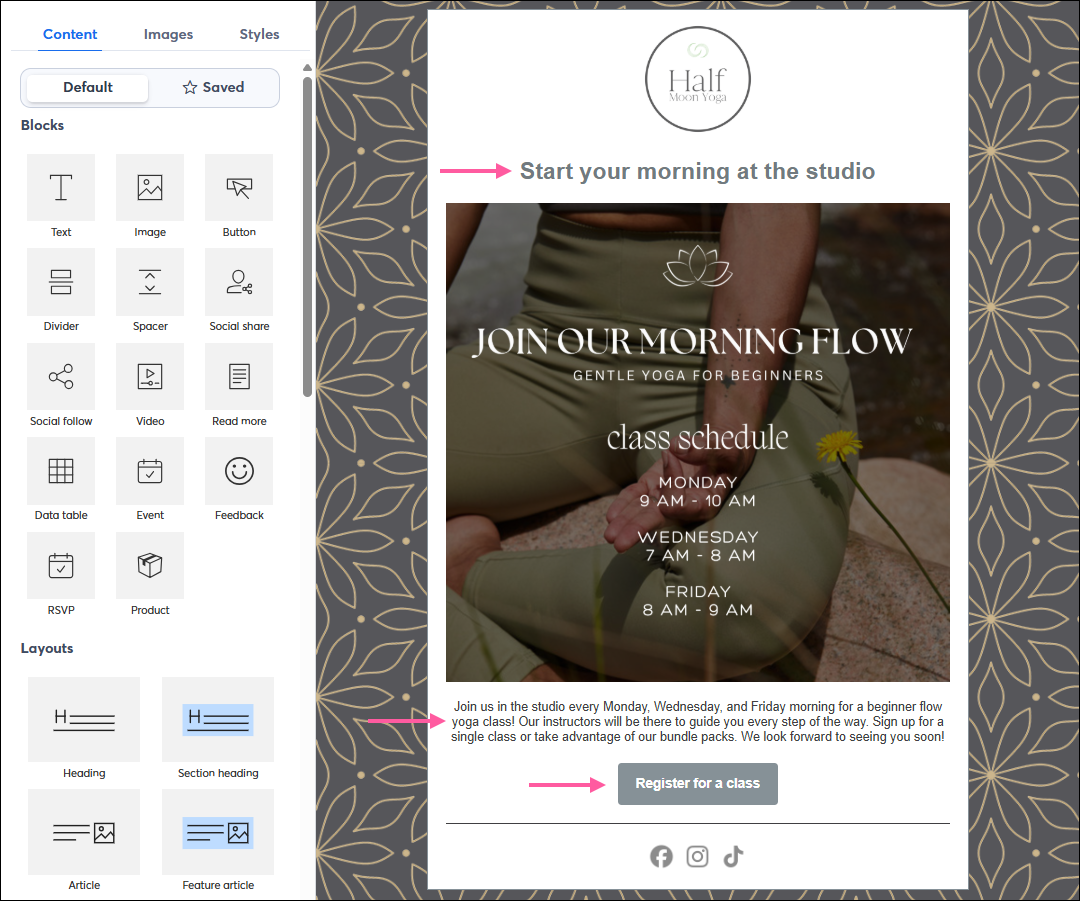
  • Increase the amount of text - A good ratio is about 20 lines of text or less for each image in your email. Add a Text blockHeading block, or Button block to your template to increase your text; you can even use a Text block as an image caption. The following email includes one large image, but we’ve added a heading, a short paragraph, and a button to provide context for the image and a clear call-to-action.

    Example Email Including an Image with Text

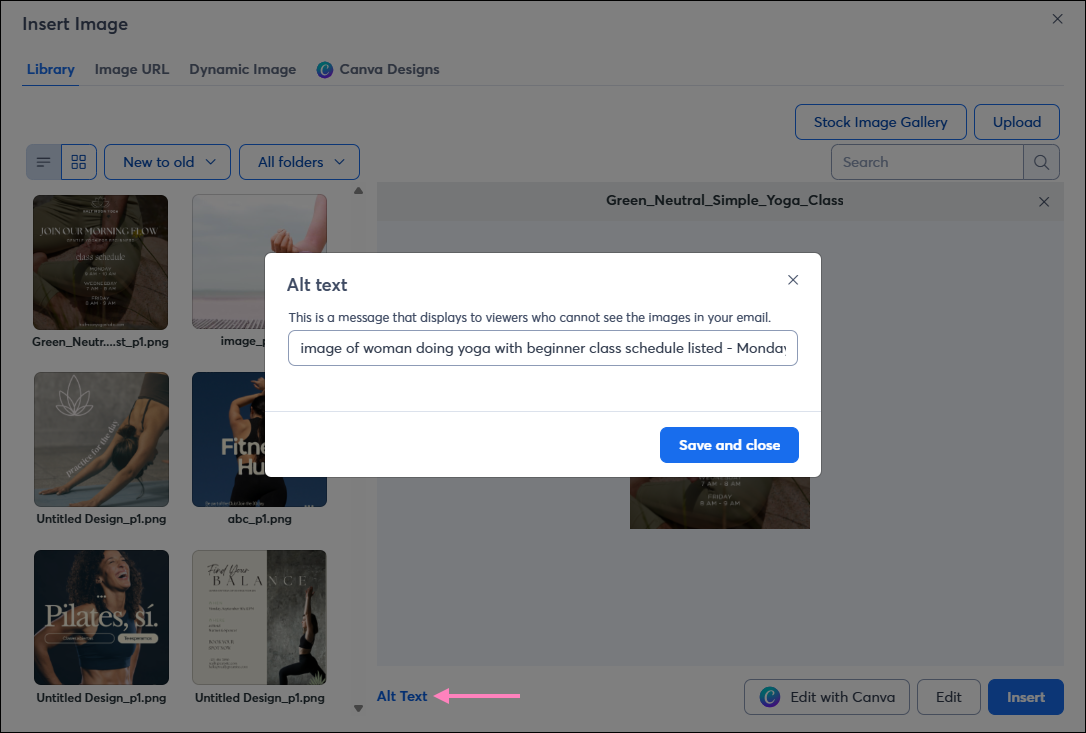
  • Add alt text to images - When uploading your image or when editing your email, you can add an image description so that if your image doesn't display, your readers still have an idea of what they're missing, and screen readers will recognize it too!

    Image Alt Text overlay

Light Bulb IconDesign tip: When you create an email from a PDF, it automatically includes a button that links to the document and extra text areas for you to customize, helping you avoid the pitfalls of an image-only email.


Questions?

Ask the Community

Did this article answer your question?


Constant Contact Logo

Copyright © 2026 · All Rights Reserved · Constant Contact · Privacy Center