Text links are more subtle than buttons, but are still an effective call-to-action in your email, especially when they support your main call-to-action button. You can direct contacts to your main webpage, blog, fundraising site, item listing, or any other URL, and style the link to match your branding. When inserting your link, you can also use click segmentation and dynamic links to segment your contacts and send more targeted emails.
 | The data shows: A well-placed and well-styled link draws clicks. Review your click reports about 48 hours after sending your email to see how your links performed, and use the results to inform future email design. If you need more help, check out our tips to improve your click rate! |
Note: Due to limited and inconsistent support across email clients, we do not offer the option to create anchor links that jump to specific parts of your email. We recommend keeping your email short and directing readers to your website instead.
Any text can be turned into a clickable link in just a few short steps:
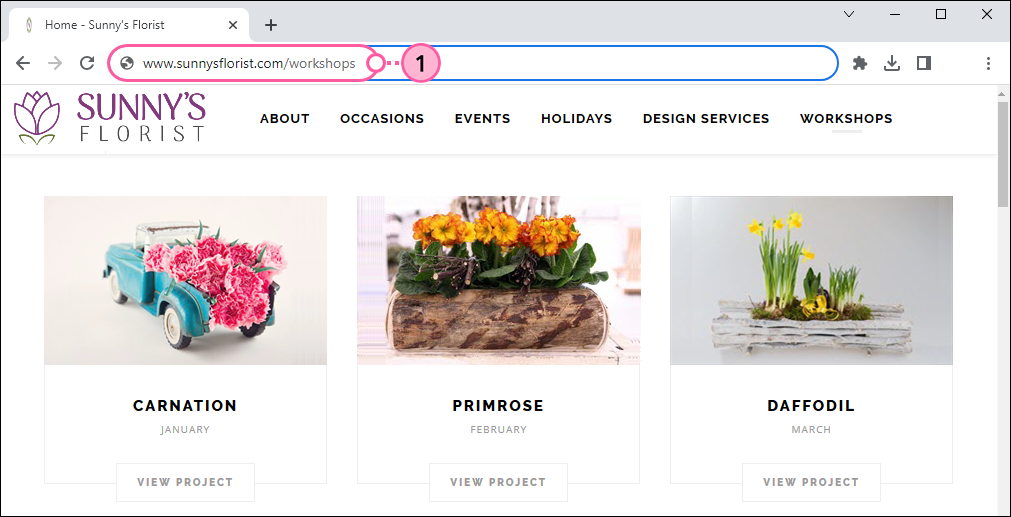
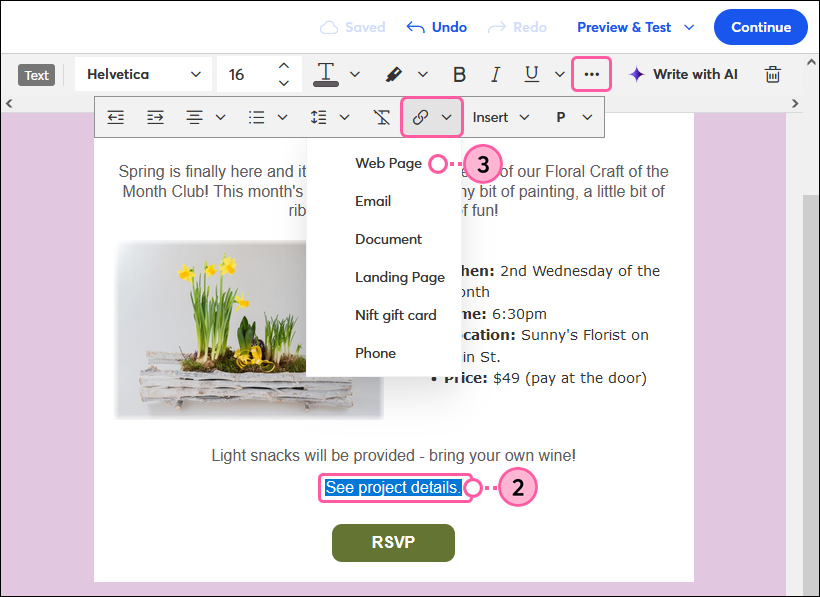
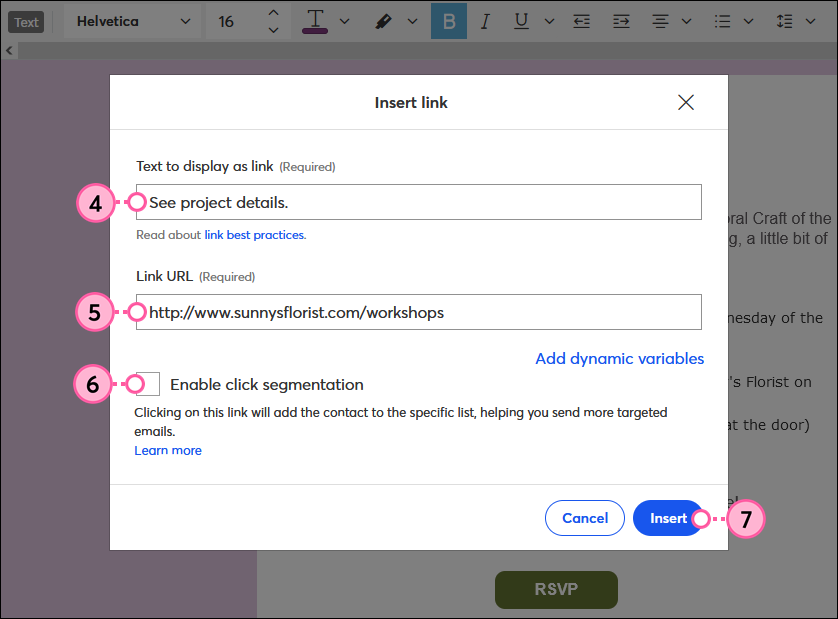
The best place to add a link in your email depends on its purpose. Here are a few keys for positioning common types of links:
 | Tip: Savvy with code? Text links can be turned into dynamic links that display custom content for each individual contact who clicks on them. |
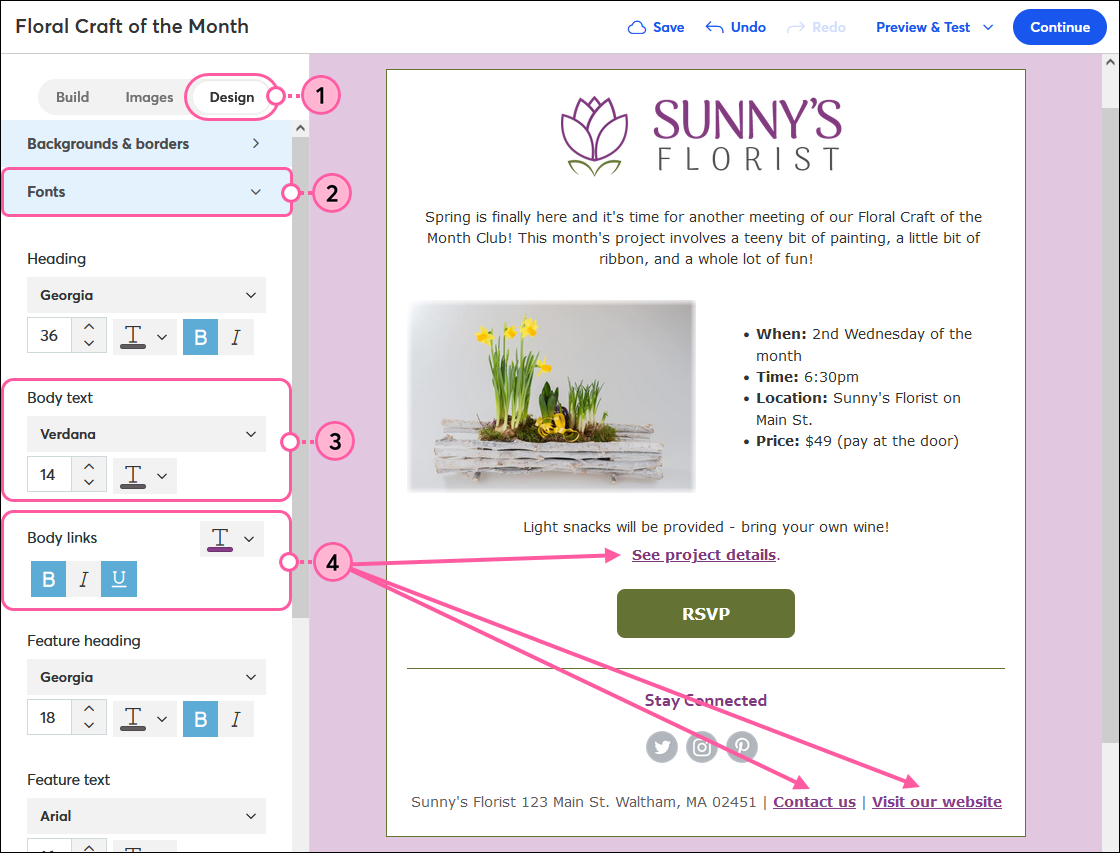
Once you've added all your links to your email, you can use the Styles tab to apply the same style to all the links within your entire template.
 | Join the conversation: Want a second opinion? Our Community can help! Just submit your email to the "Campaign Feedback" forum for some honest feedback before you send it out to your contacts. |
 | Important: Changes made through the text toolbar override the global styles set through the Styles tab. To reset the link so that global styles are applied instead of the individual styling, remove the link, and then reinsert it. |
If you want to make a link stand out from the rest, or have it fade into the background so that it doesn't compete with your main call-to-action, you can use the options in the toolbar to style an individual link.
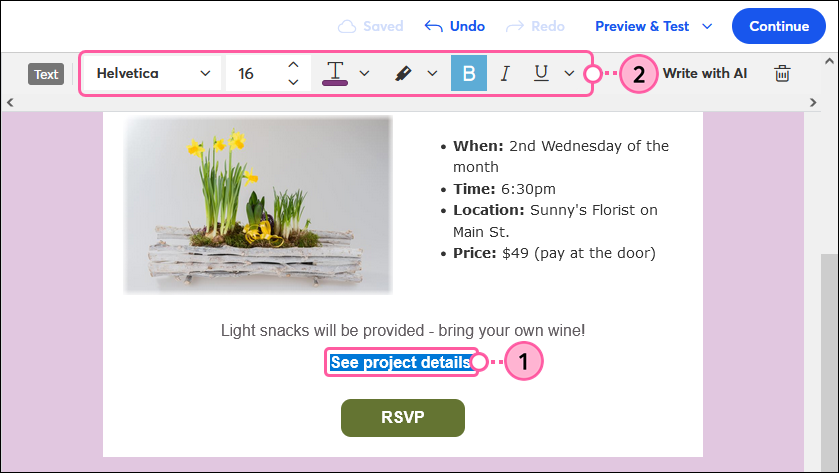
Here are some tips to keep in mind when changing the style of your links:
| Did you know? Some web browsers and email programs display link colors according to their own settings, regardless of the link color you choose. |
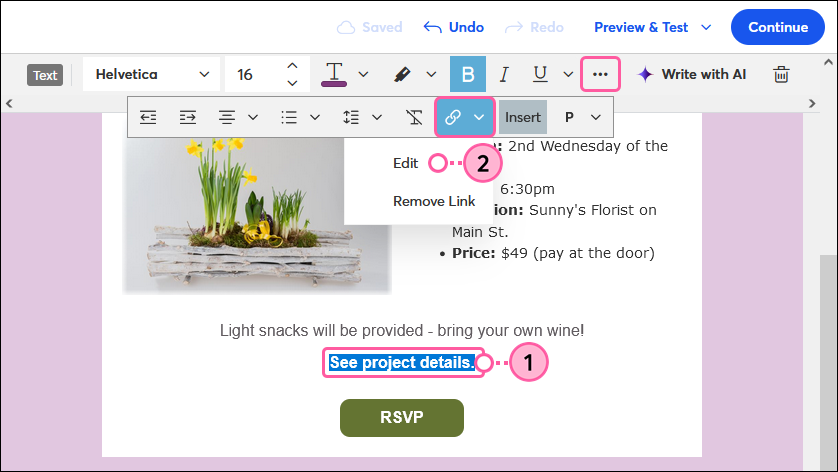
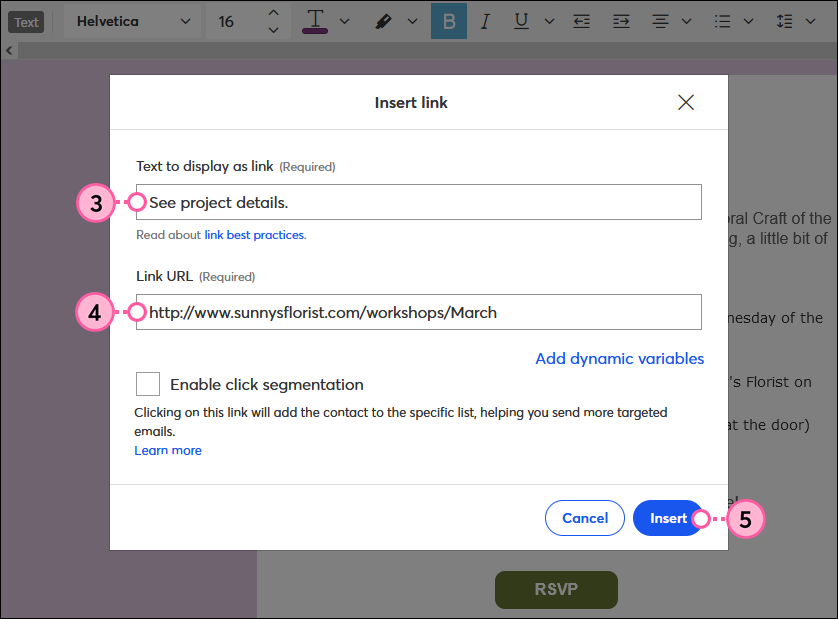
Want to change the text that displays as the link, or need to replace the URL your text link directs readers to? It's easy to edit a link:
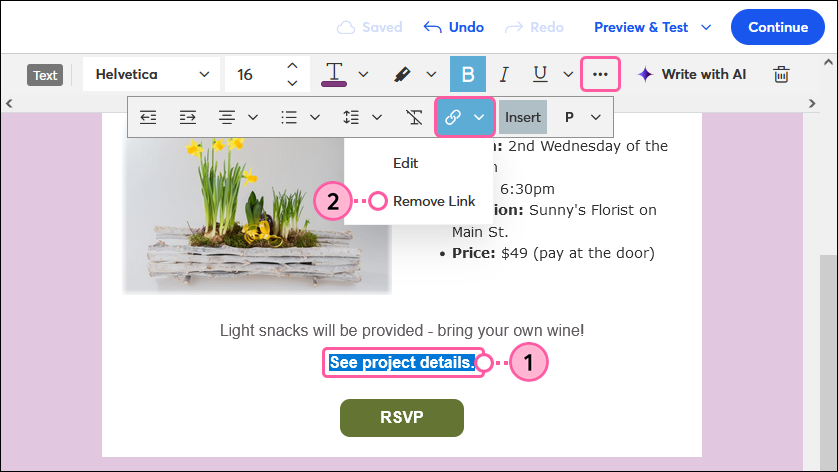
If you need to move a URL to another location in your email or want to opt for a button instead, you can remove the link without altering the text. Deleting linked text also removes the URL.
| Be a better marketer: Want to learn more about URLs? Check out What is a URL Link? (and Why it Matters for Your Business)! |
Any links we provide from non-Constant Contact sites or information about non-Constant Contact products or services are provided as a courtesy and should not be construed as an endorsement by Constant Contact.
Copyright © 2026 · All Rights Reserved · Constant Contact · Privacy Center