Email and Digital Marketing
How can we help you?
Search our help articles, video tutorials, and quickstart guides

You've got this. You've got us. Search our Knowledge Base to quickly find answers to your questions.

Generate a branded website to grow your business

Article: 000055470
Updated: November 18, 2026

Let us build a professional website for you to promote your business and collect new subscribers

Need help establishing an online presence for your business? Let us build a beautiful website for you! Just answer a few questions, and we’ll create a standalone landing page tailored to your brand. You’ll then be able to easily share the link to your website on social media, in your email signature, in your Google Business profile, or anywhere else you can share a link. Visitors to your page will be able to learn more about your business and sign up for your email list!


Important: This feature is currently being released to customers and is only available when using Constant Contact on your mobile device's web browser (versus your desktop computer or Constant Contact's mobile app).
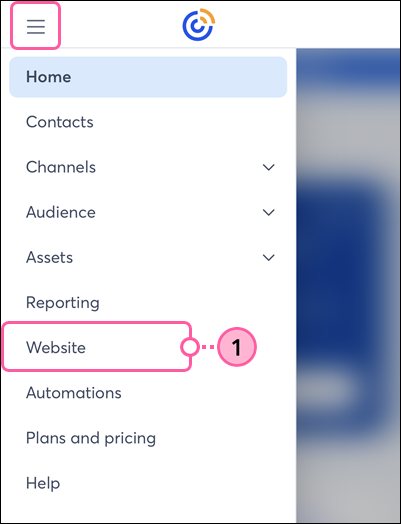
 

  1. Tap the menu icon in the upper-left and select Website.

    Constant Contact on mobile web browser, menu expanded, and Website option selected

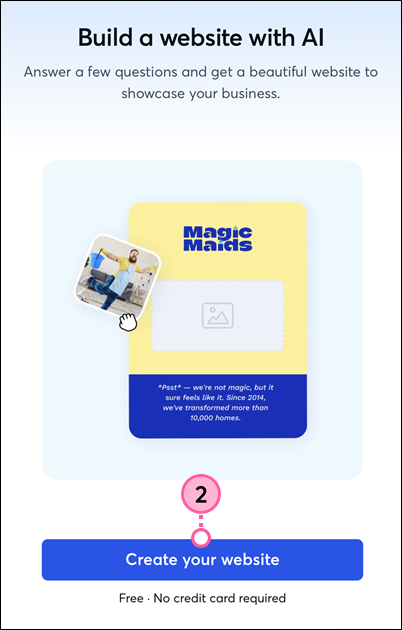
  2. Tap the Create your website button.

    Constant Contact on mobile web browser, Build a Website with AI page, and Create Your Website button

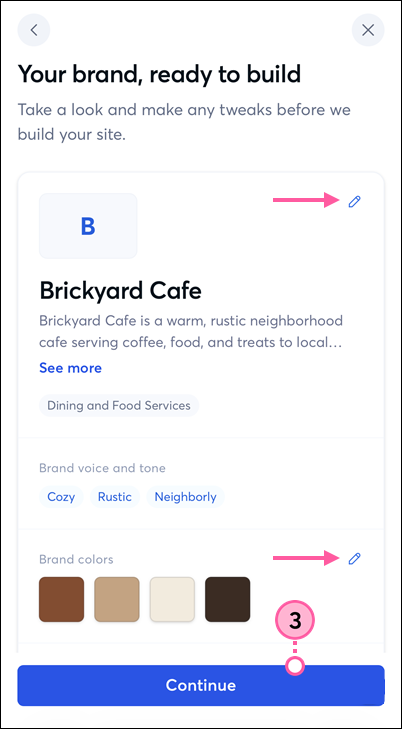
  3. Answer the questions based on your business, and we’ll put together a BrandKit for you. Tap the pencil icons to make any changes, then tap Continue to build your site.

    Constant Contact on mobile web browser, Brand assets to review, Edit pencil icons, and Continue button

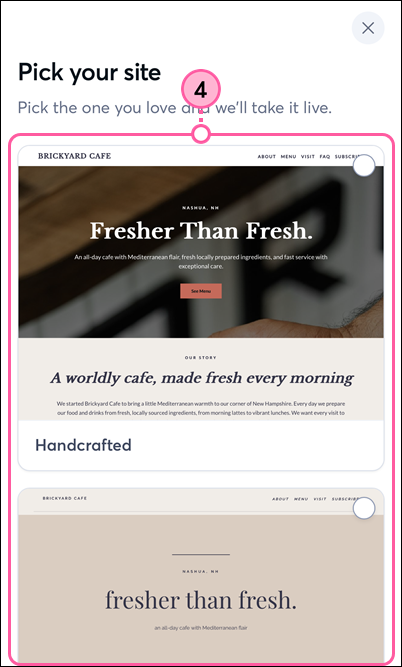
  4. Tap on a website design option to preview it.

    Constant Contact on mobile web browser, Pick your Site page, and website design options

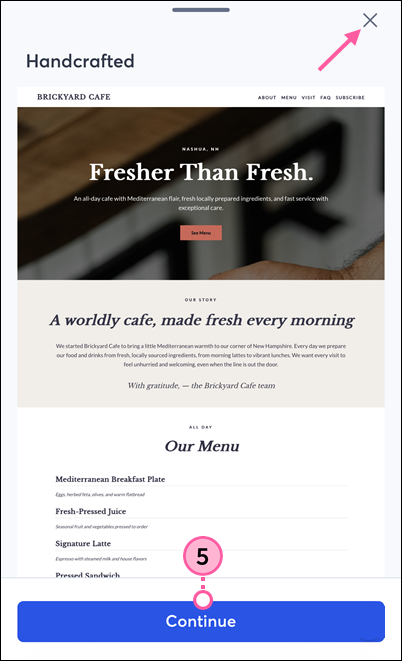
  5. To create and activate the website, tap Continue. To return to the options, tap the X in the upper-right.

    Constant Contact on mobile web browser, website preview, X to close, and Continue button

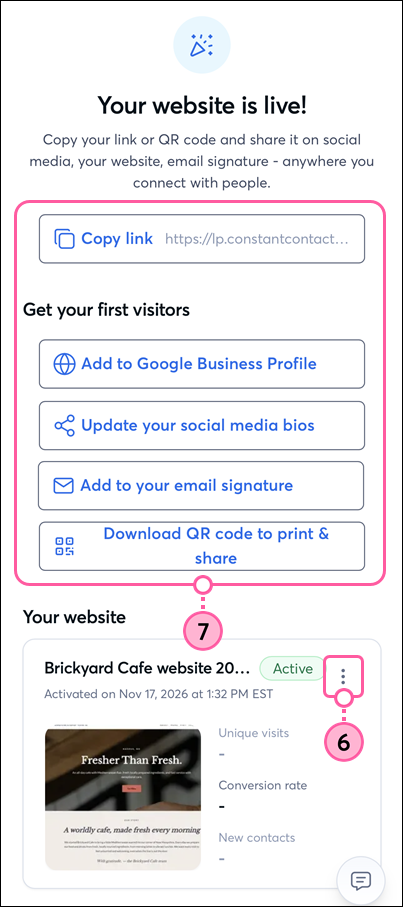
  6. To make changes to your website before sharing it with your audience, scroll down to the Your website section and tap the three dots to expand the menu, then tap Edit.
  7. When you’re ready, use the options to promote your website and start getting new subscribers. You can copy the link or QR code to share it on social media, in your email signature, on your Google Business profile, or anywhere you connect with your audience.

    Constant Contact on mobile web browser, Your Website is Live page, Share options, and More menu icon

You'll be able to see how many unique visits your website gets, the percentage of visitors who convert to subscribers, and how many new contacts your website has generated.

Note: When working on a desktop computer, your website will be found under Channels > Landing pages.


Questions?

Ask the Community

Did this article answer your question?


Constant Contact Logo

Copyright © 2026 · All Rights Reserved · Constant Contact · Privacy Center